USER GUIDE
Mitel 5634 VoWi-Fi Handset
Mark the one required and press Select. If the selected option requests input, enter the information
needed and press Ok. A press on the * key changes to digit or text input mode depending on whether it
is digit or text format in the message.
If a handset receives an IM update when the original message has already been deleted,
the handset automatically sends a negative acknowledge to the system, if requested.
Send data function can be used to initiate the application to send the interactive message, refer to the
5.11 Send Data, page 31.
5.9
Colored Messaging
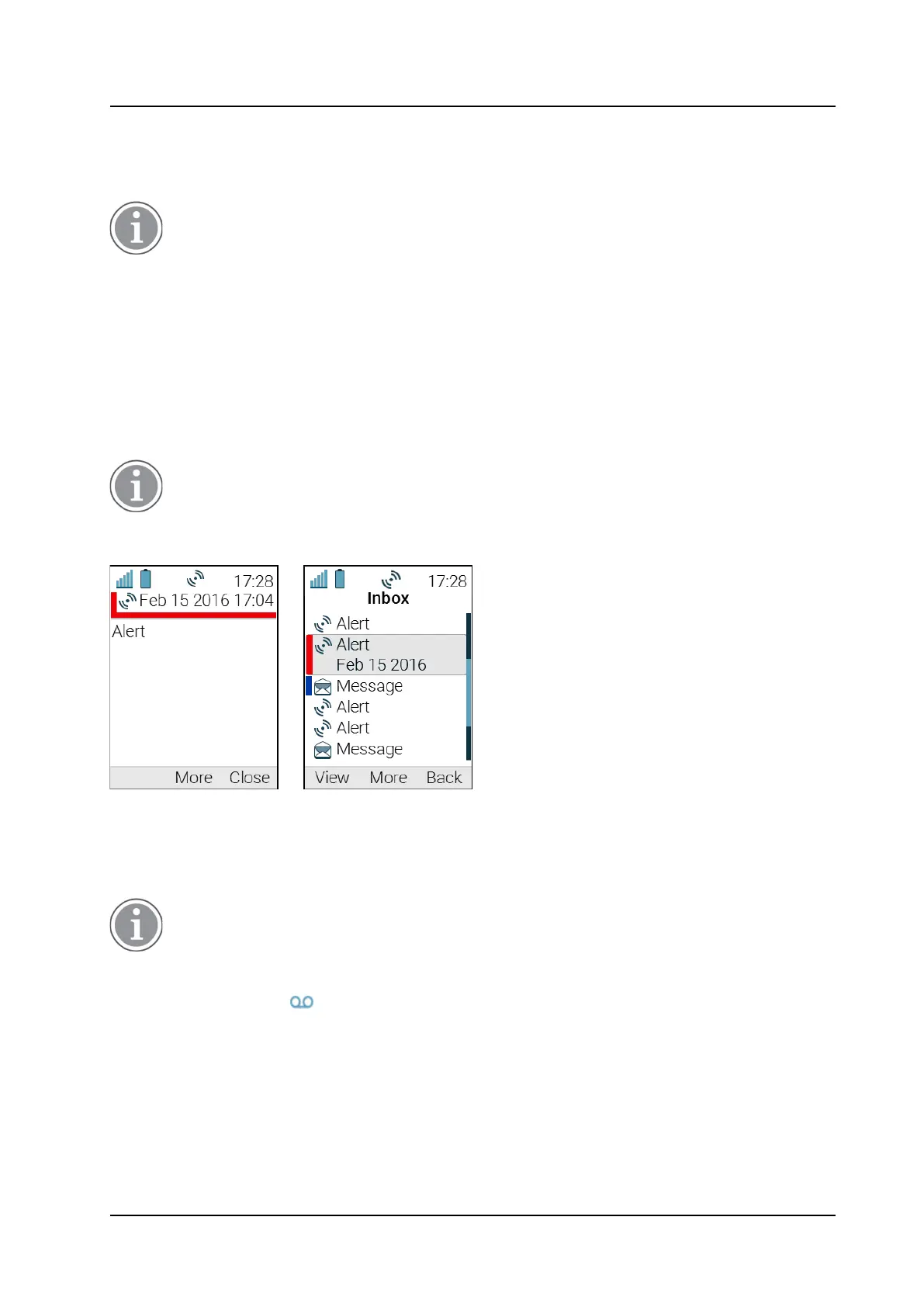
Colored messaging is used to prioritize system messages by assigning different color tags to them, for
example refer to the Figure 8.
Example of a Colored Message
, page 30. The color of a system message is
shown by a color bar to the left of each message in the Inbox. High-priority alarms are automatically
colored with a red color bar on the right.
Colored labels can be mapped to message beep codes. For more information, refer to
the Mitel 5634 VoWi-Fi Handset Configuration Guide.
Figure 8. Example of a Colored Message
The left image shows the color indication in the opened message window. The right image shows
how system messages of different priorities look in the opened Inbox.
5.10
Voicemail
Only available if configured in the system.
When receiving a voicemail, the voicemail notification is displayed automatically on the screen and the
Voicemail message icon appears in the Status bar.
If the Voicemail message icon is displayed in the Status bar, press and hold the digit key 1 in Idle
mode to listen to the received voicemail message. If the extension number is not available, a dialog
window Voicemail number not defined is displayed.



 To Next Page