USER GUIDE
Mitel 5634 VoWi-Fi Handset
Table 2 Status and system icons description (continued)
Profile active
Indicates that a profile is active. The icon appears in the left
lower part of the Active area.
NOTE: If any error or warning message appears on the
handset’s display, the icon will be moved to the Header bar.
Handset model 5634
Services
Indicates that the handset is a 5634 Services. The icon is
located in the right part of the Active area.
Handset model 5634
Alarm
Indicates that the handset is a 5634 Alarm. The icon is located
in the right part of the Active area.
2.4
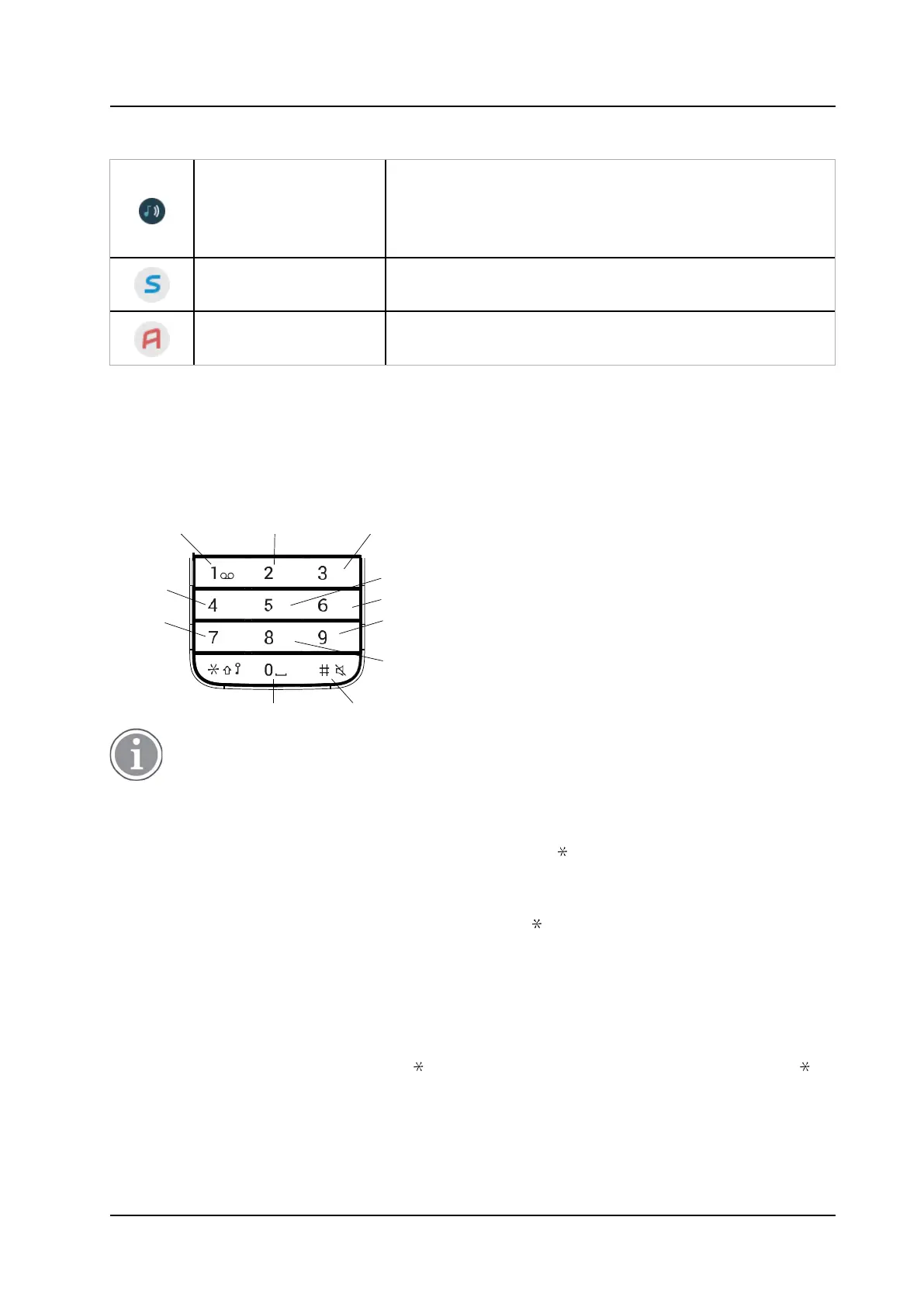
Alphanumeric Keys
Alphanumeric keys consist of numbers, letters and other special characters.
Figure 4. Available Characters
. , ? ! - " ' 1
a b c à â æ ç 2
d e f é è ê ë 3
g h i î ï 4
p q r s 7
j k l 5
m n o ñ ô ö œ 6
w x y z 9
t u v û 8
Space + * 0 #
Depending on the selected menu language, other characters are also available. This means
that the character order can differ from the figure above.
2.4.1
In Idle Mode and in Number Input Mode
•
A short press on a key enters the digits 0–9 and the characters and #.
•
A long press on 0 enters the character + (used, for example, to enter an international number), if the
hot key function on key 0 is disabled.
•
Enter a pause in number input mode by a long press on the key. A pause is indicated by a P in
the display.
2.4.2
In Text Input Mode
•
A short press on any of the keys 0–9 displays the first available character on that specific key.
The marked character is selected after a timeout, or when another key is pressed.
•
To change to upper/lower case, press the key before entering the character. A short press on
the key can also be used to display only the digits.
•
To add space in the text, short press key 0.



 To Next Page