EasyManua.ls Logo

Mitel 5634 - Page 73

Mitel 5634
80 pages
Print Icon
To Next Page IconTo Next Page
To Previous Page IconTo Previous Page
Loading...
USER GUIDE
Mitel 5634 VoWi-Fi Handset
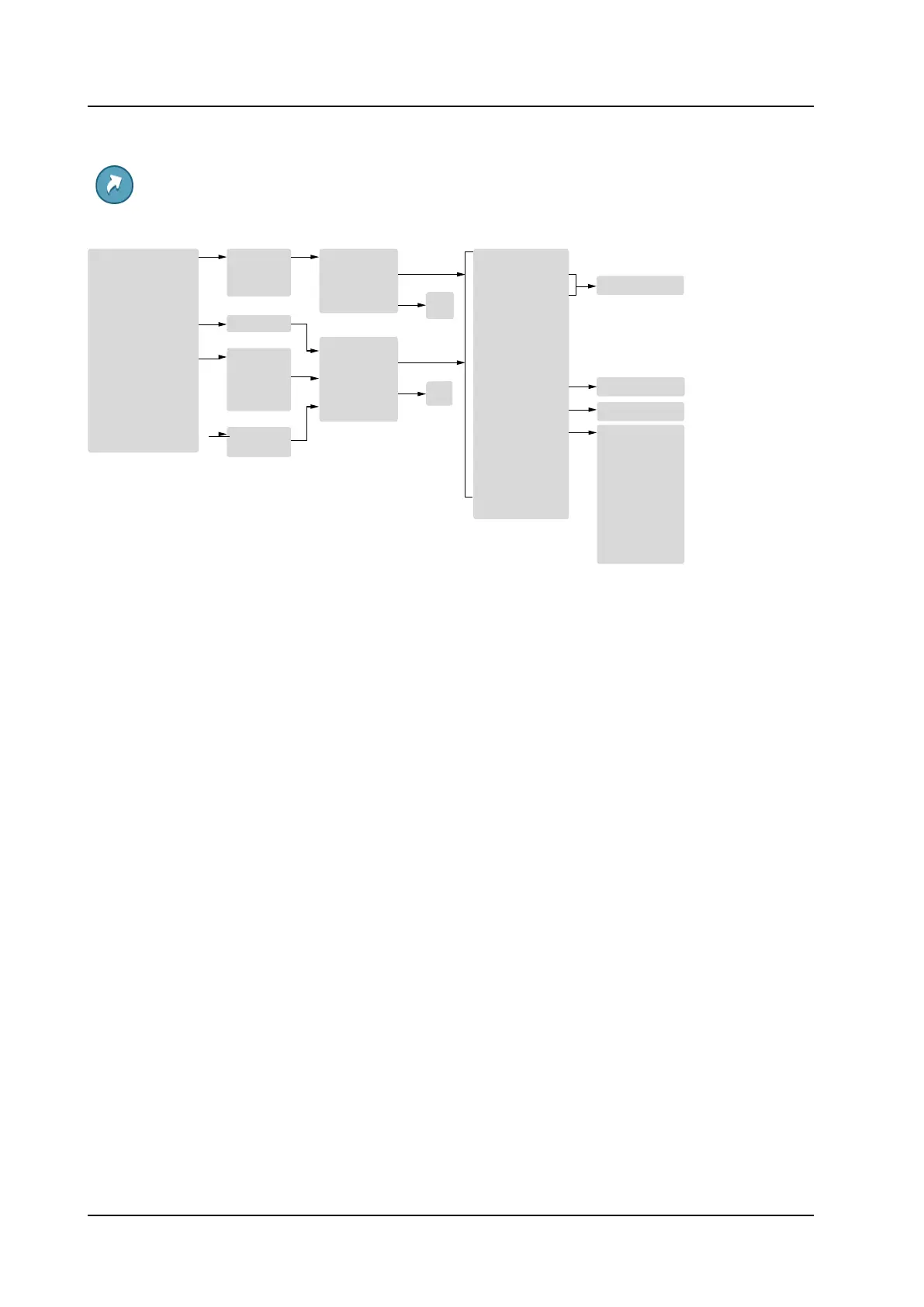
Menu Tree
58016275 / October 2020
69
Of
Shortcuts
Soft Keys
Hot Keys
Navigation Keys
Left
Middle
Right
0, 2–9
Up
Down
Name
Function
Value
Control question
Function
Value
On
Off
Not used
Phone call
Phone call
,
Call list
Contact list
Central Phonebook
1
Message inbox2
Enter number
Left
Right
Multifunction button
4
Long press
Multi press
Control question
On
Send message2
Change pro le
Open a menu
Services2
Logout
Call services
3
Divert calls5
E
n
E
t
n
e
t
r
e
n
r
u
n
m
u
b
m
er
b
er
Pro le X (example)
Main menu
Calls
Connections
Contacts
Messaging2
Services2
Pro les
Settings
Call services
3
1.
This function is system dependent.
2.
Applicable to 5634 Services and 5634 Alarm only.
3.
This function is con gured by the system administrator.
4.
Applicable to 5634 and 5634 Services only.
5.
Visible only if enabled in WinPDM/WSM3/CPDM3 DM.

Table of Contents

Other manuals for Mitel 5634

Related product manuals