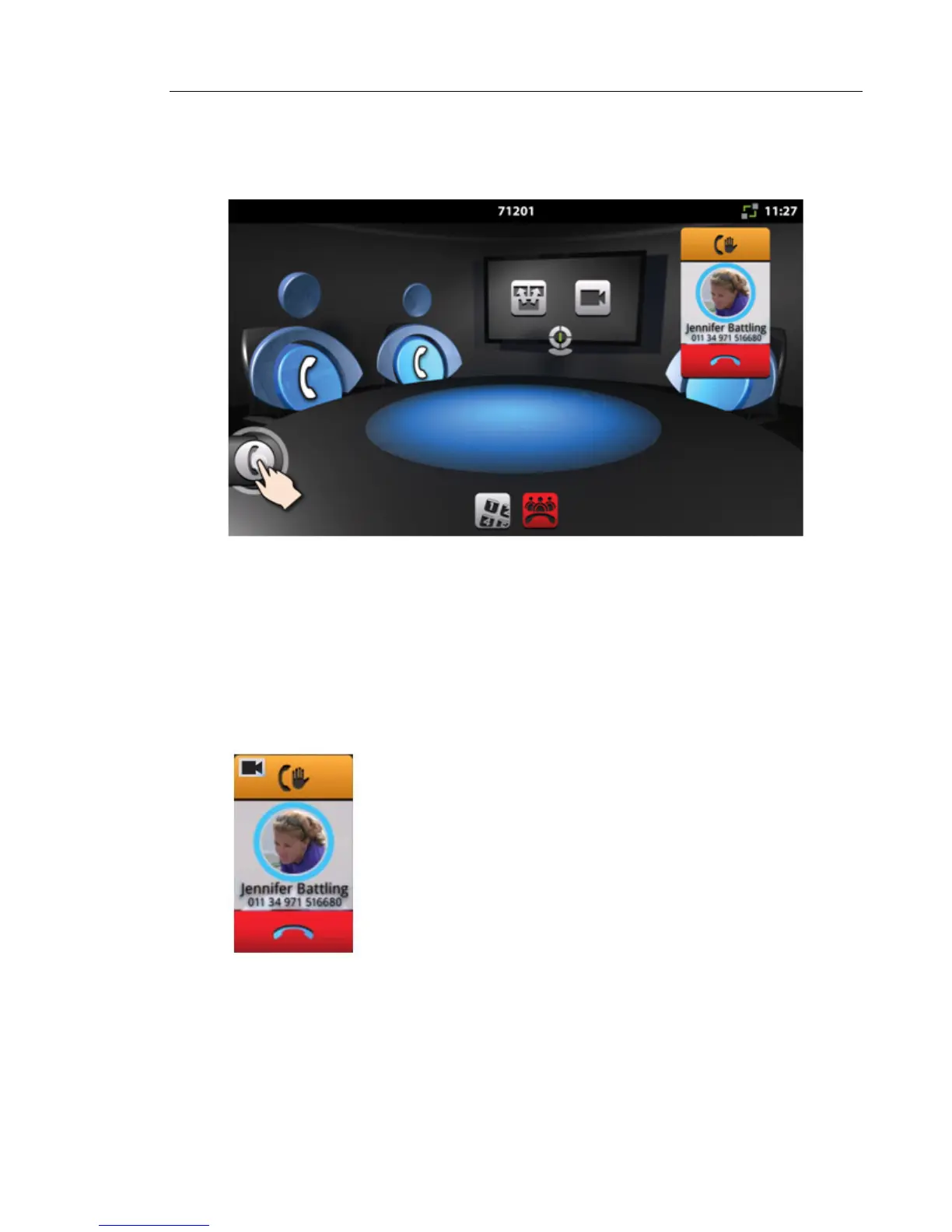
Conference Call Avatar
Once a call is made, the conference party avatar enter the dialing state as illustrated below.
• The animated blue rings around the photo indicate the dialing state.
• The remote party's name and number are displayed.
• If a photo of the called party is available from the contacts database, it is displayed. Oth-
erwise, a grey background with an outline appears in place of the photo. If the contact's
name is available from the contacts database, it is displayed.
• If the contact's name is unknown, “Unknown” is displayed.
When the called party answers, the conference avatar changes.
• The upper button -- hold/retrieve is now enabled.
• A video camera indicates that the remote party is video-enabled.
• The End button is available. If End is pressed, the call is terminated and the conference
call state returns to idle.
• Notice that the icon in the End button is a horizontal handset. A convention in the Conference
App is that a vertical handset means initiate a call; a horizontal handset means end a call.



 To Next Page