Dial Plan
The administrator can program a dial plan. This dial plan will be stored in the database and
restored automatically when UC360 is up and running.
1. Press Settings
2. Press Advanced
3. Press System Settings
4. Press Dialing Plan
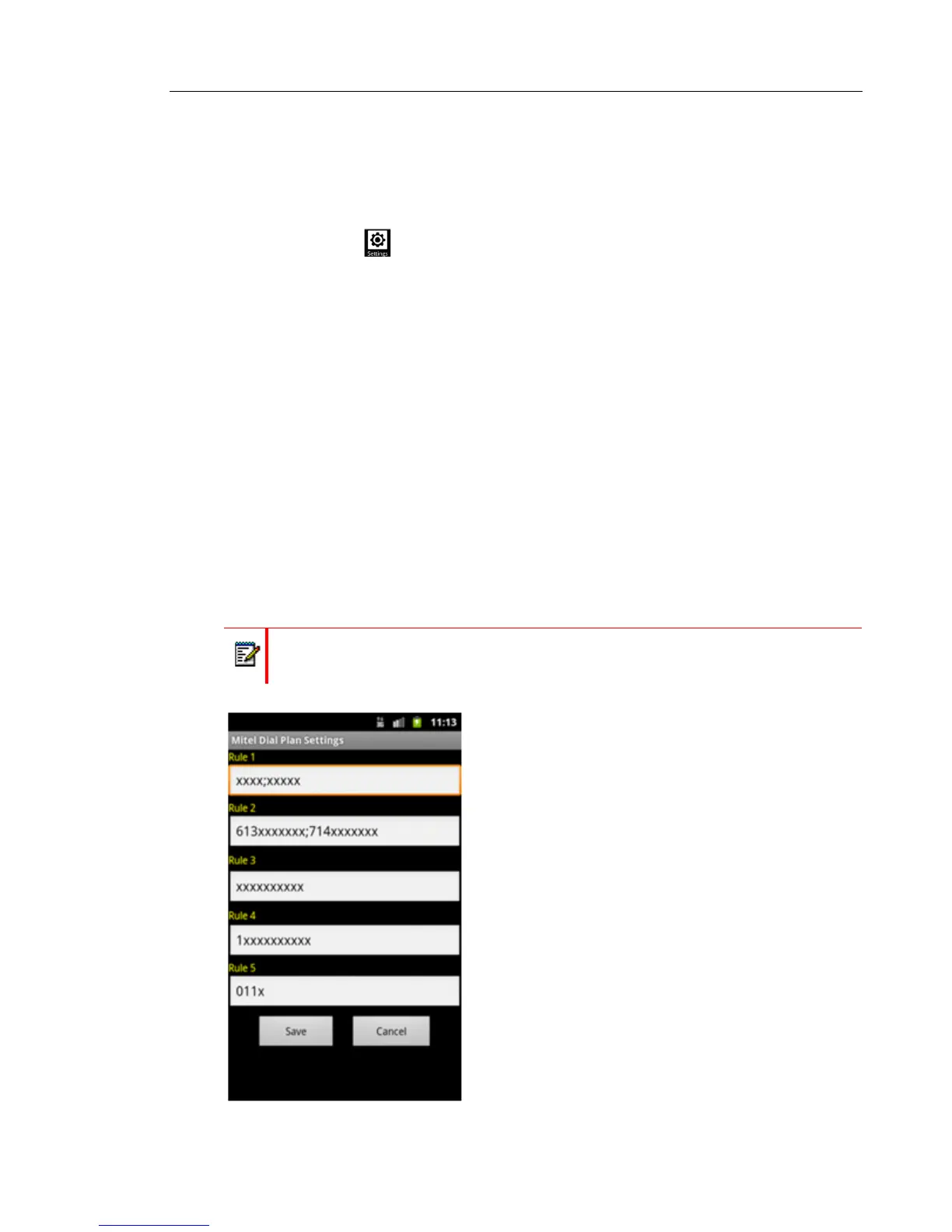
5. Enter the rules for the various dialing plans
The dial plan table has five programmable rules for the following generic digits dialing shown
below
• 4 digits dialing
• 10 digits dialing
• 1+10 digits dialing
• International digits dialing
If having more rules, the editable boxes of rule1, rule2 … rule5 can be used to program more
rules using semicolon " ; " as separator.
Note: The Dialing Plan does not restrict dialing, but facilitates dialing by eliminating the
wait for the inter-digit time-out.



 To Next Page