UC360 Administration and User Guide
LDAP Translations Plan
1. Press LDAP/AD Settings
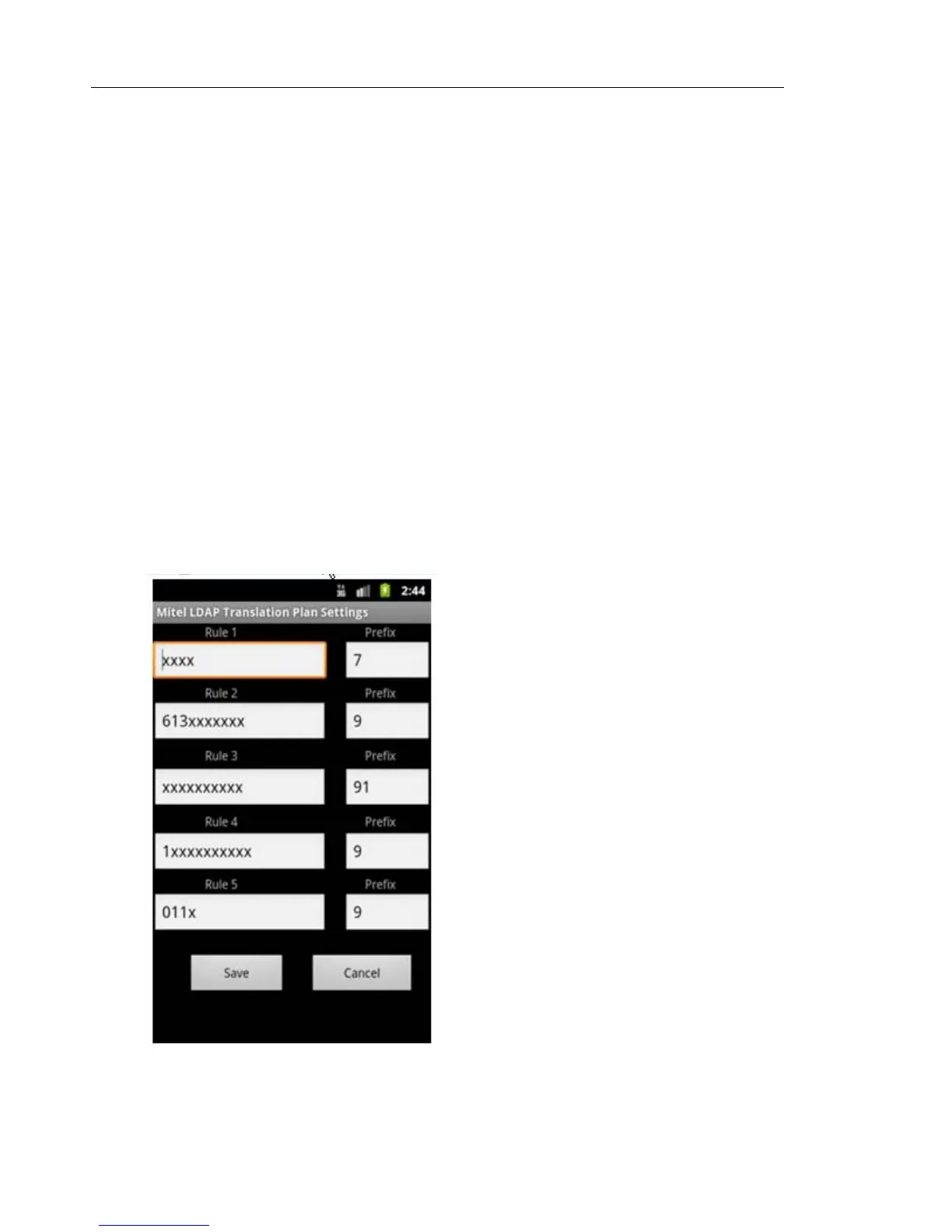
2. Press LDAP Translations Plan
3. Enter the rules for the LDAP Translations Plan
The translation plan appends dialing prefixes to phone numbers that are contained in the
LDAP/AD directory so that they are directly dialable on the connected phone system.
The translation plan has five programmable rules and prefixes for the following generic digits
dialing shown below
• 4 digits dialing
• 10 digits dialing
• 1+10 digits dialing
• International digits dialing
If having more rules, the editable boxes of rule1, rule2 … rule5 can be used to program more
rules using semicolon " ; " as separator.



 To Next Page