© MOBATIME 17 / 52 800693.16
3.2.6 Manual setting of default gateway IP address
Choose item P22 in the main menu and push the PB1L button to enter the
submenu for setting the default gateway IP address. The item to be set is
blinking.
By pushing PB2S the adjusted digit value is increased in steps of 1, by pushing
the PB2L button the value will be continuously increased.
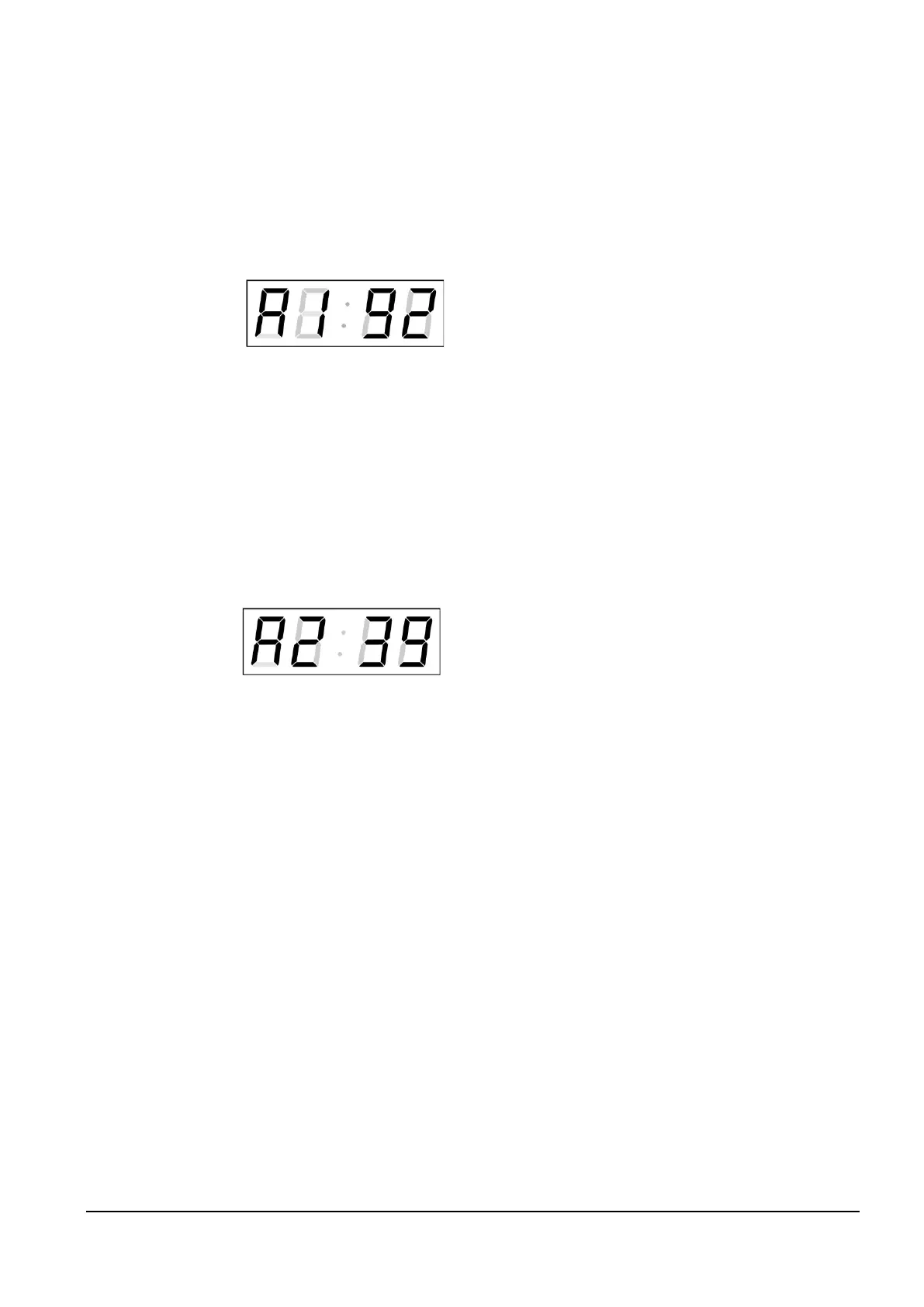
The display shows the following:
Enter the four octets of the gateway IP
address step by step. Switch to the next
digit or octet respectively by pushing the
PB1S button. Octets are marked by
letters A, b, C and d.
By pushing PB1L button, the entered values are stored and the clock returns to
the menu item P22.
3.2.7 Submenu for setting the multicast group address
Choose the menu item P23 and then enter the submenu by pushing the PB1L
pushbutton for setting the multicast group address. The item to be set is blinking.
By pushing the PB2S button, the adjusted digit value is increased in steps of 1;
by pushing the PB2L button, a continuous increase of the value takes place.
The display shows the following:
Enter the four octets of the IP address step by
step. Switch to the next digit or octet respectively
by pushing the PB1S button. Octets are marked
by the letters A, b, C and d.
By pushing the PB1L button, the entered values are stored and the clock returns
to the menu item P23.
3.2.8 Submenu for the setting of the NTP unicast synchronization
Choose the menu item P24 then enter the submenu by pushing the PB1L
pushbutton for setting the parameters of the NTP unicast synchronization. The
item to be set is blinking.
By pushing the PB2S button, the adjusted digit value is increased in steps of 1;
by pushing the PB2L button, the value will be continuously increased.



 To Next Page