© MOBATIME 21 / 52 800693.16
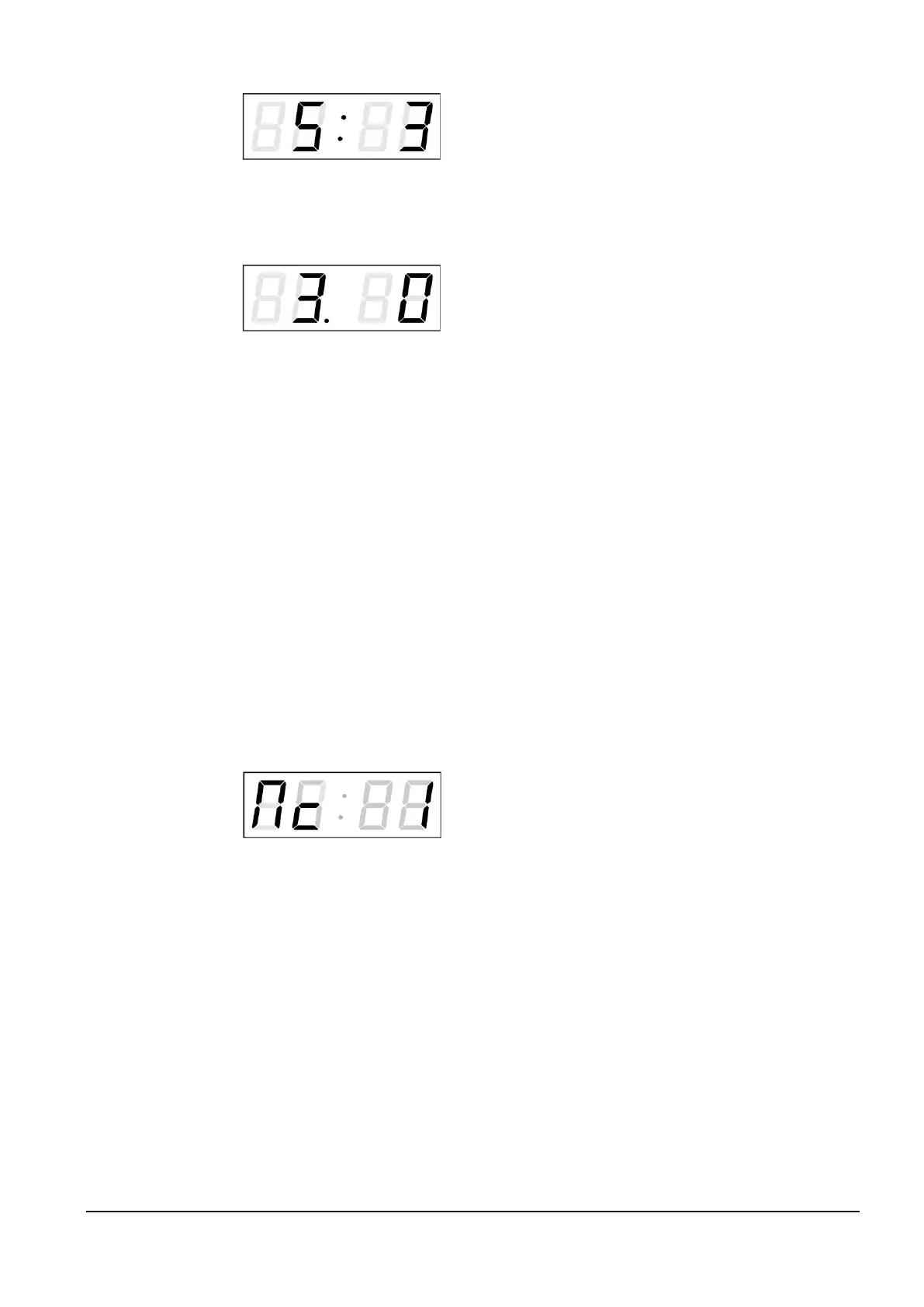
Enter the constant for time display, in
seconds. Push the >> button and enter
the time constant for the display of date,
in seconds.
Push SET.
The display shows the following:
Enter the time constant for the display
of temperature, in seconds. Push the
>> button and enter the time constant
for the display of stopwatch, in seconds.
By pushing OK, the entered values are stored and the clock returns to the menu
item P2. Return to the item P2 without storing by pushing ESC.
4.2.2 Offset setting for time synchronization
Clocks can run with a defined offset to synchronization source.
In menu item P4 (synchronization source) push SET for enter the submenu
setting time synchronization offset.
The setting unit is 1 / 100 second.
Setting range -9.99 to +9.99.
Push OK to save the setting and return to menu item P4.
Push ESC to return to P4 without storage of the data
4.2.3 Submenu for network services configuration
Choose the value 2 or 3 in the item P19 (network work mode selection) in the
clock menu, then enter the submenu by pushing the SET for configuring the
network services (Multicast support in unicast work mode, SNMP service, Telnet
service). The item to be set is blinking.
The display shows the following:
Set value 1 for enabling the multicast
support in the unicast work mode or
value 0 for disabling it.
Switch to the next parameter – SNMP communication support by pushing the >>.
The display shows the Sn: 1. Set value 1 for enabling the SNMP support or value
0 for disabling it.
Switch to the next parameter – Telnet support by pushing the >>. The display
shows the tn: 1. Set value 1 for enabling the telnet support or value 0 for
disabling it.
By pushing OK, the entered values are stored and the clock returns to the menu
item P19. By pushing ESC, the clock returns to P19 without saving.



 To Next Page