Creating Graphics 5-11
Example B,117,24,H,"03FFFFFFFFFFFFFFFFFFFC" |
D,0,1,2 |
Defines a duplicate field that is imaged after the bitmap line. This field duplicates the preceding
bitmap line twice (at row 118 and 119).
You can use constant text, line, or box fields in a graphic packet to create a compliance label
overlay. See Chapter 3, “Defining Fields,” for more information about these fields.
Sample Compliance Graphic Packet
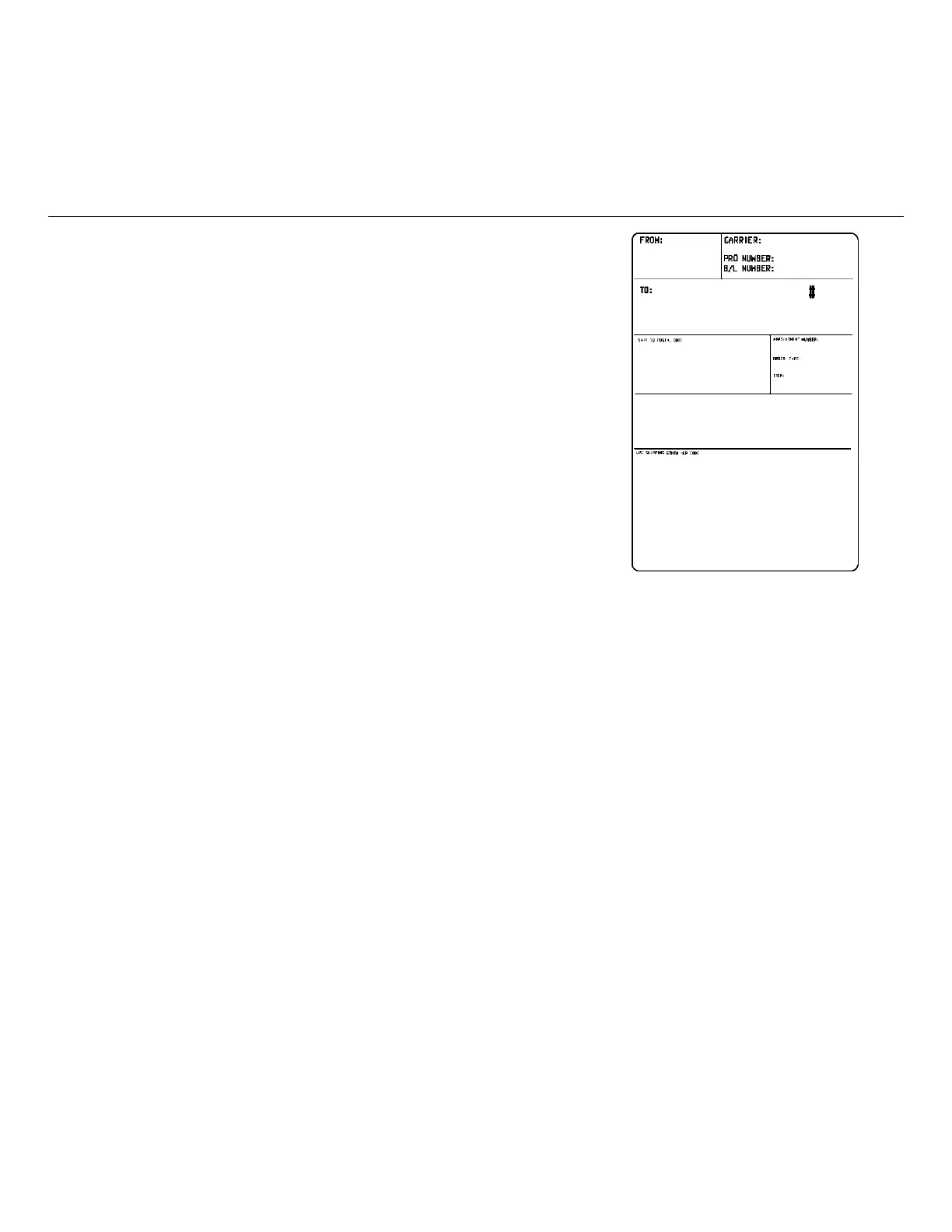
A sample compliance graphic packet is shown below.
{G,57,A,R,E,0,0,0,"OVERLAY" |
L,V,500,155,90,85,3 |
L,V,298,245,90,102,3 |
L,V,500,2,0,390,3 |
L,V,400,2,0,390,3 |
L,V,298,2,0,390,3 |
L,V,200,2,0,390,5 |
C,560,10,0,2,2,2,B,L,0,0,"FROM:",0 |
C,560,160,0,2,2,2,B,L,0,0,"CARRIER:",0 |
C,529,160,0,2,2,2,B,L,0,0,"PRO NUMBER:",0 |
C,511,160,0,2,2,2,B,L,0,0,"B/L NUMBER:",0 |
C,472,10,0,2,2,2,B,L,0,0,"TO:",0 |
C,387,10,0,2,1,1,B,L,0,0,"SHIP TO POSTAL CODE",0 |
C,391,250,0,2,1,1,B,L,0,0,"APPOINTMENT NUMBER:",0 |
C,358,250,0,2,1,1,B,L,0,0,"ORDER TYPE:",0 |
C,327,250,0,2,1,1,B,L,0,0,"ITEM:",0 |
C,190,8,0,2,1,1,B,L,0,0,"UPC SHIPPING CONTAINER
CODE",0 |
C,548,6,0,2,1,1,B,L,0,0,"MONARCH PRINTERS",0 |
C,538,6,0,2,1,1,B,L,0,0,"170 MONARCH LANE",0 |
C,528,6,0,2,1,1,B,L,0,0,"P.O. BOX 608",0 |
C,518,6,0,2,1,1,B,L,0,0,"DAYTON, OHIO 45401",0 |
C,462,313,0,2,4,3,B,L,0,0,"#",0 | }
The sample compliance label overlay was created with this packet, using the format provided in
“Placing the Graphic in a Format.”



 To Next Page