C-2 Packet Reference Manual
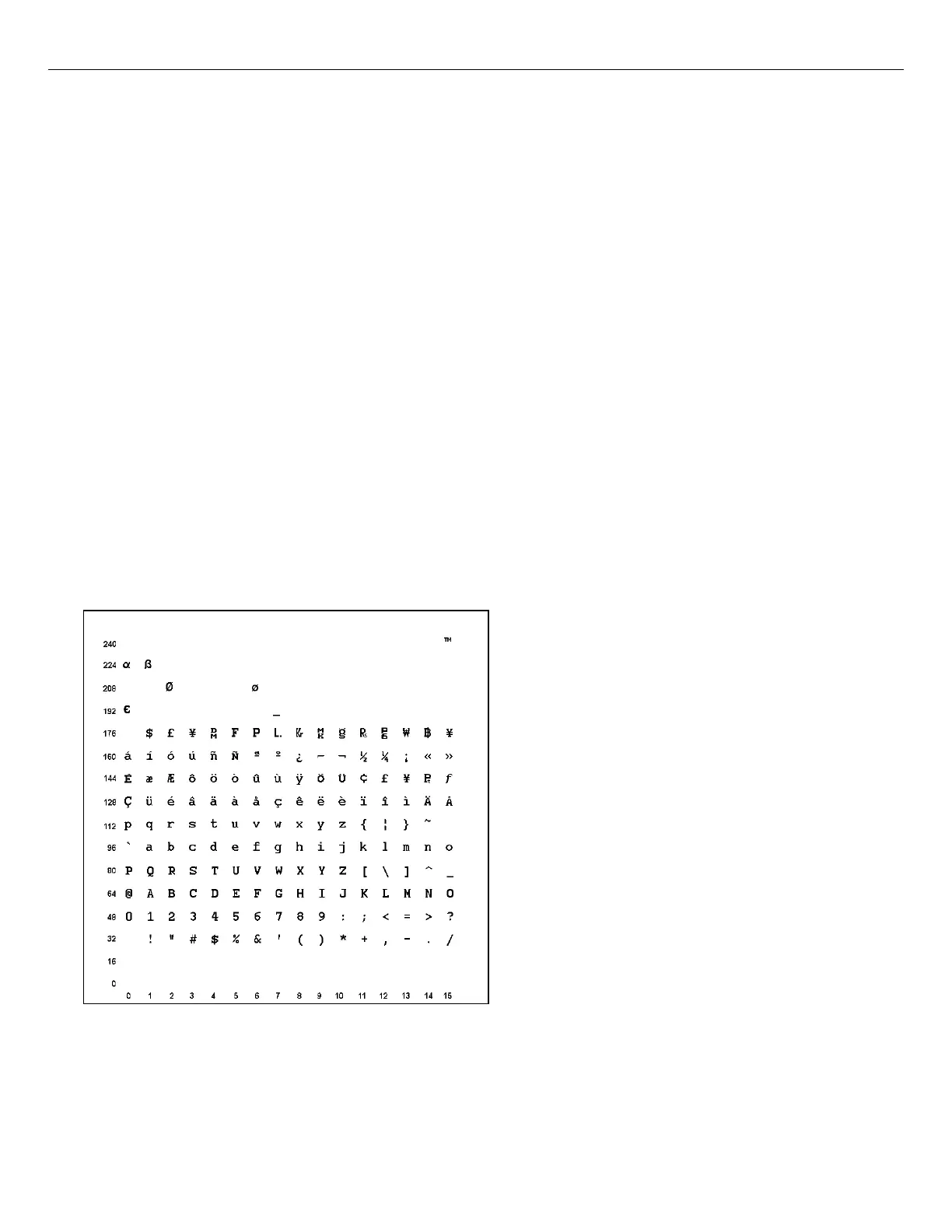
Entering Extended Characters
When using extended characters in your batch data file, type a tilde in front of the three-digit
code. For example, if you want to include the character Ä in a text field using the Internal
Symbol Set, type:
1,"~142" |
Using International Character Sets/Code Pages
Symbol sets 100, 101, 852-860, and 1250-1258 may only be used with the scalable font (font#50)
or downloaded TrueType fonts. TrueType fonts are designed to be regionally specific; therefore,
all symbol sets may not be supported in a given font. For example, to print Hebrew characters,
you need to find a font (such as Arial) that supports Hebrew characters; convert, and then
download the font to your printer. Make sure the correct symbol set for Hebrew characters is
selected.
Font 50 does not print the slashed zero or support Code Pages 101 (Wingdings) and 1256
(Arabic). The Euro symbol at position ~192 is only available in the Standard, Reduced, and Bold
fonts.
Code pages 102-107, 932, 936, and 950 contain thousands of characters, which are not
represented in this manual. These code pages require the memory expansion option and a
downloaded International TrueType font.
The Code Pages (100 and greater) on the following pages were printed using Arial or a similar
downloaded TrueType font. To determine the character code, add the column number and row
number for the character. For example, to produce the ÿ character with the ANSI character set,
you would press Alt 255 (column 15 + row 240).
Internal Symbol Set
Note: To determine the character code, add the column number and row number for the
character. For example, to produce the ™ character with the Internal character set, you
would press Alt 255 (column 15 + row 240) or use ~255 in your data stream.



 To Next Page