Diagnostics and Errors 8-1
D IAGNOSTICS AND ERRORS
This chapter explains how to
♦ print diagnostics labels
♦ reset the printer
♦ call Technical Support.
Before you call Service, print a test label. The label contains information to help diagnose
mechanical and setup problems.
This chapter also provides explanations of your printer’s errors. The errors are classified by type
and are listed in order. If you have trouble loading supplies or performing maintenance, refer to
the Operator’s Handbook.
Some errors numbered 400-438 and 500-574 are internal software errors. Errors numbered 703-
758 are supply errors. Follow the directions provided with the error description to correct the
problem. Errors numbered 900-999 are Hard Printer Failures. If you cannot clear an error, turn
off the printer, wait several seconds and then turn on the printer. Call Technical Support if you
receive any error message not listed in this chapter.
To clear a data error, press ESCAPE. If a formatting error occurs, the label prints; but data may
be missing. Correct the format or batch and resend them to the printer. If a data error occurs,
press FEED to queue and print an error label.
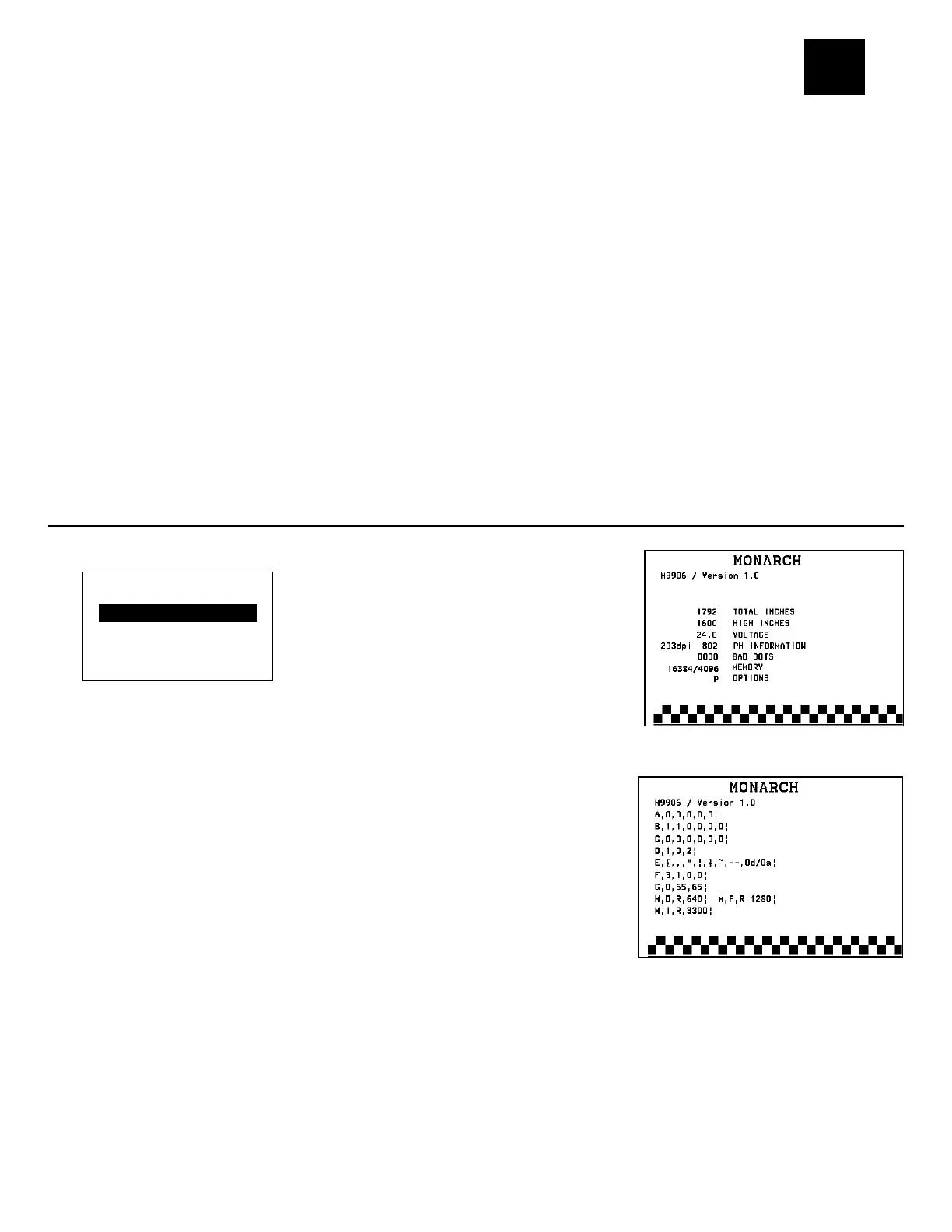
Printing a Test Label
1. From the Main Menu, select TLabel.
2. Press or to scroll through the test label options.
3. When you see the test label you need, press PRINT to print
the test label. Press BACK to return to the previous menu
without printing a test label.
The Printer Info test label shows the model number, software
version, total number of inches printed, number of high energy
inches printed, voltage, print contrast, printhead information,
number of bad dots, and installed options
(P = peel mode; T = liner take-up). The one-dot rule line at the
bottom of the test label indicates the vertical 0,0 point.
The MPCL label shows the printer’s configuration by packet (A-
M). See Chapter 2, “Configuring the Printer” for more
information. The lines beginning with M show the printer’s
memory allocation, which can be changed. The units for supply
position, etc. are displayed in dots, even if you entered them in
English or Metric units.
Printer Info
PRINT BACK



 To Next Page