Samples A-1
S AMPLES
This appendix contains sample formats. You can customize any of these formats to
meet your needs.
The field separator is the split vertical bar (|). The decimal value is 124. To enter this character,
use the Shift key plus the Split Vertical Bar key on your computer’s keyboard. Depending on your
text editor, it may appear as a solid vertical bar or as a split vertical bar.
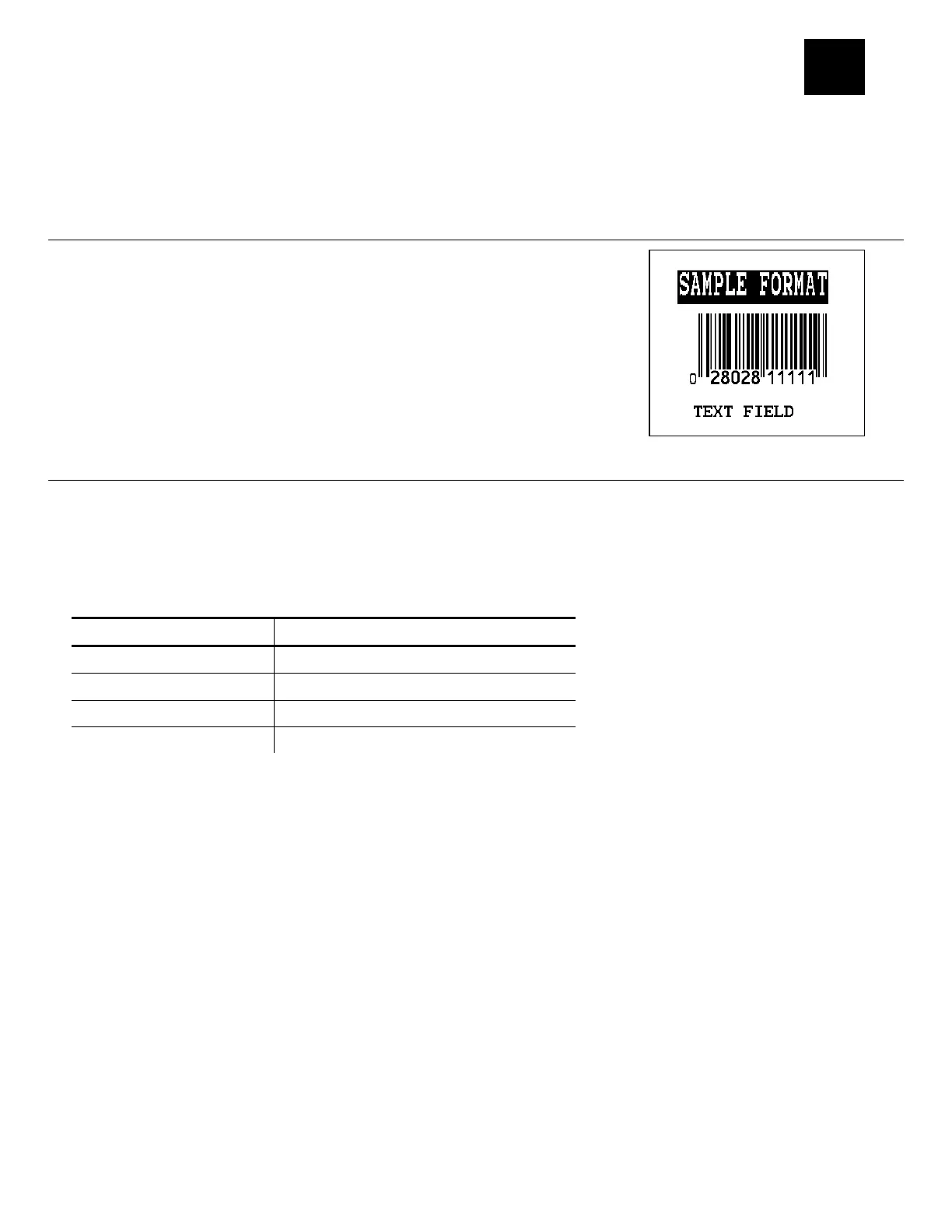
Sample UPCA Format Packet
{F,25,A,R,E,200,200,"Fmt 25" |
C,140,40,0,1,2,1,W,C,0,0,"SAMPLE FORMAT" |
B,1,12,F,85,40,1,2,40,5,L,0 |
T,2,18,V,50,50,1,3,1,1,B,L,0,0 | }
Sample Batch Packet
{B,25,N,1 |
1,"02802811111" |
2,"TEXT FIELD" | }
Sample MaxiCode Packets
MaxiCode is a two-dimensional bar code developed by UPS (United Parcel Service, Inc.). Data
must be defined in a specific way for UPS. Refer to the Guide to Bar Coding with UPS or the AIM
MaxiCode Specification for more details about data requirements.
The printer supports modes 0, 1, 2, and 3. Contact us for information about additional MaxiCode
modes.
Mode Description
0 Obsolete
1 Obsolete
2 Structured Message
3 Structured Message
You can select which mode to use in the bar code field or allow the printer to auto-select the
mode (0, 2, or 3) based on your data. See “Defining a Bar Code Field” for more information.
MaxiCode automatically pads data with the “!” character.
Note: MaxiCode does not support the NULL character.
Modes 2 and 3 are defined by the way the postal code, class of service, and country code fields
are arranged. (The postal code, class of service, and country code are required fields.) Begin
with the message header, then the primary data (15 characters), followed by the secondary
message (up to 78 characters). Or, begin with the primary data, then the message header,
followed by the secondary data. If the postal code data characters are all numeric then the
MaxiCode symbol is set to Mode 2. If the characters are alphanumeric, or only contain ASCII
characters 65 to 90, then the MaxiCode symbol is set to Mode 3.
If you receive an error 612, check your MaxiCode data. You may have not correctly structured or
left out one of the three required fields (postal code, class of service, and country code) or the
“~029" character.



 To Next Page