– 12 –
(Continued next page)
How to Set the Oven for Broiling
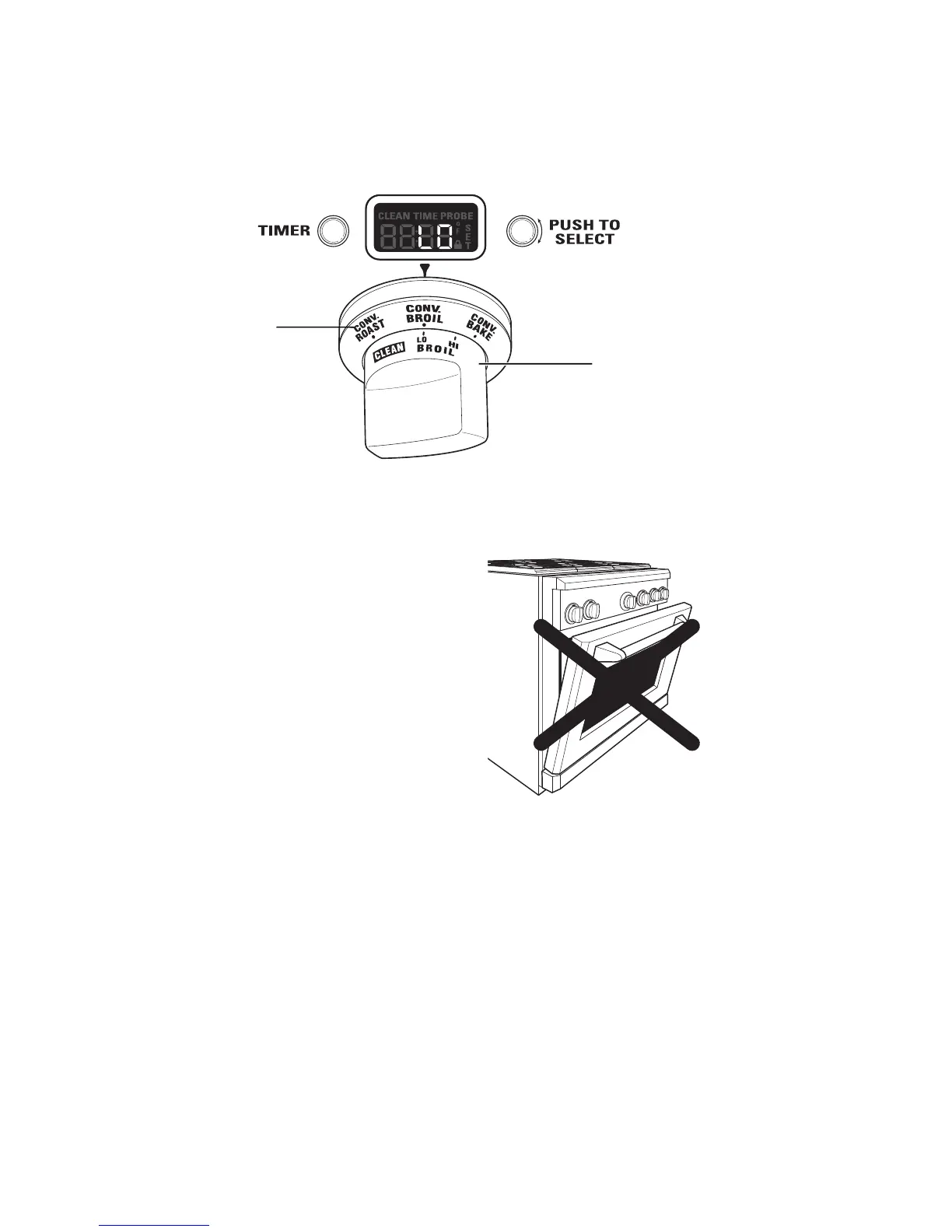
Turn the Oven Mode Selector to BROIL.
1. Turn the Oven Temperature Knob to LO BROIL or HI BROIL. LO or HI will appear in the display.
Oven Mode Selector
(Outer)
Oven Temperature Knob
(Inner)
Note: Always broil with the door closed. If the door is left open, the display will scroll “CLOSE door” and the
elements will not turn on until the door is shut.
The oven interior lights will turn on and stay on until
the oven is turned off.
3. When broiling is fi nished, turn the Oven Mode
Selector and the Temperature knob to OFF.
Note:
• Broil will not work if the temperature probe is
plugged in. Never leave your probe inside the oven
during a broil cycle.
• A cooling fan will turn on to cool internal parts. This
is normal, and the fan may continue to run even after the oven is turned off.
Open door broiling is
not permitted.


 To Next Page