– 13 –
(Continued next page)
The oven will now begin to preheat. The temperature display will begin at 100°F and remain there until the
oven exceeds that temperature. From that point, the display will show the actual temperature.
The interior lights will turn on and stay on until the oven is turned off. The convection oven fan will turn on
during preheat on the 12-inch oven only.
The control will beep when the oven is preheated and food can be
placed inside the oven.
3. Turn the Oven Mode Selector and the Temperature knob to OFF when convection cooking is fi nished.
Note: A cooling fan will turn on to cool internal parts. This is normal, and the fan may continue to run even
after the oven is turned off.
Use the temperature probe when a precise internal temperature is important. See Owner's Manual.
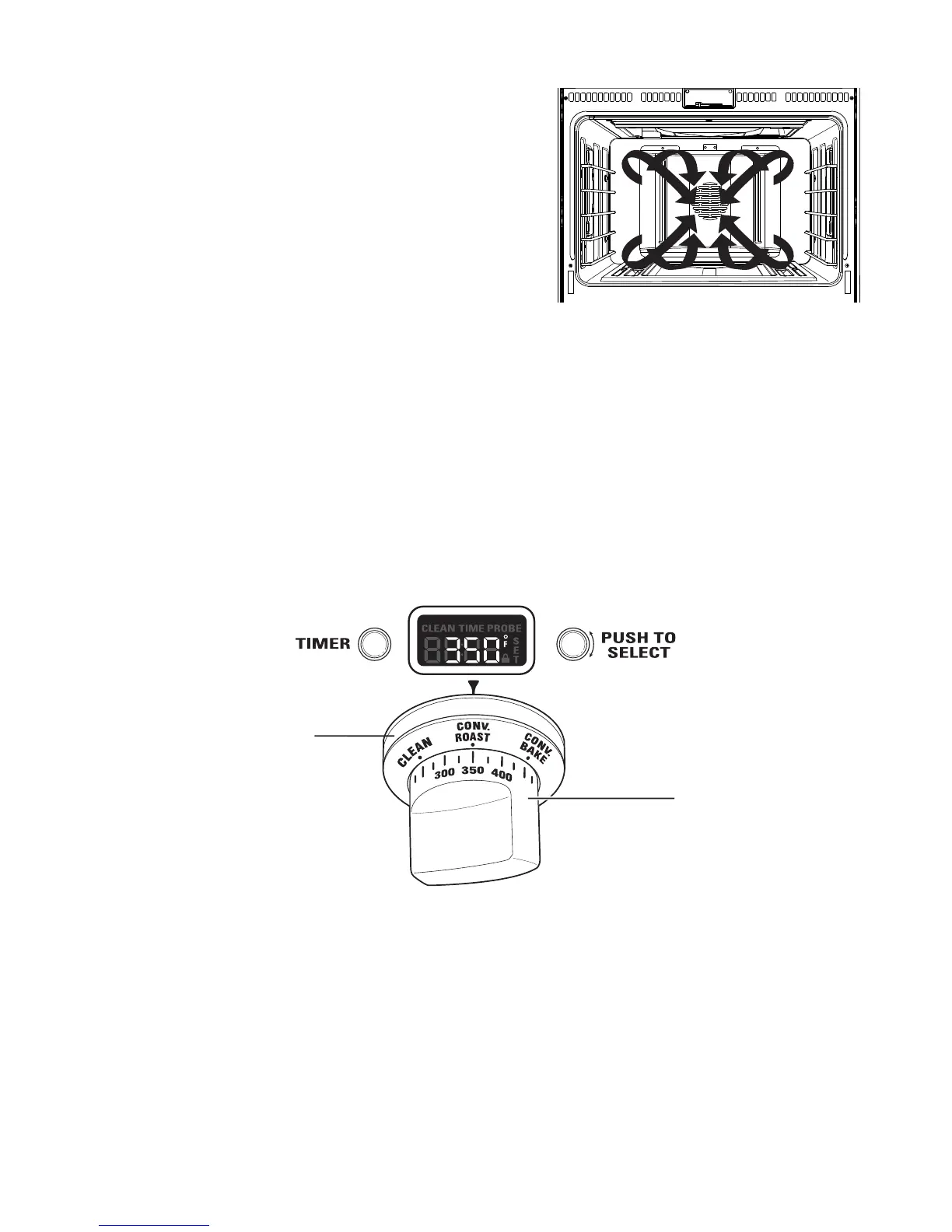
Oven Mode Selector
(Outer)
Oven Temperature Knob
(Inner)
Introduction to Convection Cooking
The convection fan will be off when any burner is
on, and on when any burner is off. The direction of
the convection fan will alternate each time the fan
turns on. As a result, foods are evenly cooked and
browned―often in less time with convection heat.
Note: The convection fan shuts off when the oven
door is opened.
How to Set the Oven for Convection Baking or Roasting
Convection Baking is ideal for evenly browned baked foods cooked on single or multiple racks. Select
Convection Roast to roast large, tender cuts of uncovered meat.
When set on CONV BAKE or CONV ROAST, the rear convection elements and the fan operate when the oven
is heating.
1. Turn the Oven Mode Selector to CONV BAKE or CONV ROAST.
2. Using the Temperature knob, set the desired temperature, in 25°F increments, from 175°F to 550°F.


 To Next Page