– 14 –
(Continued next page)
How to Set the Oven for Proofi ng
The proofi ng feature maintains a warm environment
which is useful for rising yeast-leavened dough.
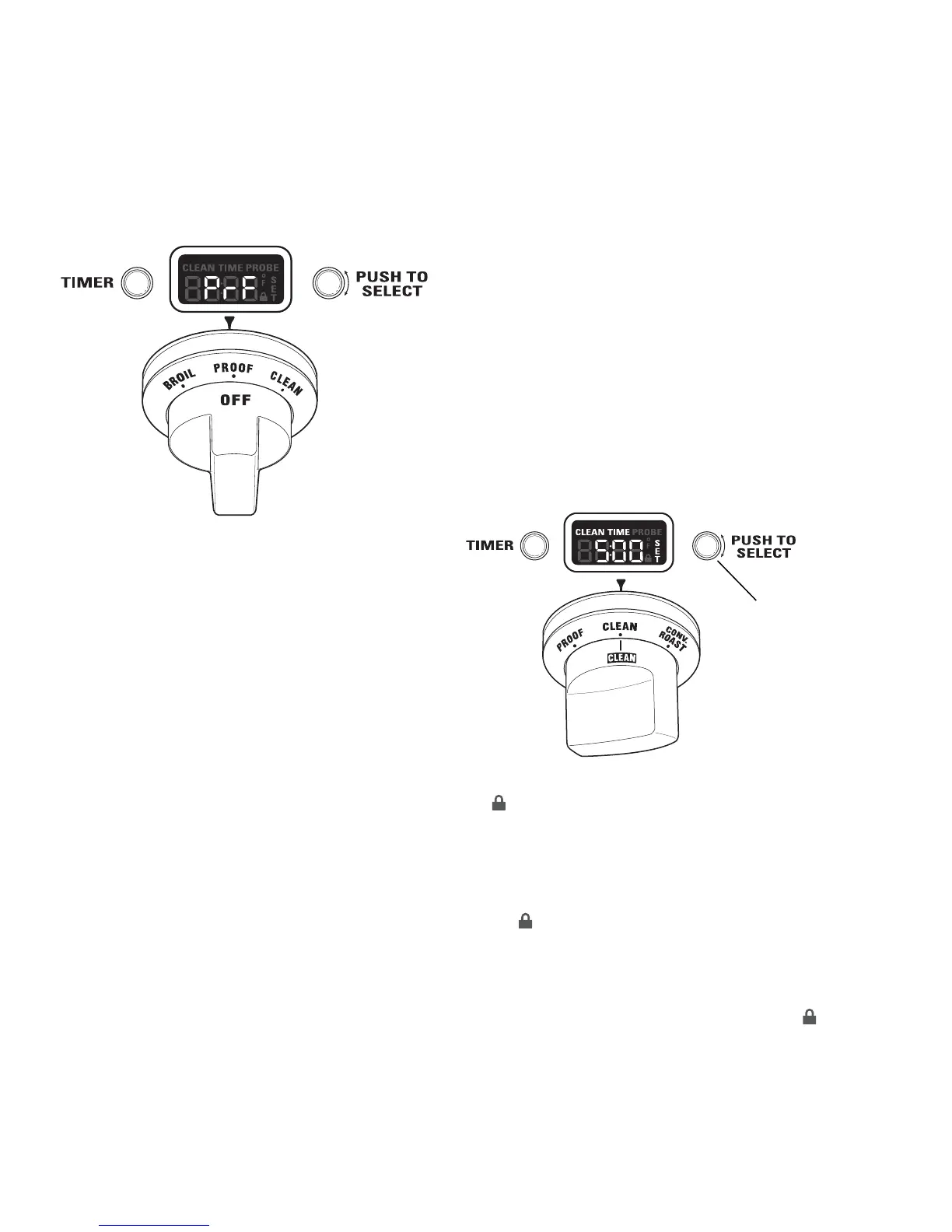
1. Turn the Oven Mode Selector to PROOF. The
display will show “PrF”. PROOF mode will not
operate when oven is above 125°F. The display
will scroll “too hot”. Allow the oven time to cool.
For best results, cover the dough with a cloth or with
greased plastic wrap.
Use rack position B or C in the large oven. Use rack
position B in the companion oven. See Owner's
Manual.
The proofi ng feature automatically provides the
optimum temperature (95°F) for the proofi ng
process; therefore the Temperature knob does not
affect the proof temperature.
The oven interior lights cycle on and off as
necessary to maintain optimum proof temperature
until the Oven Mode Selector has been turned to
OFF.
• To avoid lowering the oven temperature and
lengthening proofi ng time, do not open the oven
door unnecessarily.
• Check bread products early to avoid over-
proofi ng.
2. When proofi ng is fi nished, turn the Oven Mode
Selector to OFF.
Mini-Knob
Turn to adjust
Push to select
The symbol will fl ash when the oven door is
locked. It will not be possible to open the oven door
during the clean cycle.
5. After the clean cycle is complete and the oven
has cooled, “End” will show in the display and
the symbol will turn off. Turn the Oven Mode
Selector and the Temperature knob to OFF.
To interrupt a clean cycle, turn the Oven Mode
Selector and the Temperature knob to OFF. When
the oven has cooled to a safe temperature, the
symbol will turn off, indicating the door may be
opened.
An interrupted clean cycle cannot be restarted until
after the oven has cooled enough for the door to
unlock.
How to Set the Oven for Cleaning
Caution: See Owner's Manual for Self-cleaning
safety precautions.
1. Turn off all surface burners. (The CLEAN cycle
will not start until all surface burners have been
turned off.)
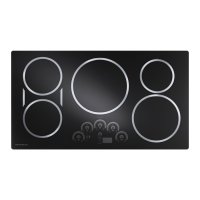
2. Turn the Oven Mode Selector to CLEAN.
3. Turn the Temperature knob to CLEAN.
The control automatically defaults to the
recommended clean cycle time of 5 hours. The
clean time may be adjusted to any time between 3
and 5 hours, using the Mini-Knob. The display will
show the actual time remaining.
4. Push the Mini-Knob to start the CLEAN cycle. If
“CLOSE door” scrolls in the display, the self-clean
cycle has been selected, but the door is not
closed. Close the oven door.


 To Next Page