2
Your mobile explained
User guide 2.6
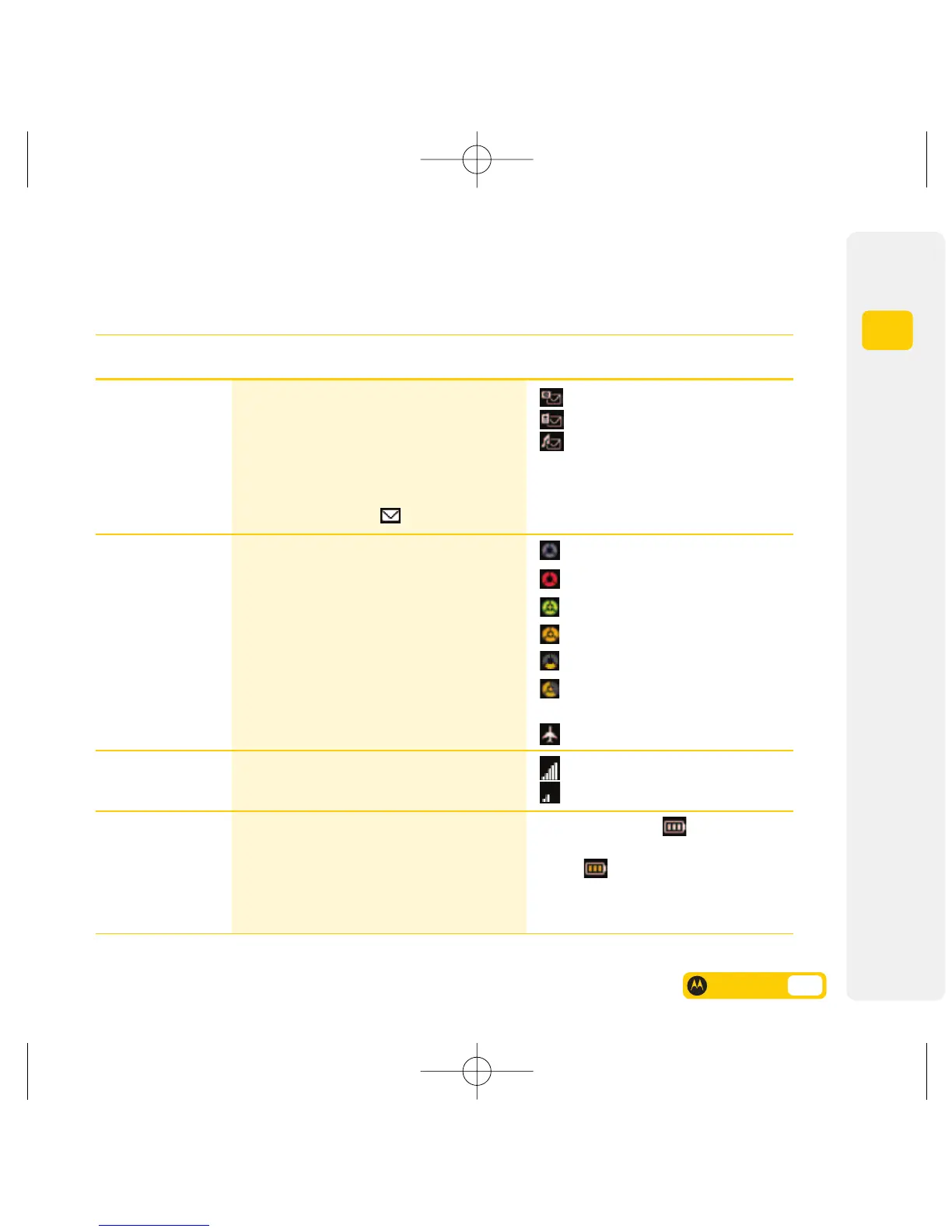
Icon type
Email
SMS
MMS
No service
Emergency service
Video service area (3G)
While on a roaming 3G network
Voice & picture service area (2G)
Voice & picture service
area (2.5G / GPRS)
Aeroplane mode (mobile disabled)
Strong
Weak
The more bars visible , the greater
the power. The indicator displays in
orange when your mobile is
consuming a large amount of battery
power, such as during a video call.
Description
Shows that you have a new message.
Note: If someone sends you a text message
(SMS) or a picture or video message (MMS)
and their mobile number is in your Contacts
list, the indicator is white, otherwise, the
indicator is amber. If several types of new
messages are available, is displayed.
Shows the type of network service connection.
Note: When you’re in a voice & picture
service area, or abroad, the network indicator
segments are amber.
Shows the strength of your mobile’s
connection with the network.
Indicates the amount of power left in
your battery.
Name
7. Message
8. Network
9. Signal Strength
10. Battery Strength



 To Next Page
 Loading...








