6 Installation
Messko GmbH 202030 BA4001150/10 ENMSENSE
®
DGA 2/3
6.2.2 Mounting the MSENSE® DGA 2/3
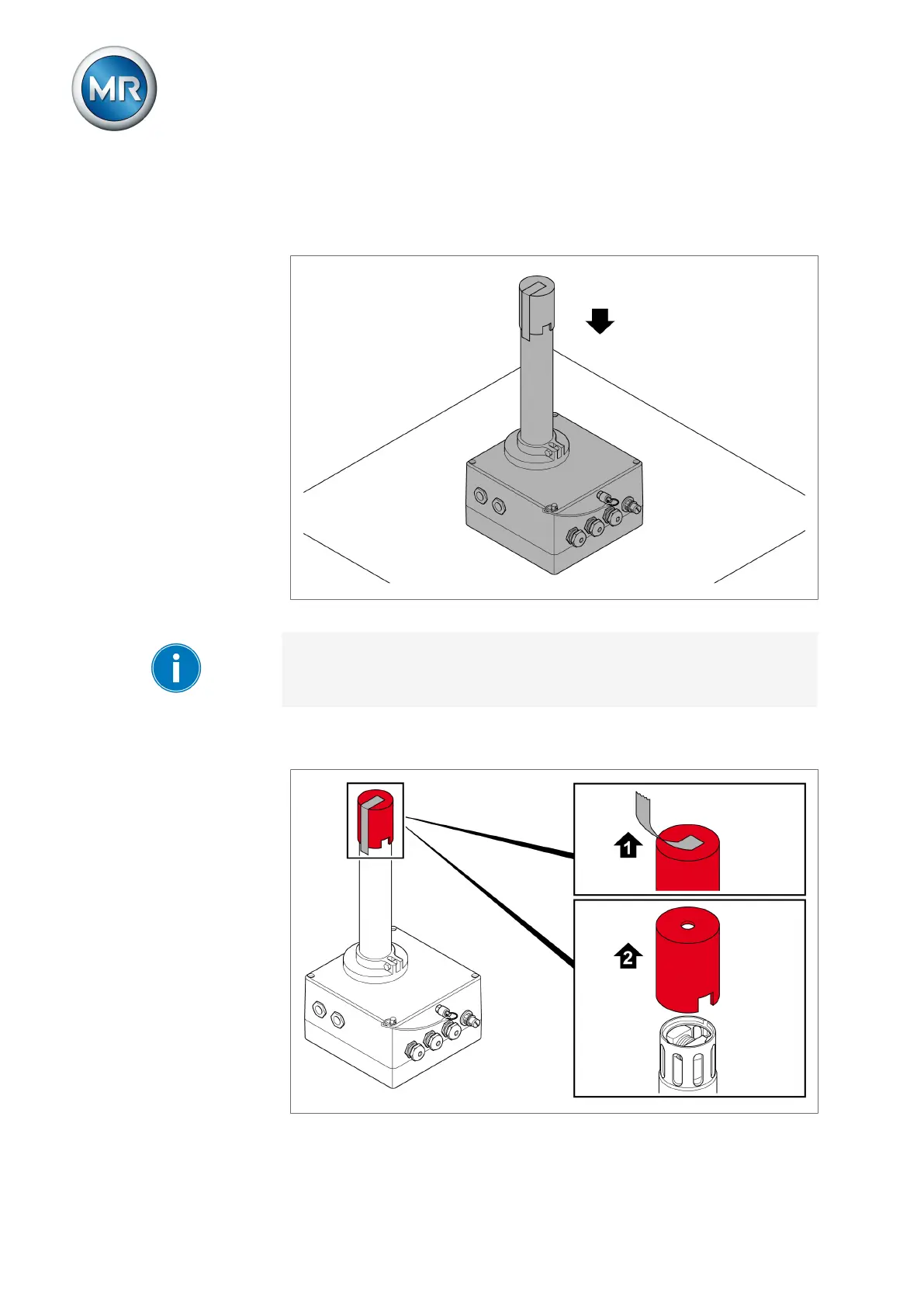
1. Remove the device from the packaging and set it down securely on a
scratch-resistant and non-slip level surface.
Figure12: Setting the device down securely
When doing so, ensure that the display of the device version with display is
not damaged.
2. Remove the adhesive strip from the protective cap and pull the protective
cap off of the device.
Figure13: Removing the protective cap



 To Next Page