8 Operation
Messko GmbH 2020 59BA4001150/10 EN MSENSE
®
DGA 2/3
8.1 Operating the device with display
The display and 3 operating keys can be used to call up and display the set-
tings of the device. Use the MESSKO® MSET software included in the de-
vice's scope of delivery for the parameterization.
There are 3 menu levels:
Menu level 1 Menu level 2 Menu level 3
Operating display Setup selection:
Setup CO parameters or
Setup H
2
parameters or
Setup H
2
O parameters
Parameter selection:
High warning or
High alarm or
Rate high warning or
Rate high alarm or
4mA value or
20mA value
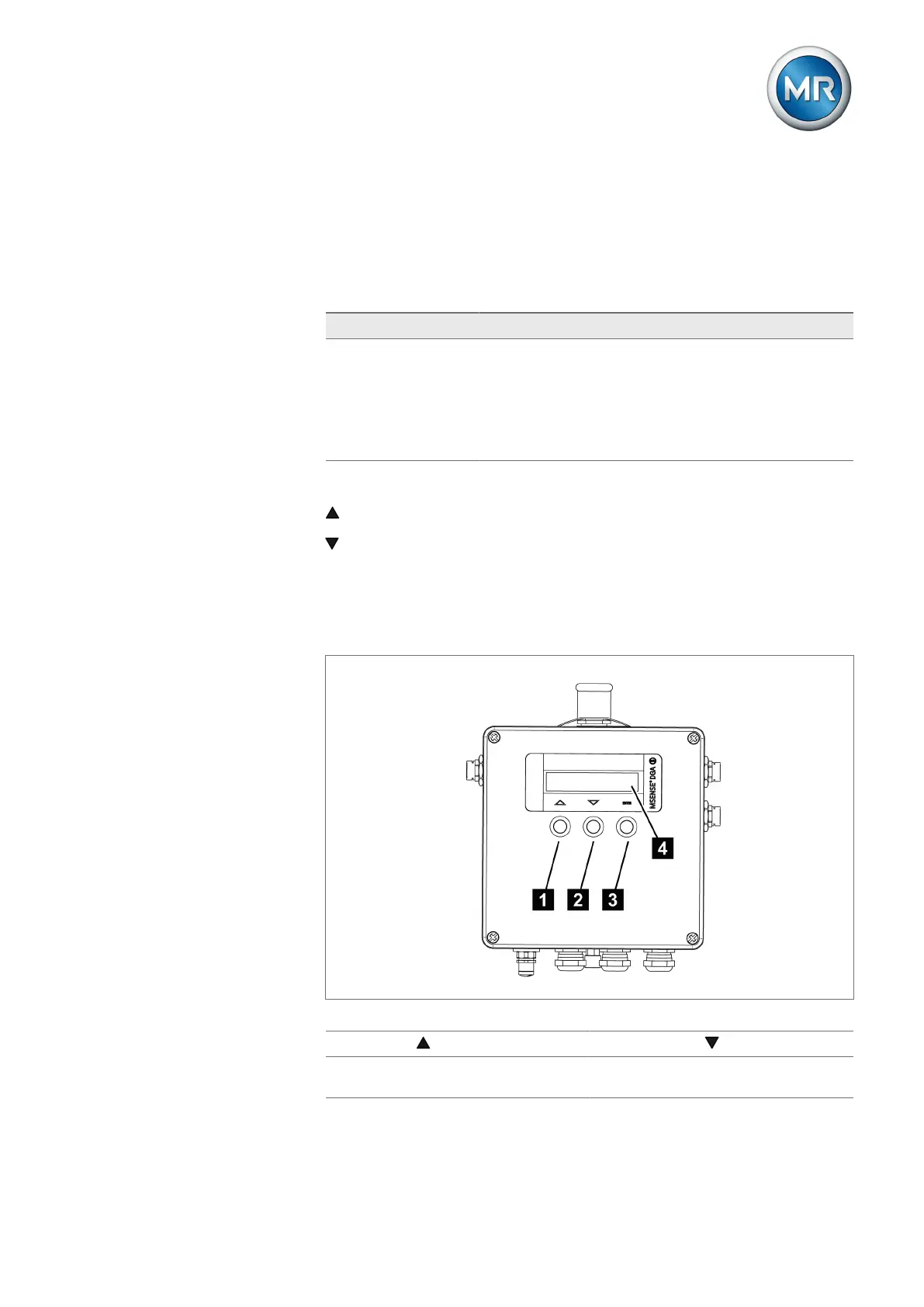
Navigation is carried out via three-key operation.
UP key
DOWN key
ENTER key (short press or long press)
The display has 2 lines, each with 20 characters.
The display is in English only.
Figure40: Operating keys and display
1 UP key 2 DOWN key
3 ENTER key 4 2-line display, each with 20 char-
acters



 To Next Page