6 Installation
Messko GmbH 2020 43BA4001150/10 EN MSENSE
®
DGA 2/3
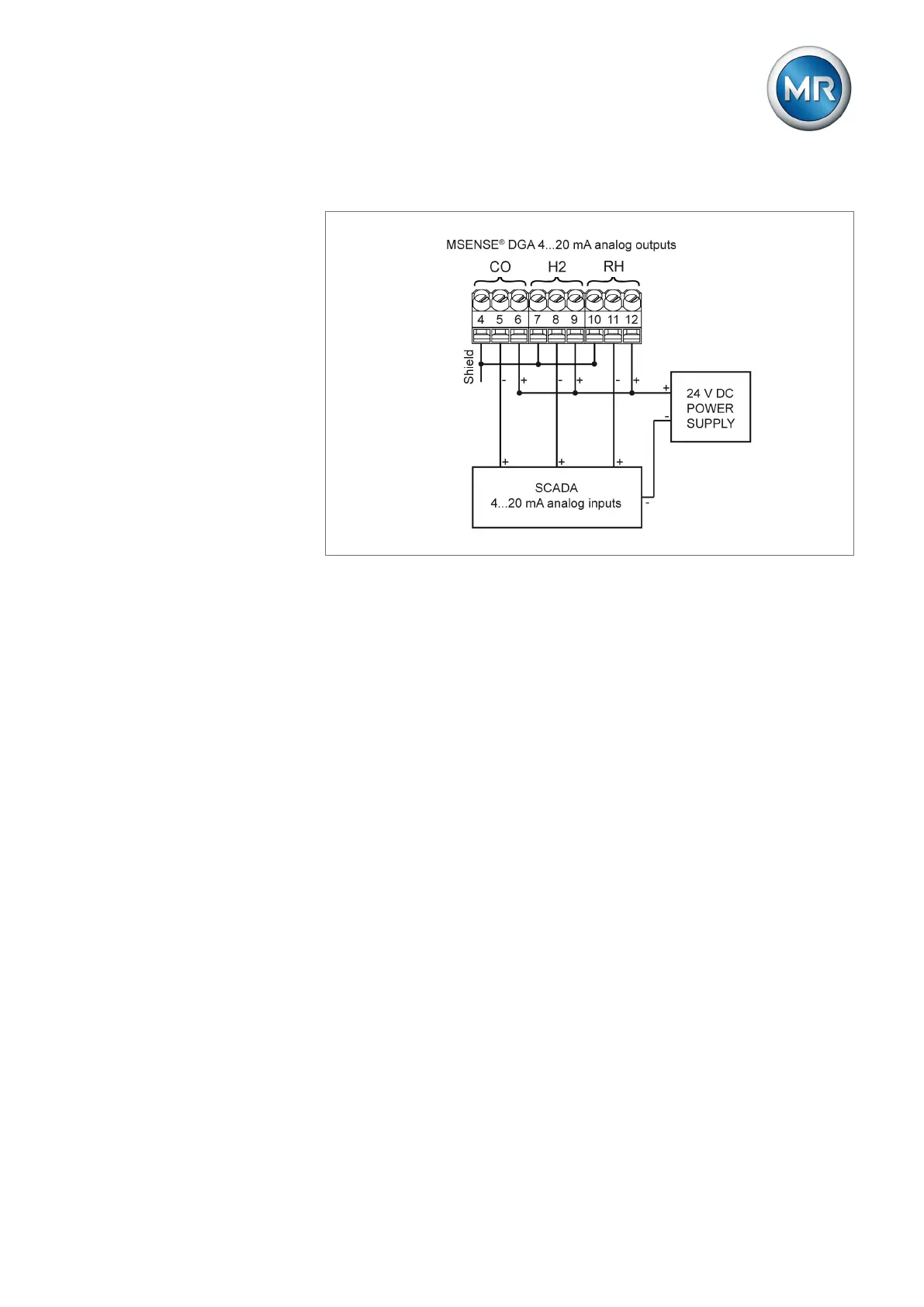
The terminal strip is assigned by default (factory setting) as follows:
Figure30: Analog outputs
▪ CO concentration: terminals 4, 5, 6 (MSENSE® DGA 3 only)
▪ H2 concentration: terminals 7, 8, 9
▪ RH relative moisture: terminals 10, 11, 12
To connect the cables, proceed as follows:
1. Insert the wires into the terminals.
2. Twist the shielding and insert it into the respective "Shield" terminal.
3. Tighten the screw connections to a maximum of 0.5Nm.



 To Next Page