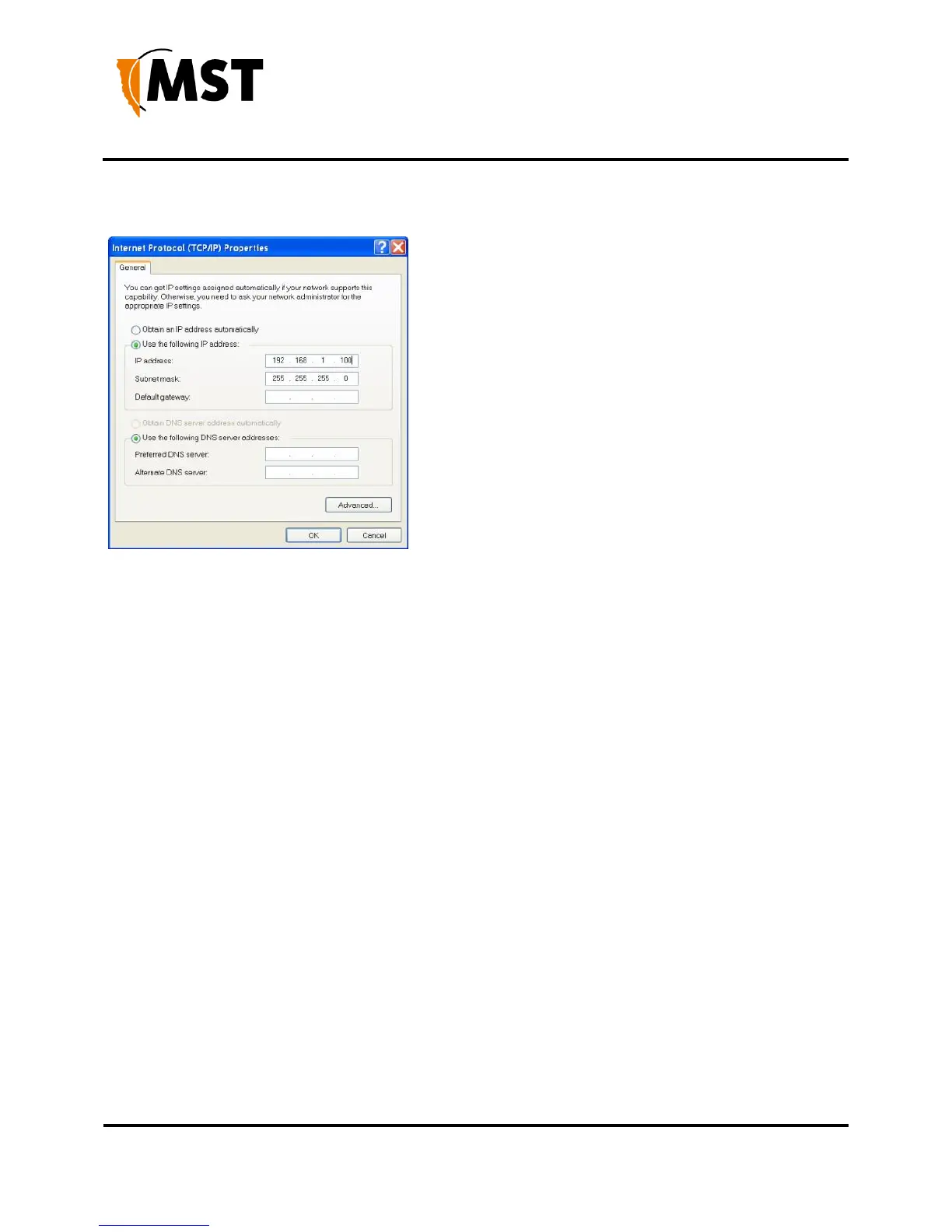
5. On the General tab, scroll down to Internet Protocol (TCP/IP), then click Properties. The
Internet Protocol (TCP/IP) Properties dialog box is displayed.
6. Click the Use the following IP address option button.
7. In the IP address field, enter a fixed (static) IP address within the Subnet range of the target
device's IP address (for example 192.168.1.100).
8. In the Subnet mask field, enter 255.255.255.0. Click OK


 To Next Page
 Loading...

