EasyManua.ls Logo

MST Impact NS5001 - Wireless Client Information

MST Impact NS5001
133 pages
To Next Page IconTo Next Page
To Previous Page IconTo Previous Page
Loading...
NS50 wireless network switch
User Manual
Revision C
Chapter 5: Configuration Using the Web Interface
© 2012 MST Global
Commercial in Confidence
44
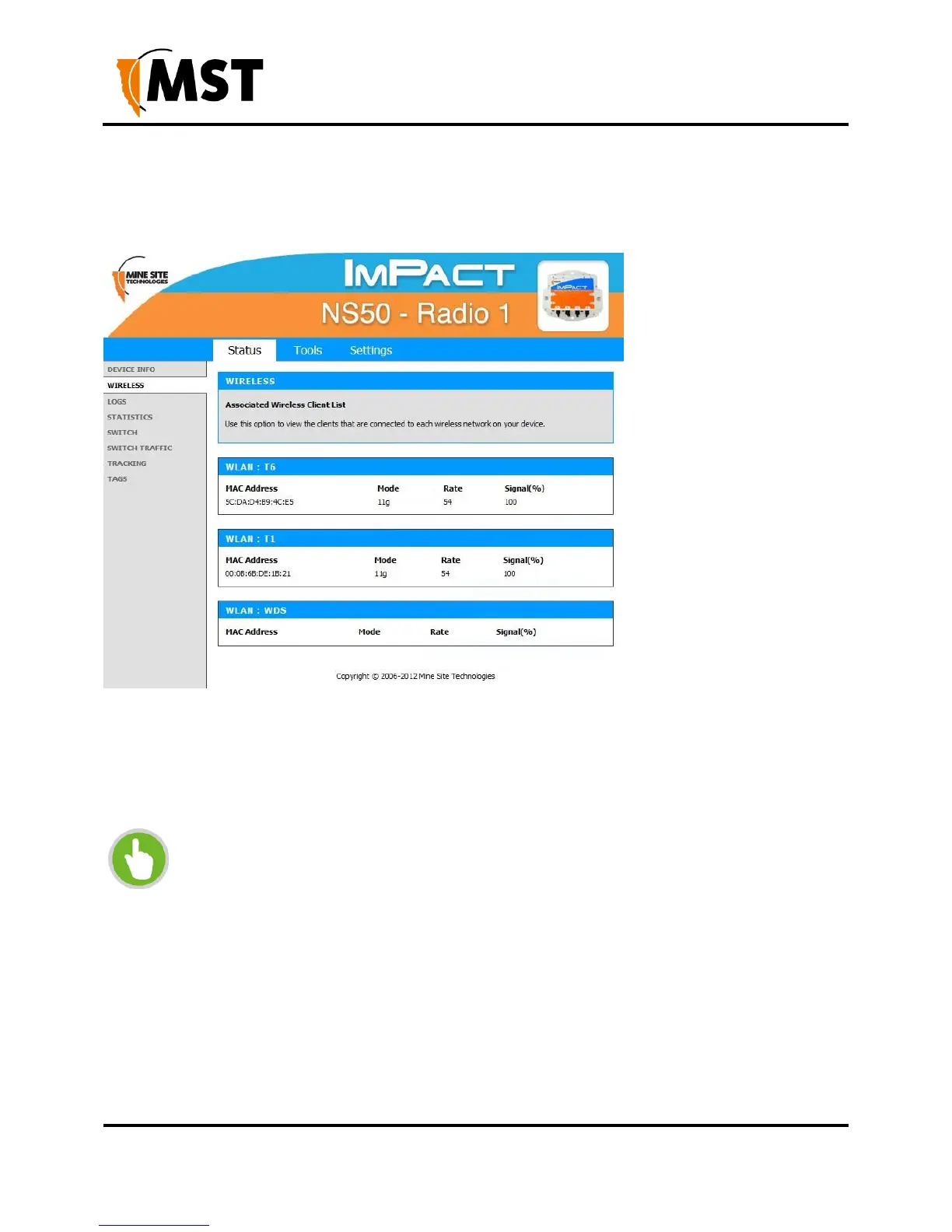
5.3.2 Wireless Client Information
The Wireless status screen displays current information about wireless clients connected to the access
point.
Figure 20: Wireless status screen
MAC Address: The address of the client device.
Mode: Indicates if the client device is in 802.11b or 802.11g mode.
Rate: The data rate for the connection in Mbps.
Signal: The percentage signal strength of the client device, as received by the access point.

NOTE:
The Wireless Client Device List groups the devices by the wireless SSID with which they
are associated.

Table of Contents

Other manuals for MST Impact NS5001

Related product manuals