4. Select the Default WEP Key from the drop-down box.
5. Select Authentication from the drop-down box. By default it is set to Open, which is more
secure than Shared.
5.5.6 Configuring EAP (Extensible Authentication Protocol)
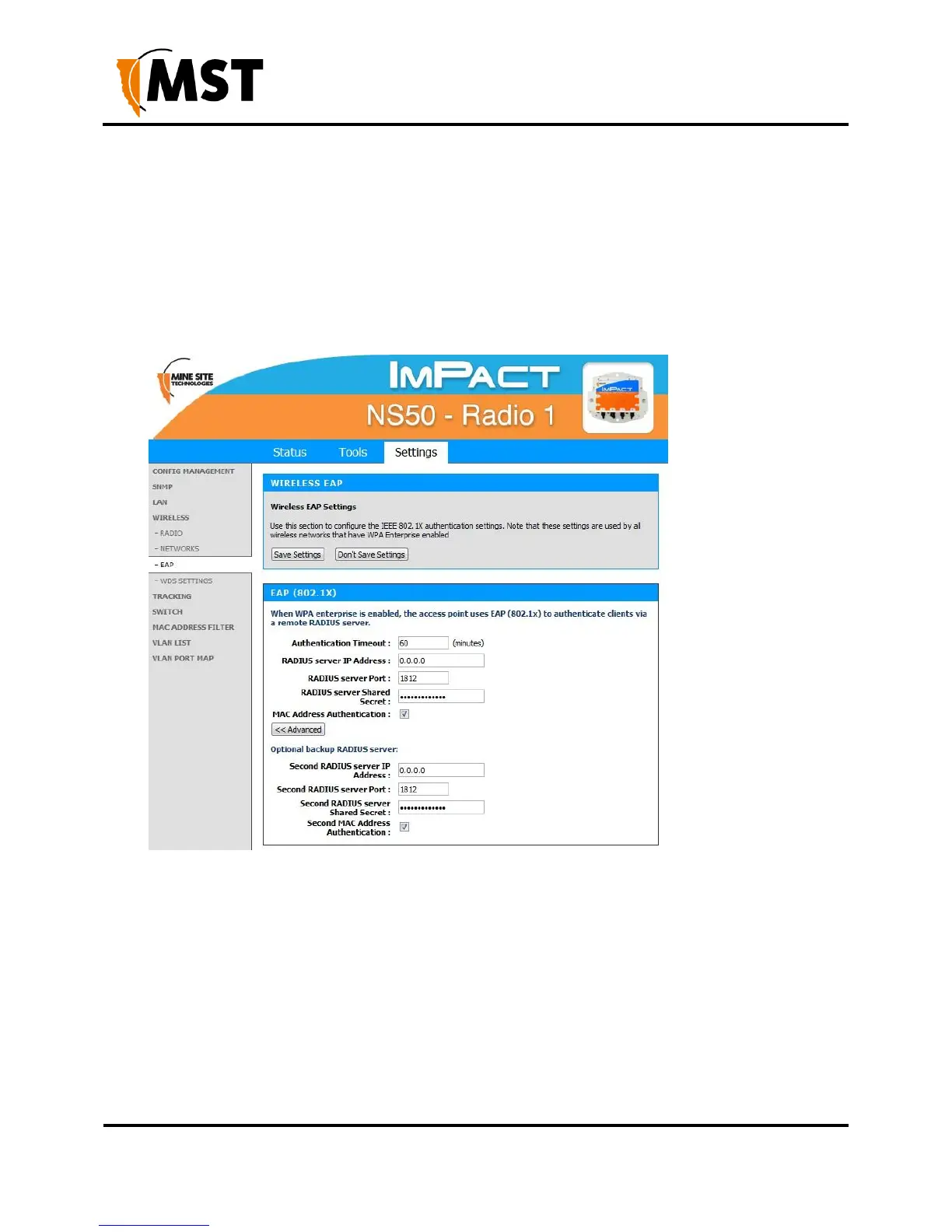
The Wireless EAP configuration screen is used to configure wireless authentication by a RADIUS server
(as used by WPA Enterprise). The configuration screen is shown in Figure 32: Wireless EAP configuration
Figure 32: Wireless EAP configuration
To configure wireless EAP, click on the drop-down boxes in the supplied fields. Click Save Settings to
save settings. A description of the fields and settings are described in the table below.


 To Next Page
 Loading...

