NS50 wireless network switch
User Manual
Revision C
Chapter 5: Configuration Using the Web Interface
6.1.2 AP Config Templates
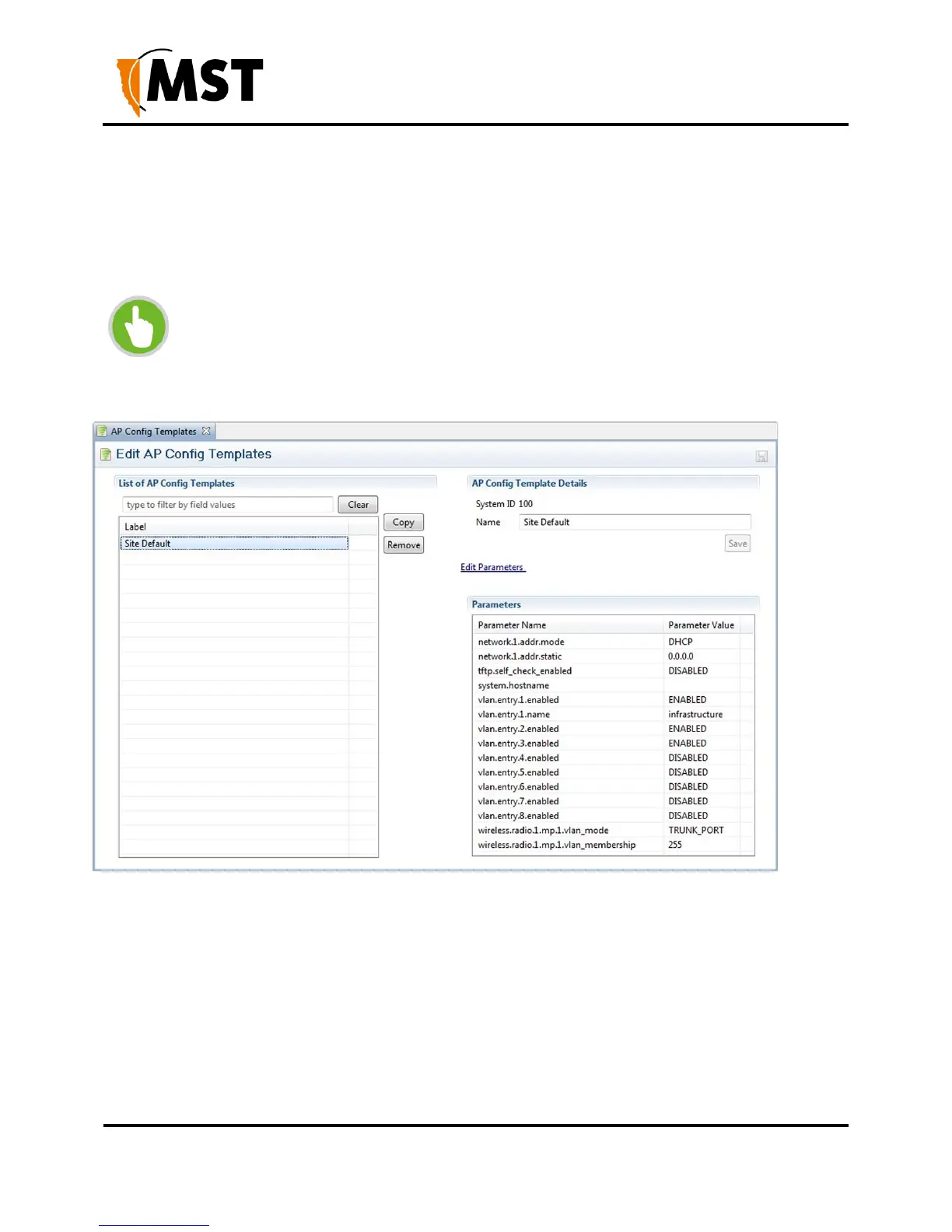
The ICA is installed with one AP Template: Site Defaults. This is a special AP Template which defines
the settings that new APs will automatically pick up if Set new Access Points as Managed is ticked in
the Site Configuration editor. This template cannot be deleted, but new templates can be copied from it
and modified separately.
NOTE: Once a template is applied to an AP, any manual changes made to settings
listed in the template will be reverted automatically to the template default. Settings
that are not defined by the template can be changed freely.
New templates are created by copying an existing template (initially the only one to copy is Site Defaults).
A copied template will start with the same parameters as the original, but they are not linked, so further
changes to one will not affect the other. To create a new template, select another template from the list
and click the Copy button. To delete a template, click the Remove button.
AP Config Template Details
This section contains the details for each template:
System ID is an automatically assigned identifier used by the ICA.
Name - A name or description for the template.


 To Next Page
 Loading...

