5
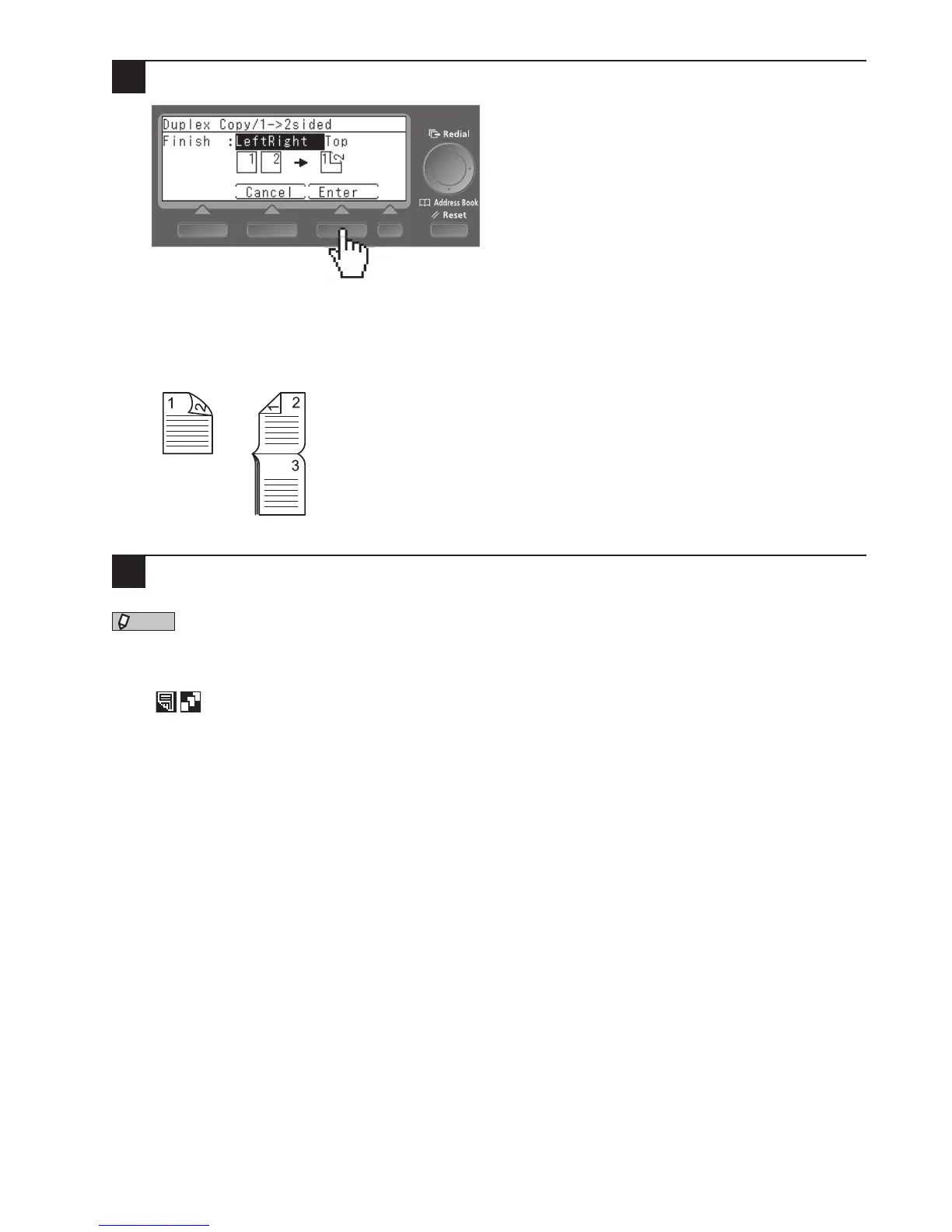
Select the binding position and press [Enter].
When duplex copying a one-sided document, set the binding position.
When copying a two-sided document, set the direction for opening.
If the direction of the document is the same on both sides, select “LeftRight”. If the direction of the docu-
ment is reversed on the front and back, select “Top”.
Left or right
binding
Top binding
6
Pree <Start>.
•TheoptionalRADFisnecessarytocopybothsidesofatwo-sideddocument.
•Theoptionalduplexprintunitisrequiredforduplexprinting.
•SortingisautomaticallyturnedonwhenyousetDuplexCopy.
•The
icon appears on the ready screen when you have made Duplex Copy settings.











 To Next Page