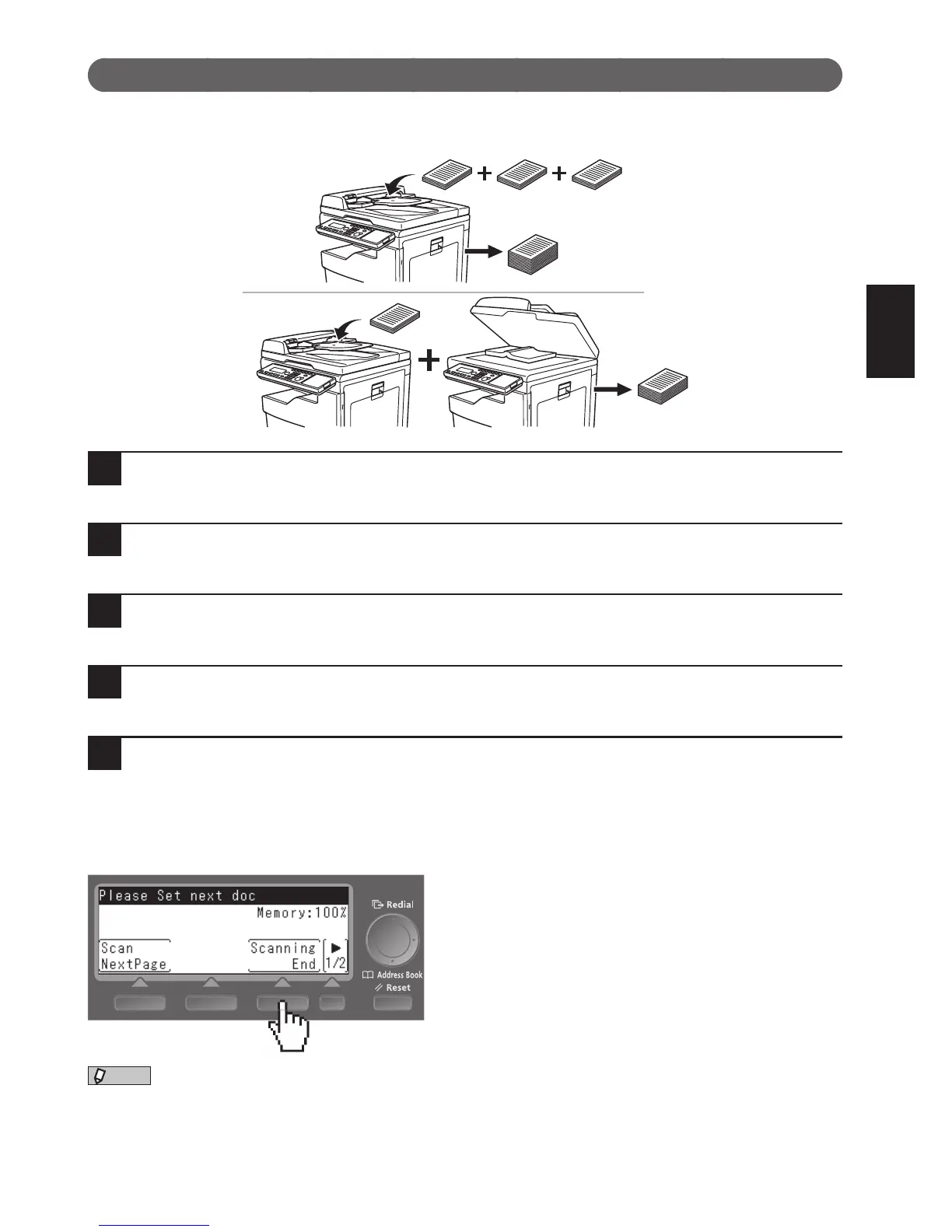
Next Document
If you need to copy a large volume of documents that cannot all fit into the ADF at once, turn “Next Doc” on to
divide scanning. You can scan both through the ADF and on the document glass.
1
Press <Menu>.
2
Select “Next Doc” and press [Enter].
3
Select “ADF” or “FBS” and press [Enter].
4
Select “On” and press [Enter].
5
Press [Close] twice to return to the copy ready screen.
When Next Doc setting is ON, the following display appears while documents are being scanned. To continue
scanning the next document, press [Scan NextPage].
When you have finished scanning the document, press [Scanning End].
•SettingsforthenextdocumenttobescannedcanbesetseparatelyfortheADFandthedocumentglass.
•TheNextDocfunctionisturnedon,irrespectiveoftheinitialsettings,ifyoucombinepagesormakeduplex
copies of one-sided documents with the document glass.








 To Next Page