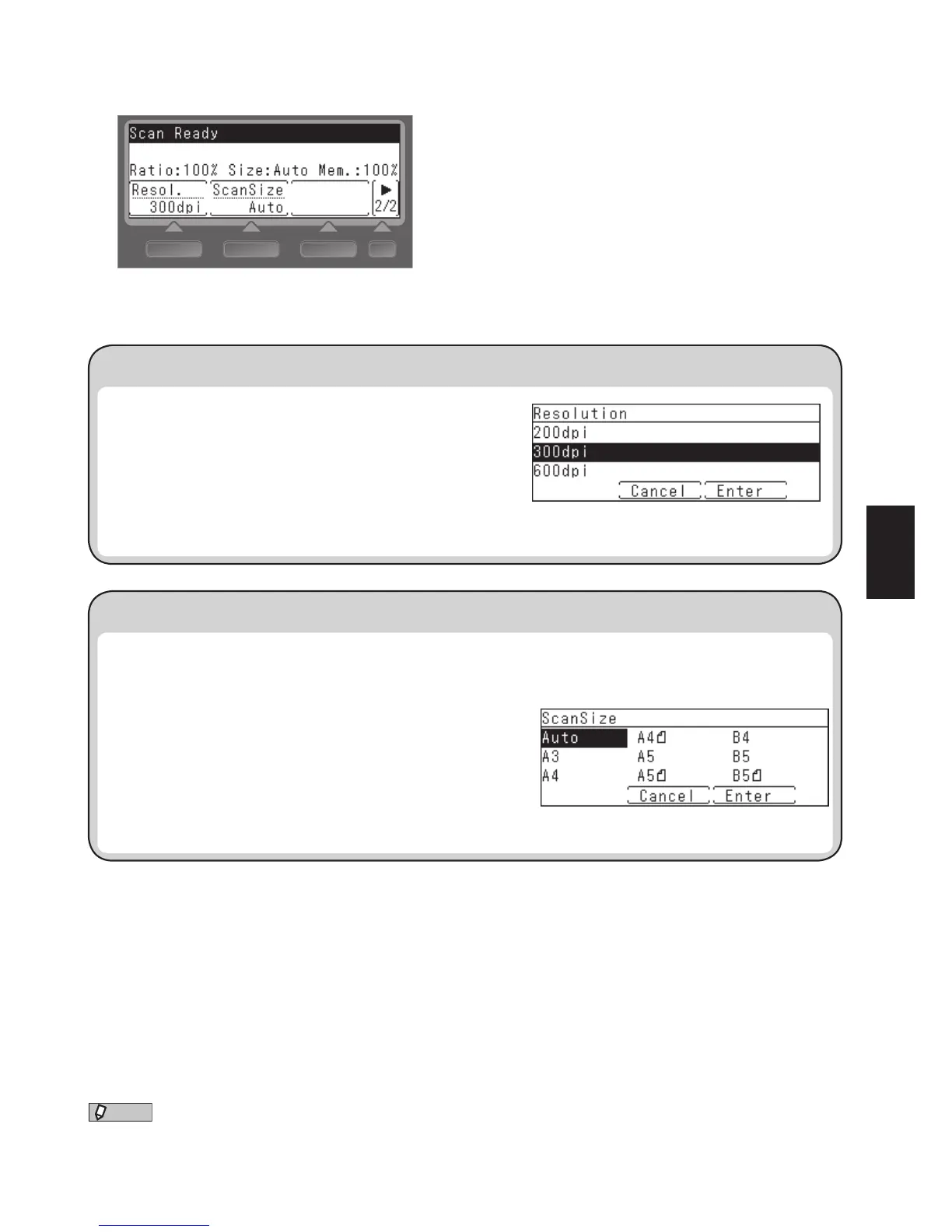
You can also add frequently used functions to the Basic Function Menu that appears on the ready screen.
“Calling up Frequently Used Functions,” page 80.
Selecting the scan resolution (Resolution)
Second screen
1. Press the screen switching key to switch to the second
screen.
2. Press [Resolution].
3. Select the resolution using the cursor keys and press
[Enter].
The factory setting is “300 dpi”.
You can set the scan size.
This is useful when you want to scan only a part of the document or to specify the document size.
1. Press the screen switching key to switch to the second
screen.
2. Press [ScanSize].
3. Select the scan size using the cursor keys and press [Enter].
The factory setting is “Auto”.








 To Next Page