EasyManua.ls Logo

Muratec MFX-1820 - Booklet Copy

Muratec MFX-1820
112 pages
Print Icon
To Next Page IconTo Next Page
To Previous Page IconTo Previous Page
Loading...
46
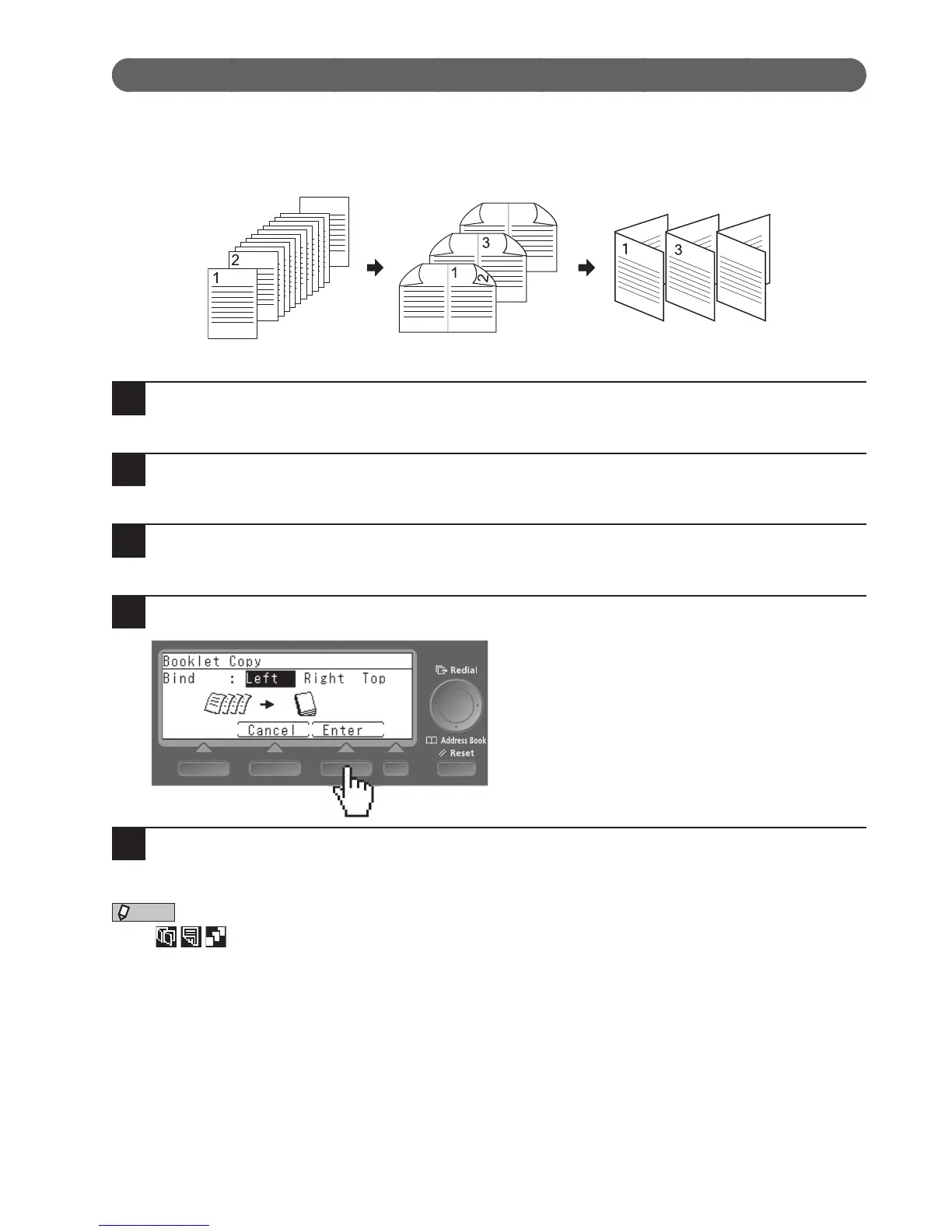
Booklet Copy
The optional duplex print unit and document feeder are required for Booklet Copy.
This function scans individual pages of a document through the ADF then reorders them and prints them on
both sides of the paper. The copies output can then be folded in the middle and bound to make a booklet.
12
9
5
11
7
8
7
10
9
4
5
12
11
6
1
Load your document on the ADF.
2
Press <Menu>.
3
Select “Booklet Copy” and press [Enter].
4
Select the binding position and press [Enter].
5
Press <Start>.
NOTE
•The
icon appears on the ready screen when you have made Booklet Copy settings.
•DuplexCopyandSortingareautomaticallyturnedonwhenyousetBookletCopy.

Table of Contents