Replacing Consumables
A message prompting replacement appears on the LCD when you are out of toner or when it is time to replace
the drum or developing unit.
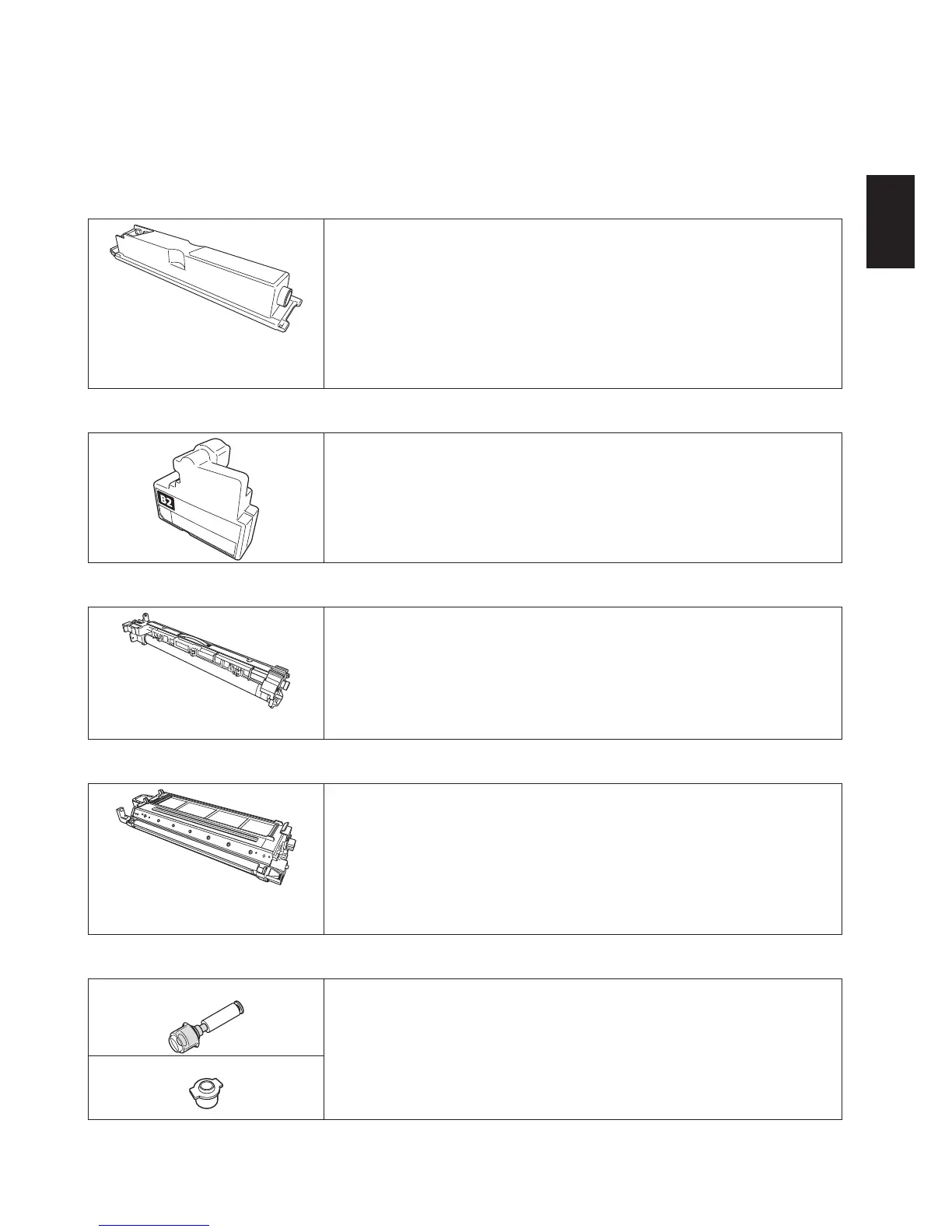
•Tonercartridge
The message “Toner is near empty.” appears on the LCD when you are run-
ning low on toner. You may continue to use the machine, but replace with a
new toner cartridge as soon as possible.
The message “Replace Toner&Waste bottle.” appears on the LCD when you
are out of toner and you will no longer be able to use the machine for print-
ing. Replace with a new toner cartridge.
Toner cartridge replacement is described on “Replacing the toner cartridge /
waste toner bottle,” page 34.
•Wastetonerbottle
Replace the waste toner bottle at the same time that you replace the toner
cartridge.
Waste toner bottle replacement is described on “Replacing the toner car-
tridge / waste toner bottle,” page 34.
•Drumunit
The message “Drum unit is near end.” appears on the LCD when it is time
to replace the drum unit. You may continue to use the machine, but replace
with a new drum unit soon.
When the message “Replace drum unit.” appears on the LCD, you will no
longer be able to use the machine for printing. Replace with a new drum
unit as soon as possible.
Drum unit replacement is described on “Replacing the drum unit,” page 35.
•Developingunit
The message “Developing unit is near end.” appears on the LCD when it is
time to replace the developing unit. You may continue to use the machine,
but replace with a new developing unit soon.
When the message “Replace the developing unit.” appears on the LCD, you
will no longer be able to use the machine for printing. Replace with a new
developing unit as soon as possible.
Developing unit replacement is described on “Replacing the developing unit,”
page 36.
•Stamp
For ADF Replacement messages are not shown.
If the stamp’s ink appears to be getting thinner, replace it with a new stamp.
Stamp replacement is described on “Replacing the stamp,” page 37.
For RADF











 To Next Page