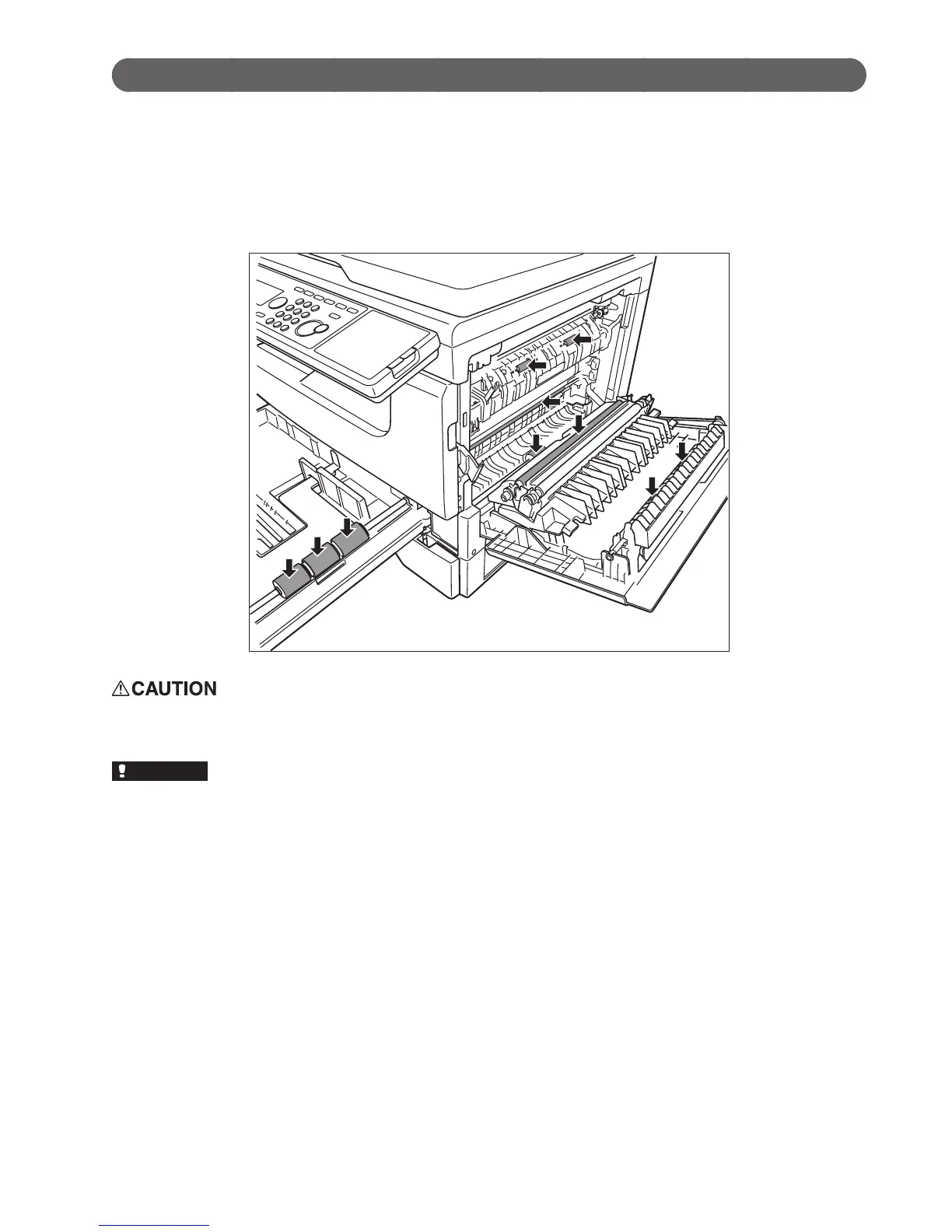
Cleaning the recording area
Clean the rollers of the printer section in the following cases:
•Whenpaperjamsoccurfrequently
•Whentheprintqualityisbad(alsocleanthescanner)
Carefully wipe with a soft cloth dipped in water and wrung out thoroughly. Then, wipe with a clean dry cloth.
Wipe down the whole roller, turning it by hand.
The fuser unit and area around it inside the machine are extremely hot when operating. Take care not to touch
the fuser unit and area around it. It may cause burns.
•Donotexposethedrumunittothelightforveminutesormore.
•Donottouchthedrumsurface.Thiscouldcausearecordingerror.








 To Next Page