Bypass Tray
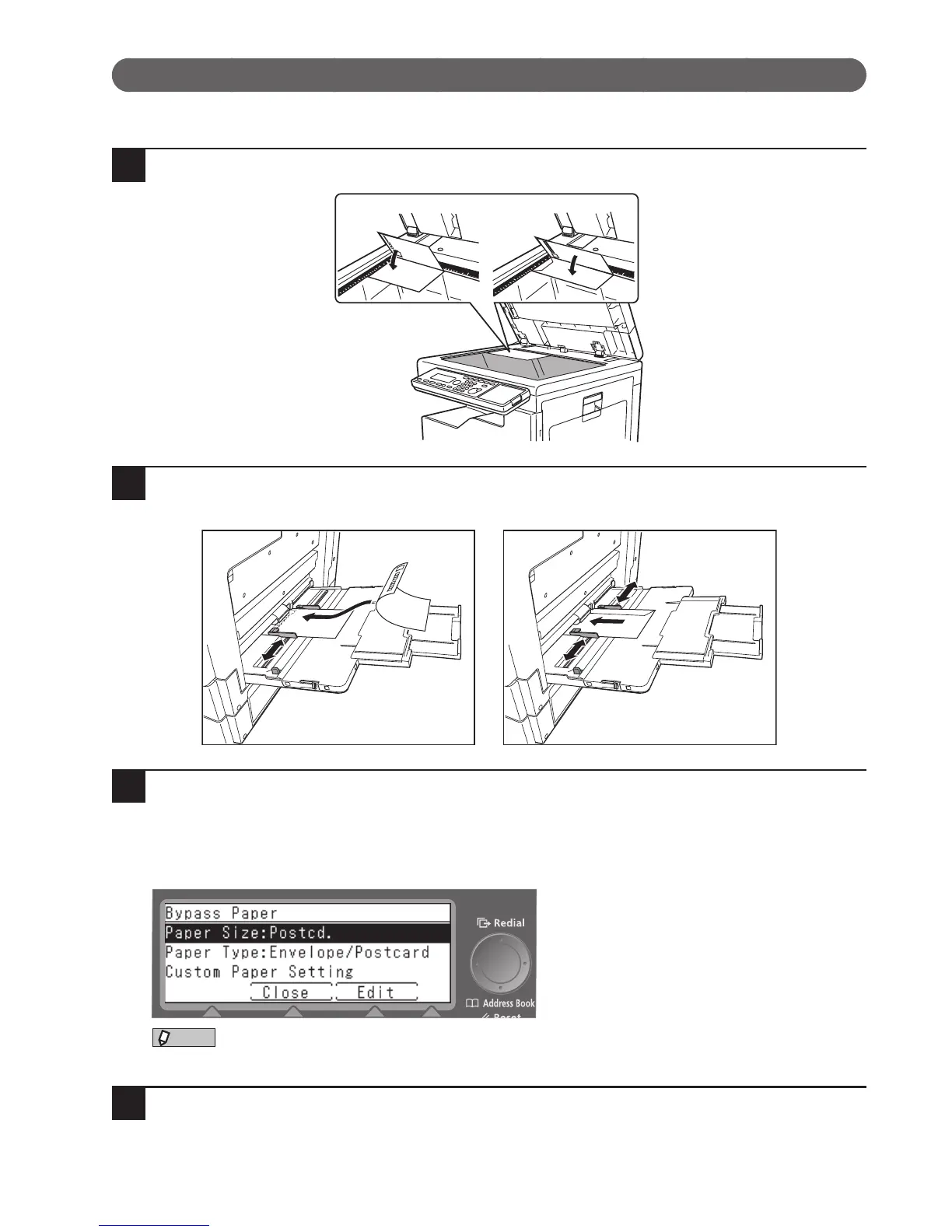
Use the bypass tray when copying onto postcards or envelopes.
1
Load your document.
2
Load the postcards or envelopes
Load into the bypass tray with the side to be printed on facing down.
3
Set the paper type and size
A screen asking you to confirm paper size and type appears when you load paper in the bypass tray. Set
the paper type and size as necessary.
When copying to a postcard, select “Postcard” as the paper size. The paper type is automatically set to “En-
velope/Postcard/Pastebrd.”.








 To Next Page