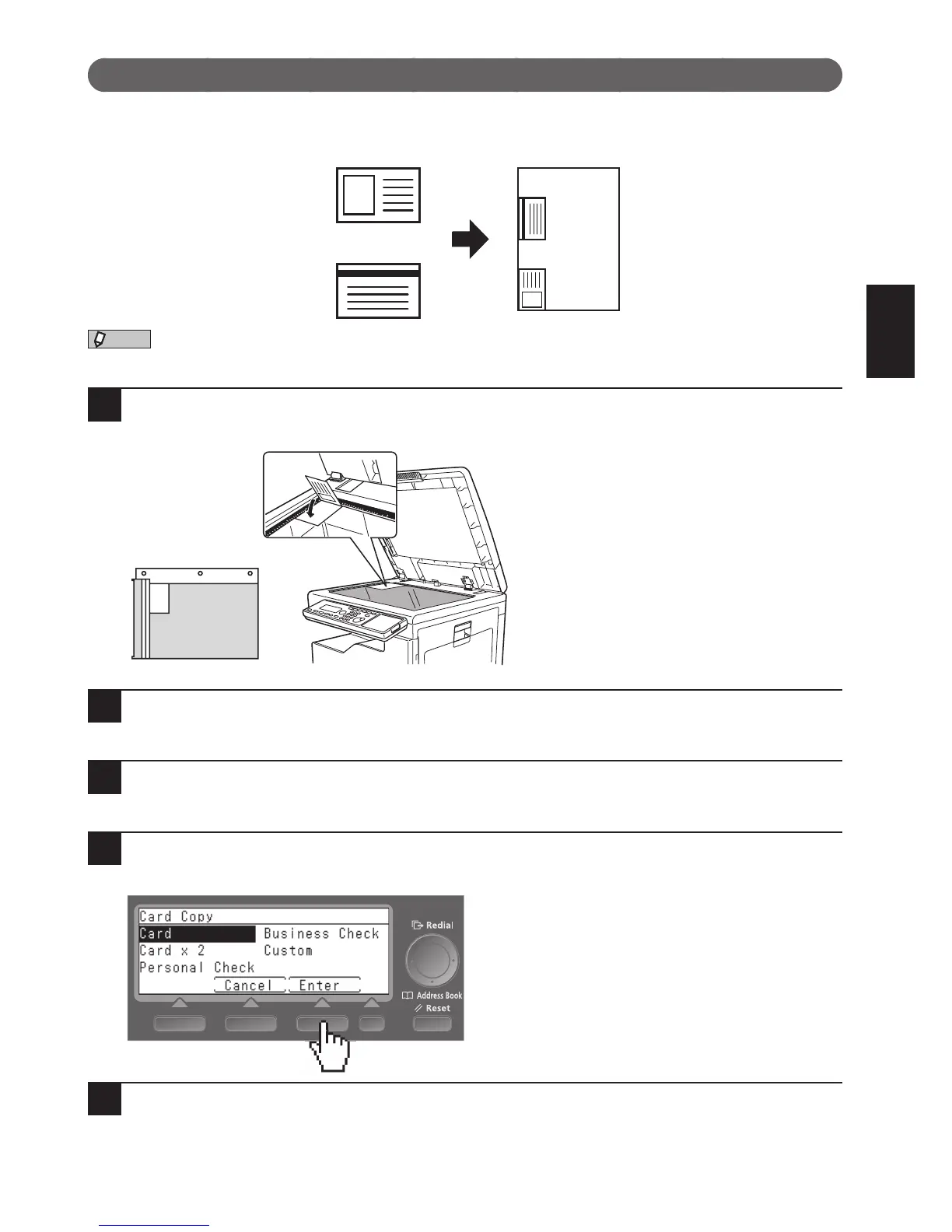
You cannot use the ADF. You can only copy from the document glass.
1
Place the card with the front facing down.
Align with the back left corner of the document glass.
2
Press <Menu>.
3
Select “Card Copy” and press [Enter].
4
Select the type of object you want to copy and then press [Enter].
To specify the size, select “Custom” and enter the size.
5
Press [Enter].








 To Next Page