Canceling a fax transmission
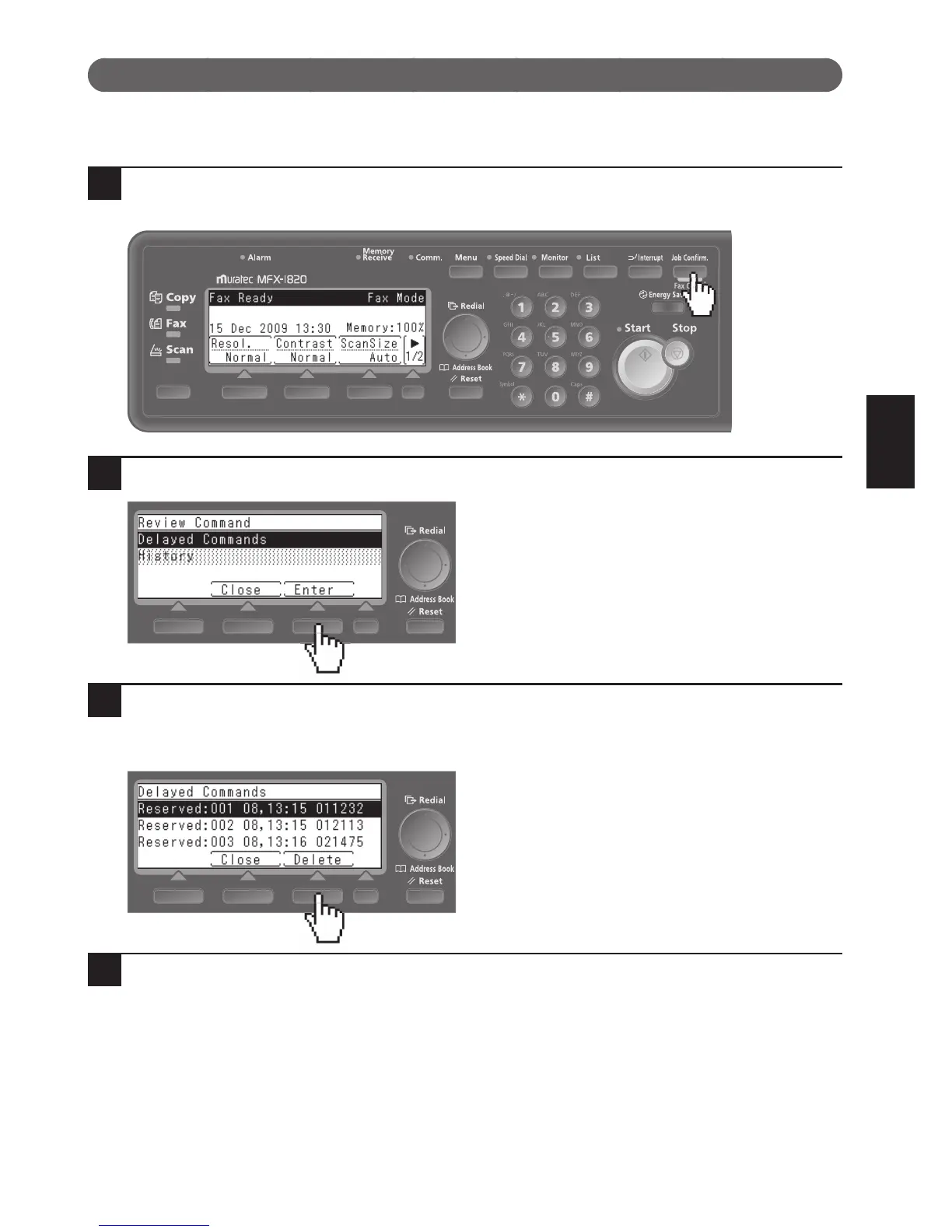
To cancel a fax transmission, or to check jobs waiting for transmission (Reserved), press <Job Confirm./Fax Can-
cel>.
1
Press <Job Confirm./Fax Cancel>.
If there is a job currently transmitting, proceed to step 4.
2
Select “Delayed Commands” and press [Enter].
3
Press the cursor keys to select the transmission job you want to cancel, then
press [Delete].
“Bcast.” appears if it is a broadcast transmission.
4
Press [Yes]. The transmission is canceled.
•Pressing[No]willreturnyoutothescreenshowninstep3.
•Press<Reset>toreturntothereadyscreen.











 To Next Page