9 of 35
www.NabcoEntrances.com OpusControlWiringandProgrammingInstallaonManual
Rev. 3-9-18 P/N C-00139
X
DN 1249
Type: GT710 Swing
Status: Slow Closing
Error: -----
Ac va on: IN EXT
Switch: LCHK BCHK
Other: BA 6B SLS
Keep Pushing Switch
=> Se ng Mode
UNIT SPECS
Recycle Warning!
Rotate
Dial
ERROR SPECS
Short
Push
FLASHING
SCREEN
Long
Push
Recycle Warning!
Clear Yes No
ERROR SPECS
Rotate
Dial
Recycle Warning!
Clear No
ERROR SPECS
Yes
Short
Push
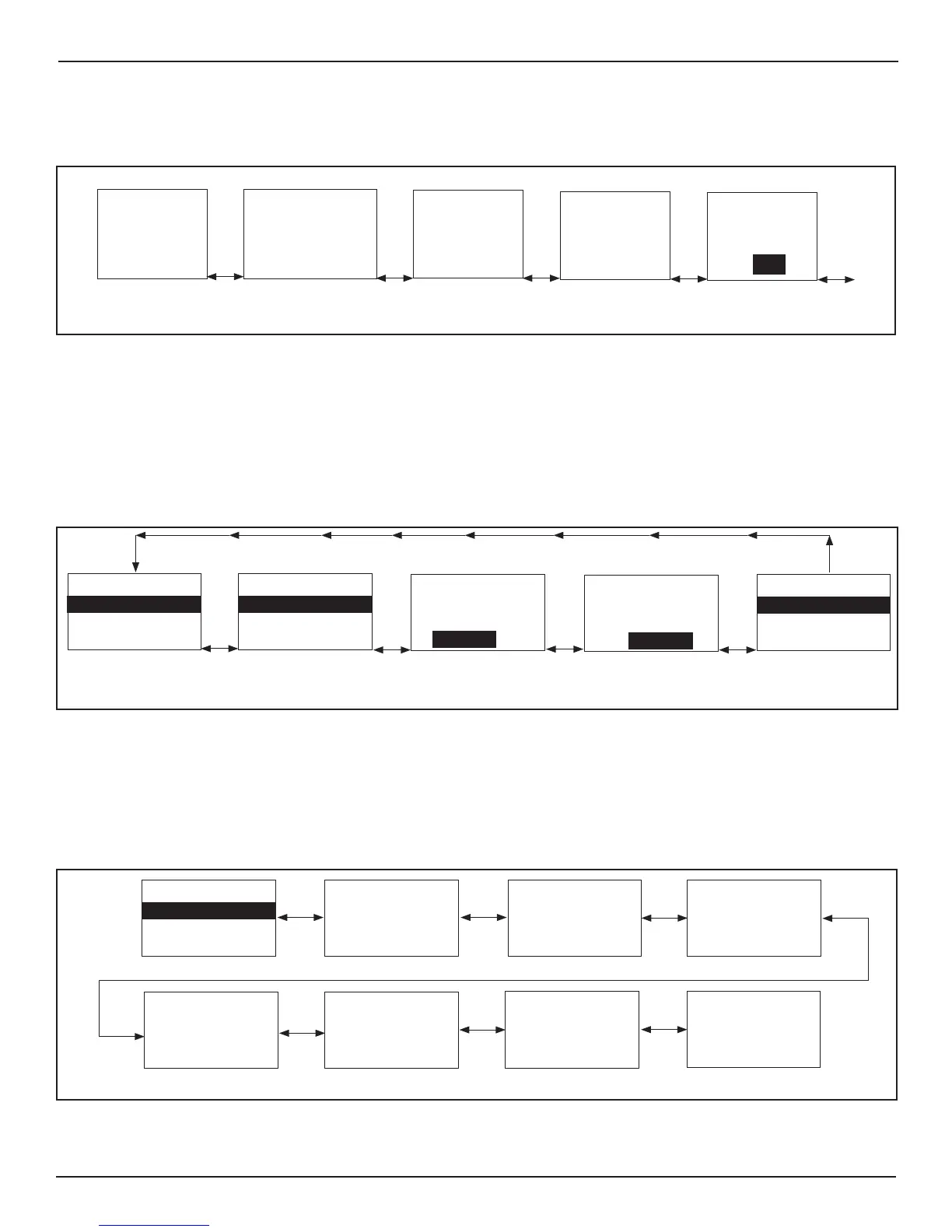
Figure 5
X
X
SECTION 8.2: Level Two: Access Screen
Note: The “Acvate Passcode” opon is only displayed in the event “0045” had not already been entered.
DN 1713
Passcode
Stroke Learning
Yes No
LEVEL 2
Rotate
Passcode
Stroke Learning
Yes No
Passcode
Go to Se ng Menu
Stroke Learning
Passcode
Go to Se ng Menu
Stroke Learning
Go to Se ng menu
Reset to Default Set
Yes
No
Passcode
Stroke Learning
Yes No
Ac vate Passcode
Rotate
Rotate
Rotate
Figure 6
Aenon: To prevent tampering, a Universal Passcode (0045) has been programmed into all Opus Controls. This
Passcode cannot be changed, but can be turned OFF and ON.
Aenon: Do Not acvate Passcode (0045) unl programming of the Opus Control is complete. Failure to do so,
will force the User to enter (0045) each me a change is made.
8.2.1 Enter Passcode
Short
Push
LEVEL 2
Reset to Default Set
If you don’t know
the passcode,
Keep Pushing Switch,
Return to Normal mode
0
Short
Push
Reset to Default Set
If you don’t know
the passcode,
Keep Pushing Switch,
Return to Normal mode
00
Short
Push
Reset to Default Set
If you don’t know
the passcode,
Keep Pushing Switch,
Return to Normal mode
000
Rotate
Dial
Reset to Default Set
If you don’t know
the passcode,
Keep Pushing Switch,
Return to Normal mode
004
Short
Push
Reset to Default Set
If you don’t know
the passcode,
Keep Pushing Switch,
Return to Normal mode
0044
Rotate
Dial
0045
Short
Push
Correct PassCode!
If you don’t know
the password,
Keep Pushing Switch,
Return to Normal mode
0045
Reset to Default Set
If you don’t know
the passcode,
Keep Pushing Switch,
Return to Normal mode
DN 1715
Passcode
Stroke Learning
Yes No
Ac vate Passcode
Figure 7 Enter Passcode



 To Next Page