User & Service Manual Natus Quantum Amplifier
55
Icons related to ongoing acquisition:
Turns the LCD Screen off.
Allows for the signals to recover from saturation.
Note: De-Block is automatically applied when opening relays after
cortical stimulation.
Inserts an EEG or Sleep Acquisition Note or Bio-Calibration.
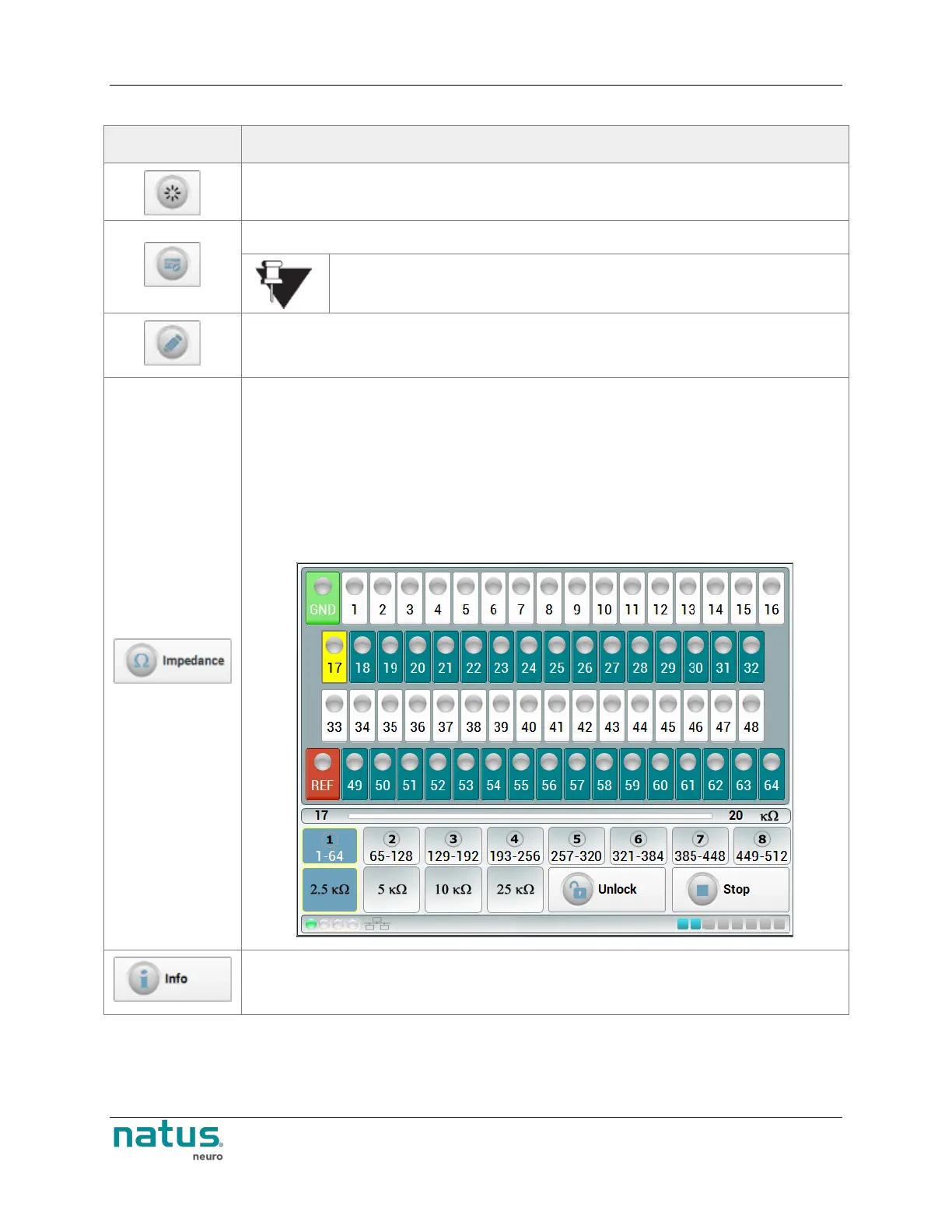
Keeping this button pressed allows the impedance test screen to display.
With the Cycle feature set to ON in the NeuroWorks/SleepWorks User
interface, the system will automatically measure and display impedances for
each 64-channel bank.
Pressing on one of the buttons for each of the 64-channel banks will interrupt
cycling and will continuously measure the selected 64 channels.
Pressing “Unlock” will resume cycling between the 64-channel banks.
Displays the information about the Breakout connected. See 8.1 Setting the IP
Address for additional information on this screen.











 To Next Page