Natus Quantum Amplifier User & Service Manual
66
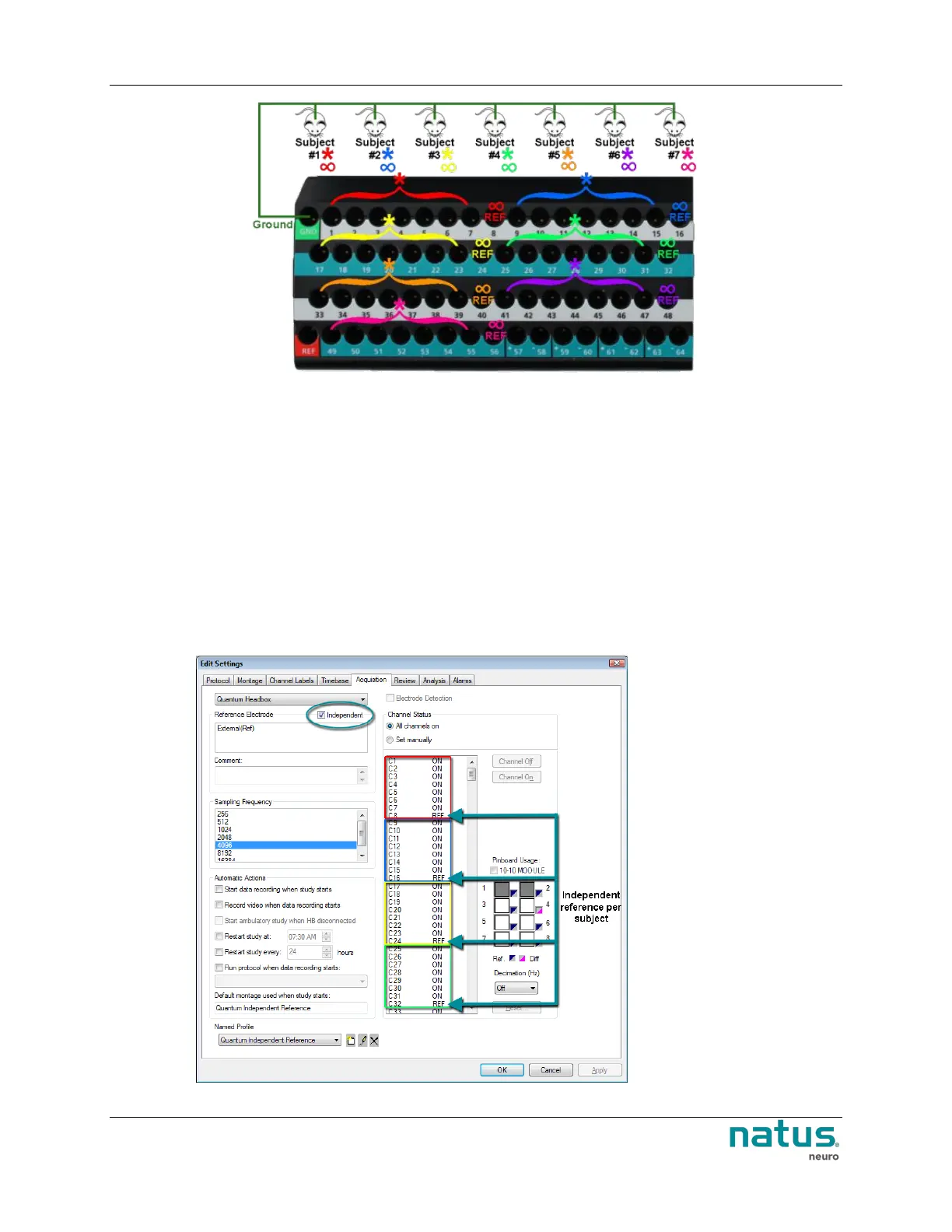
Multiple subjects connected to the pinbox
10.2.1. Setting up Neuroworks for Multiple Subject Connections
When connecting multiple subjects to the Quantum or Quantum 64 amplifier breakouts, the Acquisition
Profile should be setup with the Independent reference box checked. This is found in the Acquisition
Tab of the Edit Settings Dialog. When selected, this ensures that each subject has an independent
reference dictated in the software.
To Setup the Acquisition Profile for Connecting Multiple Subjects:
1. Open the NeuroWorks software, and choose Edit > Settings > Acquisition (tab).
2. Choose the Quantum headbox from the drop-down menu.
3. Ensure that the Independent checkbox is selected under the Reference Electrode section.











 To Next Page