User & Service Manual Natus Quantum Amplifier
61
9.8. Adding the Quantum or Quantum 64 breakout box(es) to the
Modular Pouch
Placing the Quantum breakout box(es) on the patient, can be accomplished by using adding it to the
modular pouch.
The Quantum breakout box(es) should only be used in conjunction with the Quantum
Modular Pouch. The use of other pouches is not allowed.
Each Breakout box should be placed separately in an individual Quantum Modular
Pouch. Neither the Quantum pouch(es) nor the breakout box(es) should be covered
by blankets or any other material. Failure to follow these instructions could raise the
temperature of the Quantum Breakout(s) above normal operational levels.
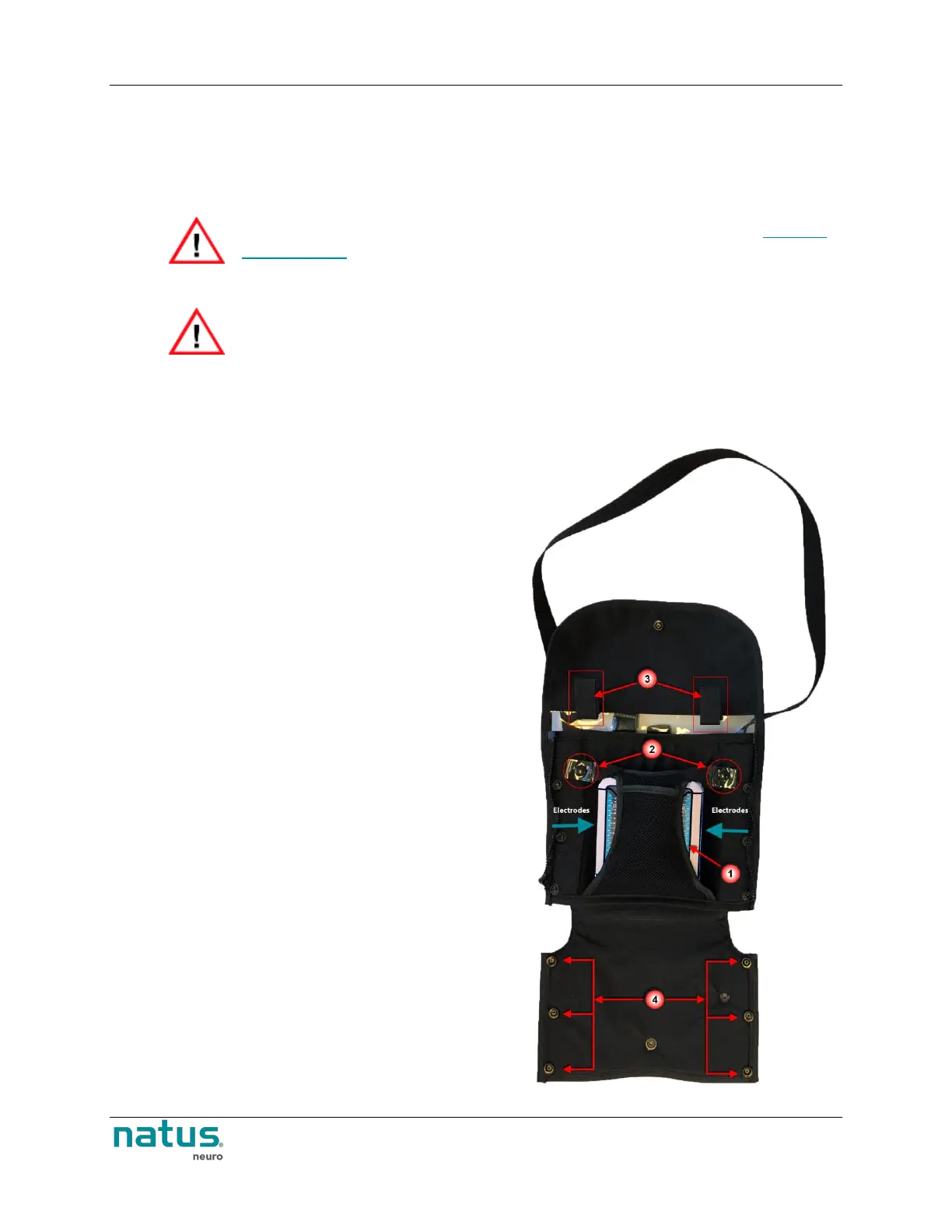
To use the Quantum Modular Pouch:
1. Place the Quantum breakout box(es) into the
pouch.
Both pin-boxes should be accessible on
either side of the inner harness
The Natus logo should be on the front
Connectors to the base unit and 2nd
Breakout, as well as status LED’s, should
be on the upper side.
2. Secure the inner harness around the breakout
by snapping it to the main pouch.
3. The electrodes wires can then be routed to exit
on the left and right sides.











 To Next Page