Page 20 Naxa Electronics
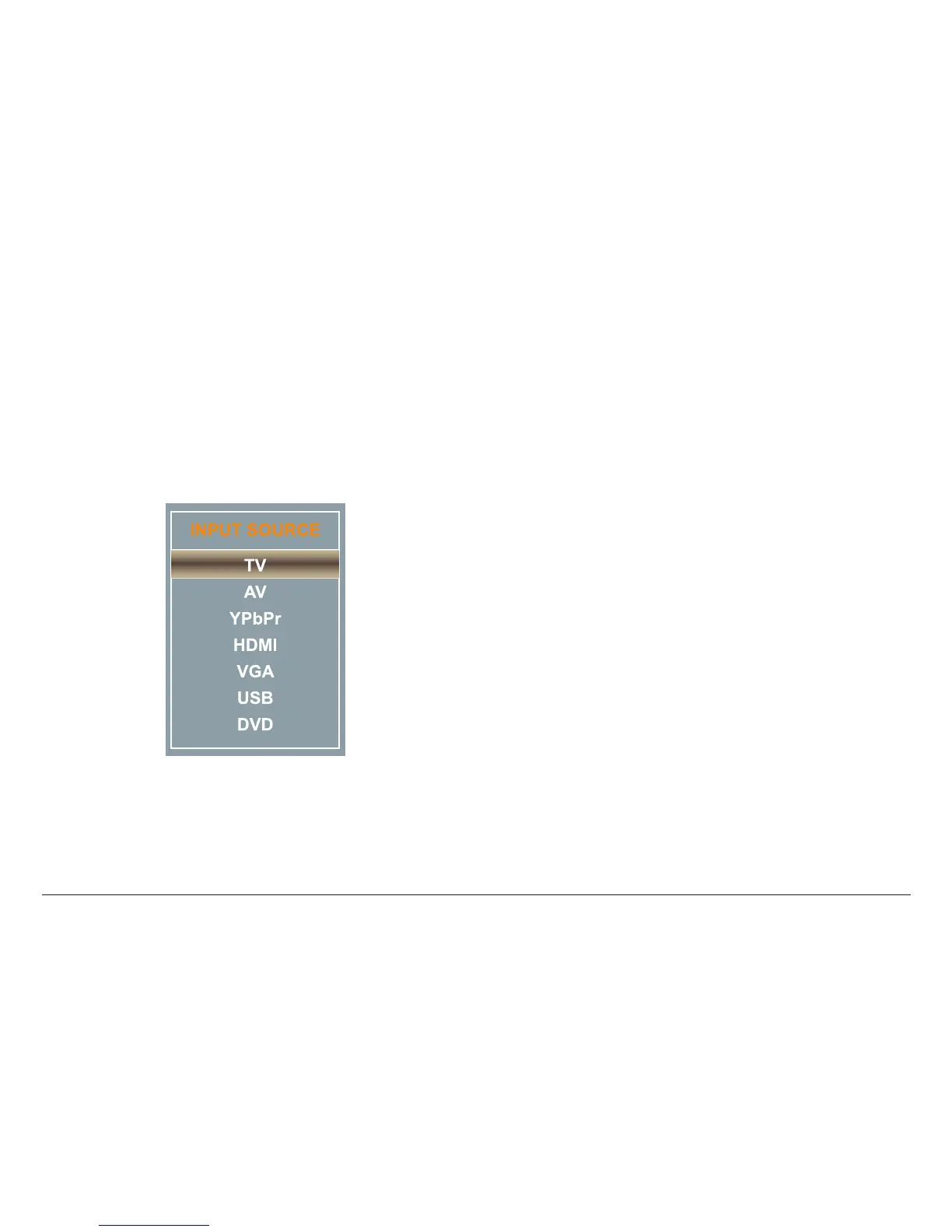
Setting the Input Source
Set the input source to choose which connection is ac-
tive and displayed on the TV screen.
Press SOURCE [8] to access the input source menu, then
press CH– or CH + [5, 6] to change the input source.
Press SOURCE [8] again to conrm the selection.
⚠L
You may also use the remote control. Press
the SOURCE key, and then use the arrow
keys to change the input source. Press EN-
TER to conrm the selection.
Adjusting the Volume
• Use the VOL– and VOL+ keys [3, 4] to decrease or
increase the volume level, respectively.
• Press the MUTE key on the remote to disable sound
output completely. Press the MUTE key again to
restore sound output.
Using the Number Keypad
Use the number keypad (1-0, 9) on the remote to tune
directly to a channel or to input a value when prompt-
ed on a menu or option screen.
To tune to channel 15-1, for instance:
1. Press the “1” key, then press the “5” key.
2. Press the “-/--” key.
3. Press the ENTER key.
To go to track 15, for instance:
1. Press the “1” key, then press the “5” key.
2. Press the ENTER key.



 To Next Page