Page 40 Naxa Electronics
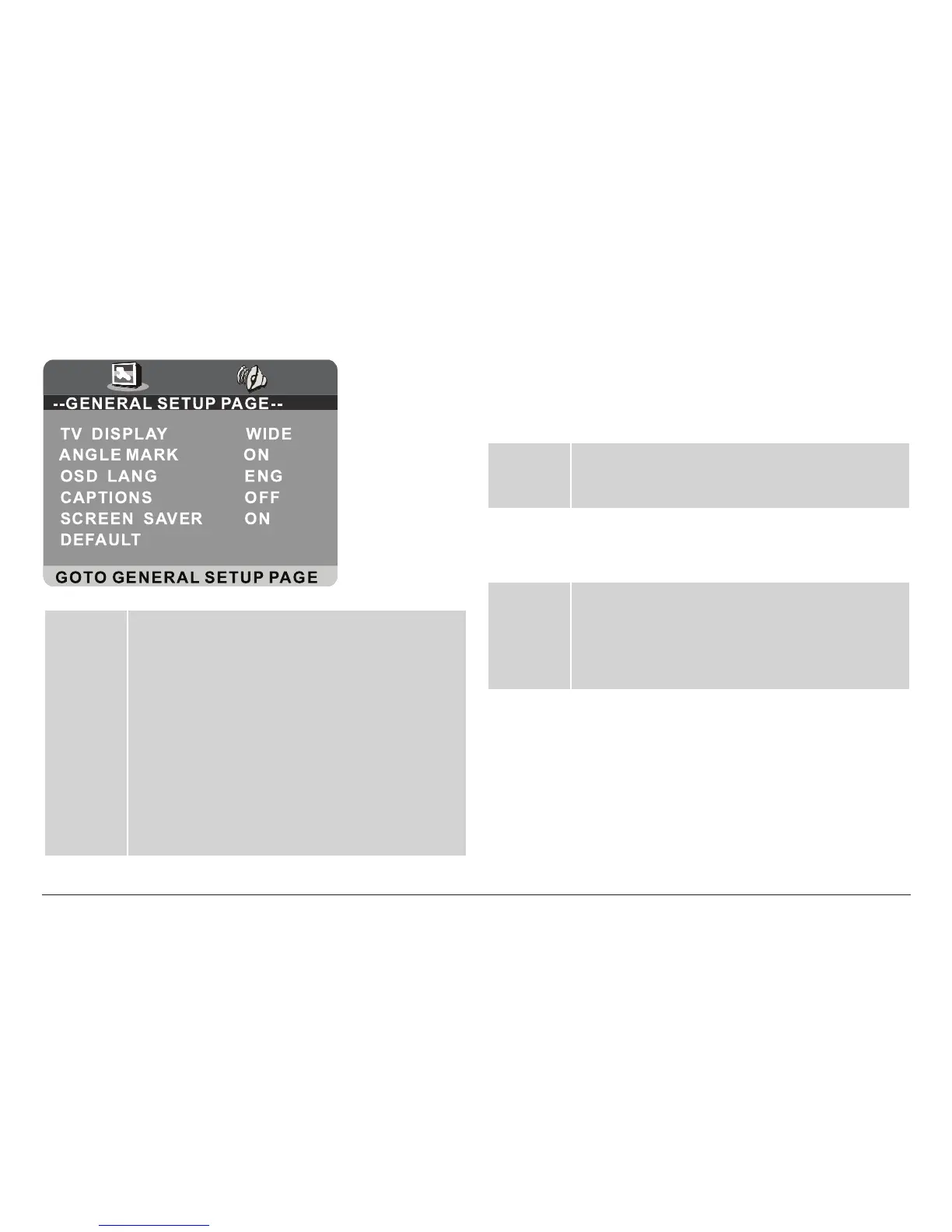
General Setup Page
TV Display • Normal / PS: Pan and Scan. Widescreen images
will be displayed on the screen in its native as-
pect ratio with some part on the left and right
cut off.
• Normal / LB: Letterbox. Widescreen images will
be displayed in their native aspect ratio with
black bands on the upper and lower sections of
the screen.
• Wide: Widescreen. Widescreen images will be
displayed in full screen in their native aspect
ratio while 4:3 images will be stretched out to
t in the screen.
Angle
Mark
On: An angle mark is displayed on screen when an
additional camera angle is available.
Off: Disables this function.
⚠L
This function only works with those discs
mastered with multiple camera angles.
OSD Lang On screen display language. Set the language of
the on-screen display and system menus with
this item.
Captions On: Displays captions on screen when they are
available.
Off: Disables this function.
Screen
Saver
• On: If the image remains motionless on the screen
for several minutes, (e.g., the disc is paused,
stopped etc.) a screen saver will appear on the
screen. Press any key to exit the screen saver.
• Off: Disables this function.
Default Reset: Return all DVD system options to their
factory-default settings.



 To Next Page