Page 8 Naxa Electronics
At a Glance
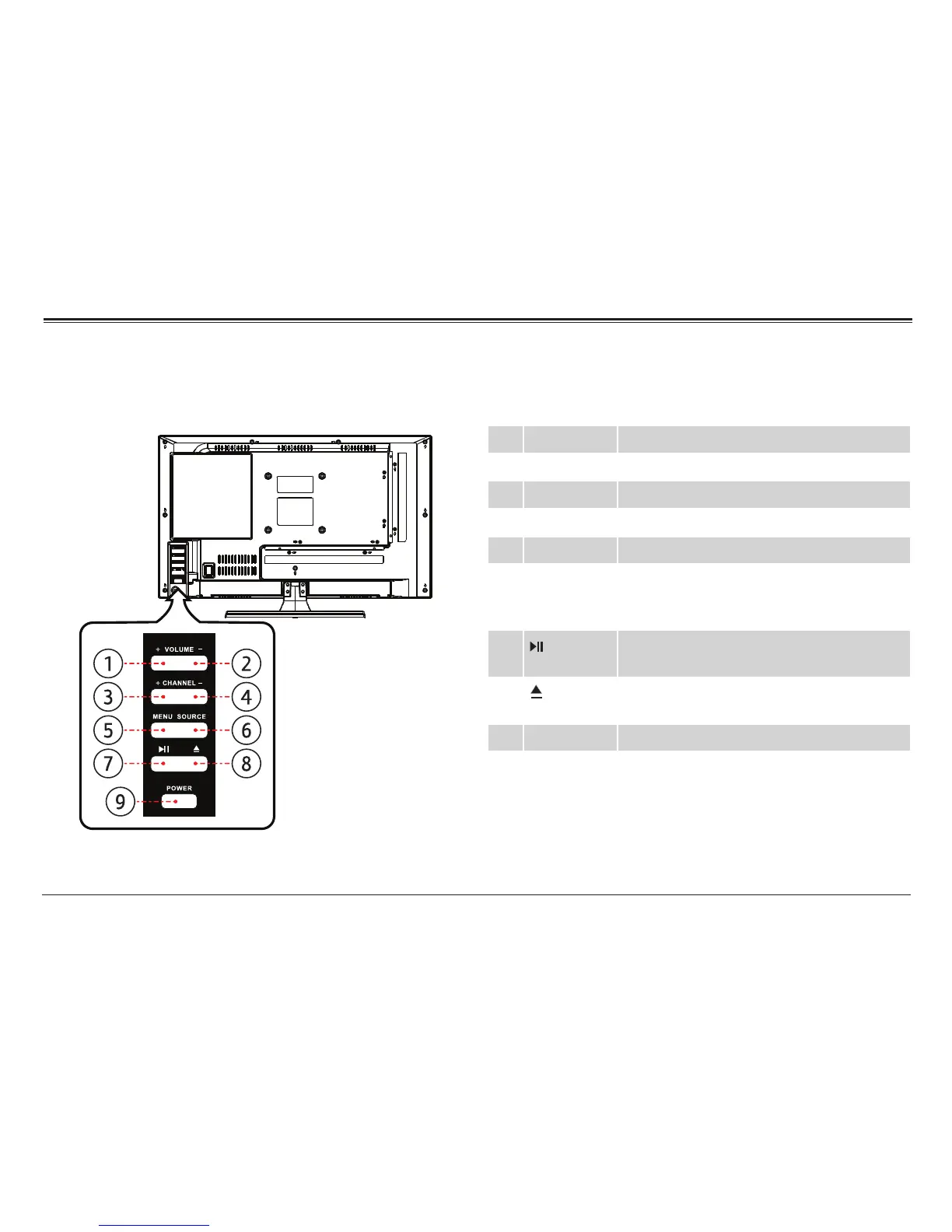
Main Unit
CHANNEL
VOLUME
POWER
SO URCE
MENU
1 VOLUME+ Press to increase the volume level.
2 VOLUME– Press to decrease the volume level.
3 CHANNEL+ Press to tune to a higher channel number.
4 CHANNEL– Press to tune to a lower channel number.
5 MENU Press to access the settings menu.
6 SOURCE Press to change the which connection is
actively shown on screen (TV, AV, YPbPr,
HDMI, VGA, USB, DVD).
7 Play/Pause. Press to start, pause, or re-
sume playback.
8 Eject. Press to eject a disc from the DVD
slot.
9 POWER Press to turn the unit on and off.



 To Next Page