www.naxa.com Page 23
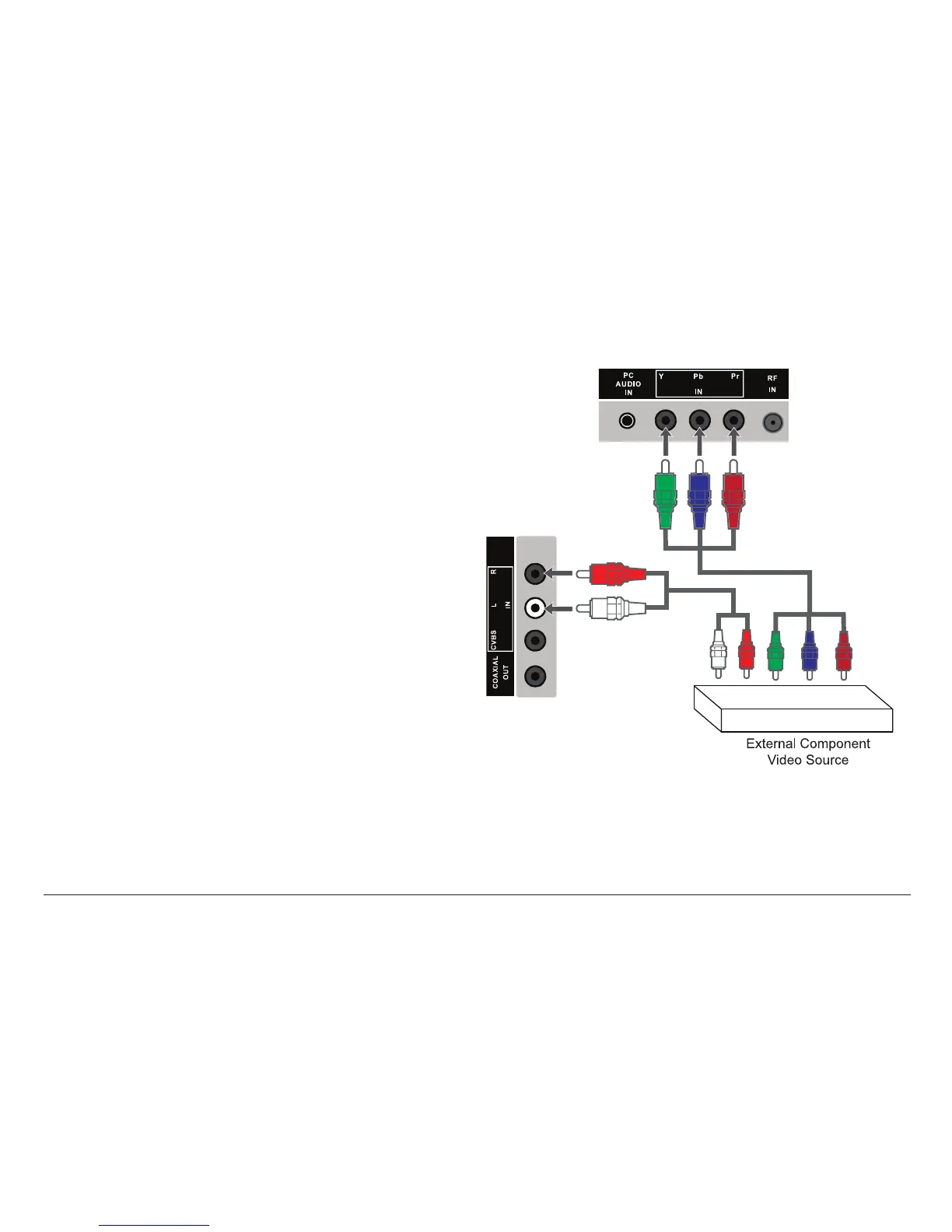
YPbPr In (YPbPr Source Mode)
Connection for component video signals. Set the source
mode to YPbPr to view this connection on the display
screen.
The component video connection is capabable of ac-
cepting signals from high-denition video sources
(e.g., cable/satellite boxes, Blu-ray players, game con-
soles, DVD players, etc).
• Make the Y, Pb, and Pr video connections with the
green, blue, and red plugs of a component video
cable.
• Make the L/R audio connection with the red and
white plugs of the supplied A/V cable.
⚠L
The L/R audio connectors are shared with
the CVBS composite video connector.
Component video connectors are some-
times labeled Y, Pb/Cb, Pr/Cr.
⚠⚠
Disconnect power before making this and
any other connection.



 To Next Page