Page 6 Naxa Electronics
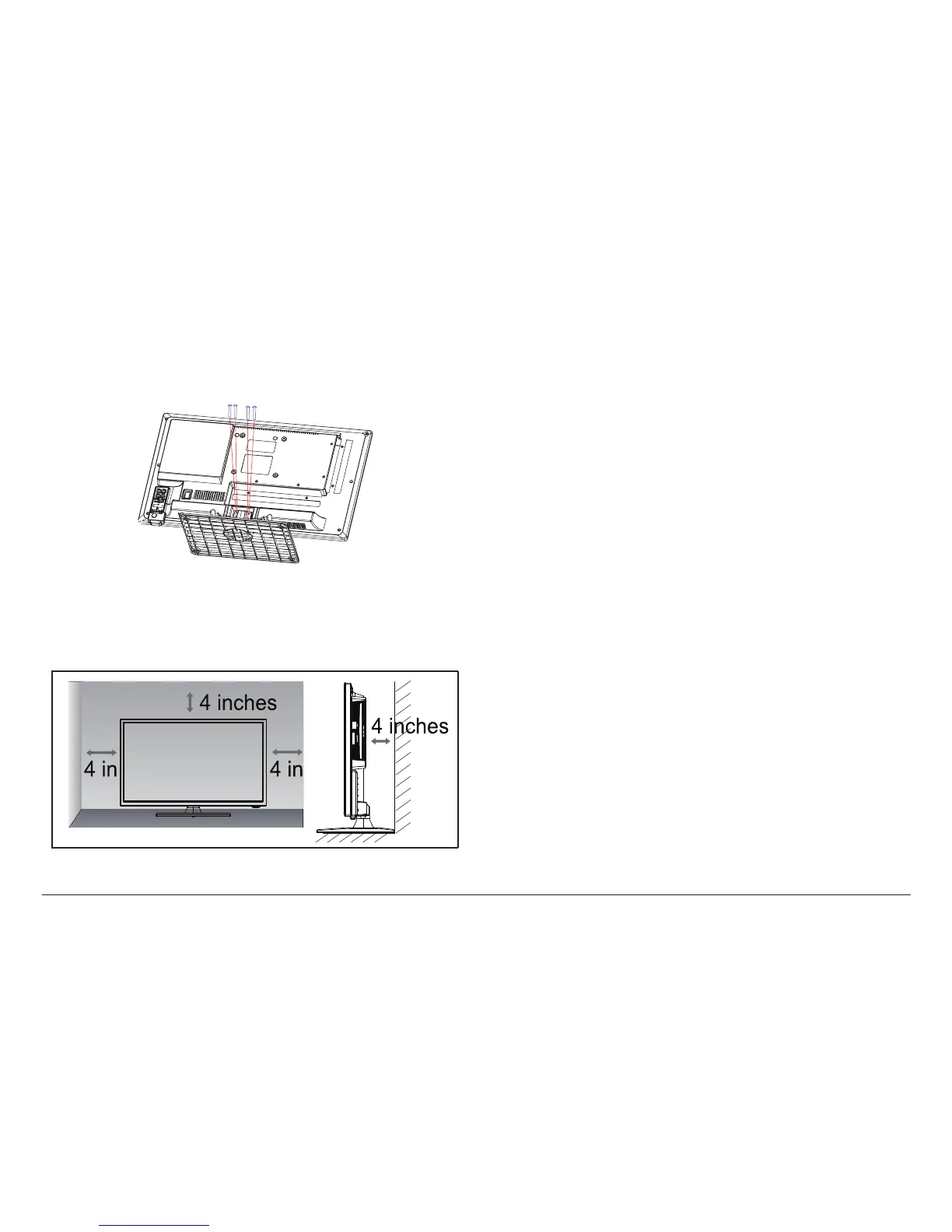
Step 4. Use a cross-head screwdriver to tighten the
four remaining screws in order to fasten the stand to
the TV. Do not over-tighten.
Step 5. Stand the TV up and place it on a at and level
surface. Make sure that it is installed in a space that
provides at least 4 inches of clearance all around the TV.
⚠⚠
Make sure power is disconnected when
installing the stand.
To minimize the chance of damage to the
TV, ask a partner for assistance when in-
stalling the stand.
How to Mount the TV to a Wall
To mount your TV to a wall, you will need a wall mount
kit. You can nd a variety of mounts at your local elec-
tronics retailer. Make sure that your kit is specied to
support the VESA mount pattern and weight of the
unit. Refer to the Specications section of this manual
before purchasing your wall mount kit.
To prepare the TV for use with your wall mount kit, you
will need to detach the stand. Carefully place the TV
face down on a cushioned surface and then reverse the
instructions for attaching the stand to the TV.



 To Next Page