Page 32 Naxa Electronics
Zoom Mode Adjust how the TV scales different types
of program formats. Choose from Nor-
mal, Wide, Zoom, or Cinema.
Note: Different types of programs will
allow for different Zoom Mode options.
Noise Reduction Set the Noise Reduction level. When
noise reduction is enabled, the TV will
attempt to improve the picture by
smoothing out defects in the original
picture signal (e.g., lm grain, compres-
sion artifacts, pixelation).
Advanced Adjust advanced VGA connection options
(H-POS, V-POS, Clock, Phase, Auto).
Note: This option is only available if the
TV is connected to a VGA video source
and the source mode is set to VGA.
Closed Caption Adjust the closed caption options (CC
Mode, Basic Selection, Advanced Selec-
tion, Option).
DLC Turn the Dynamic Luminance Control on
or off. When set to on, DLC will attempt
to adjust very bright and very dark pic-
tures to a mid level.
Restore Default Return all system options to the
factory-default settings.
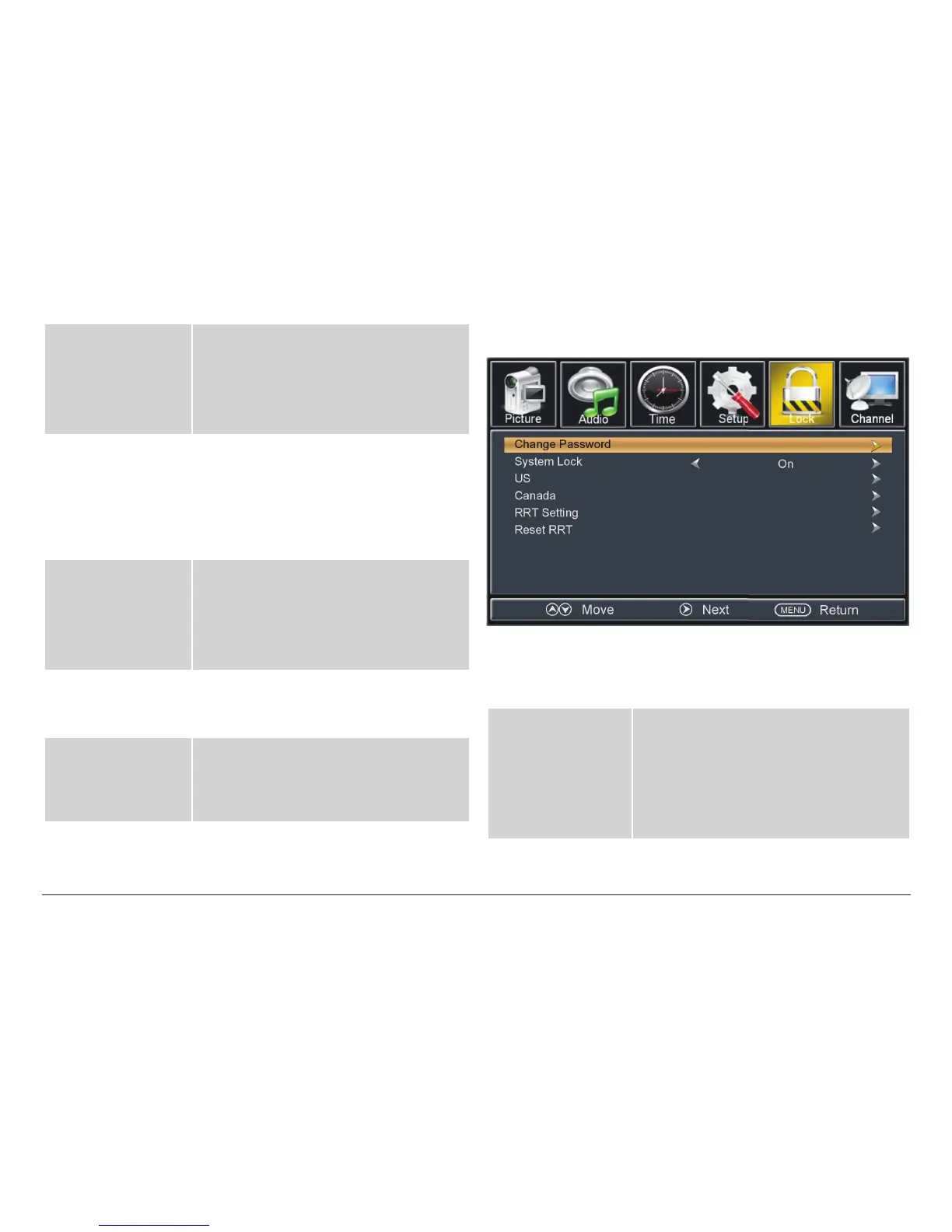
TV Lock Options
The TV Lock options are only available when the source
mode is set to TV or AV.
Enter Password The TV lock options are password pro-
tected to prevent unauthorized changes.
The initial password is “0000”.
The rest of the Lock options will become
available once the correct password has
been entered.



 To Next Page