www.naxa.com Page 25
VGA In (VGA Source Mode)
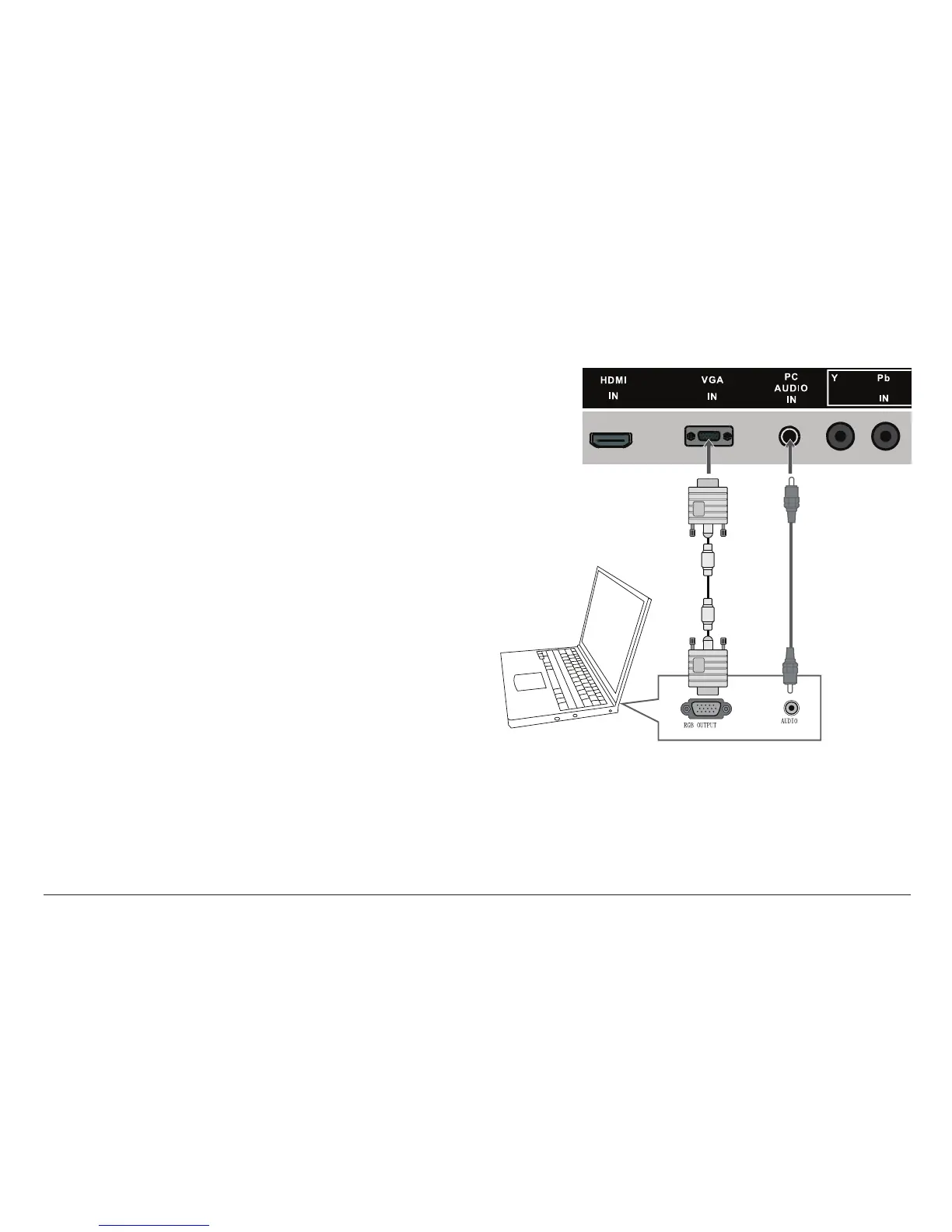
Connection for PC VGA video signals. Set the source
mode to VGA to view this connection on the display
screen.
The VGA video connection is capabable of accepting
high-denition video signals from a computer, laptop,
or other VGA source.
• Make the VGA video connection with a 15-pin D-
Sub VGA video cable.
• Make the PC Audio connection with a 3.5mm stereo
patch cable.
⚠⚠
Disconnect power before making this and
any other connection.



 To Next Page