www.naxa.com Page 5
Installing Your TV
Attaching the Stand to the TV
Your TV comes with a pedestal stand that lets you place
it on the surface of a media console, table, or other
level surface. Locate the stand, stand post, and the 8
screws included in the box.
To prepare the TV for installation, carefully place the TV
face down on a cushioned surface and then follow the
instructions below:
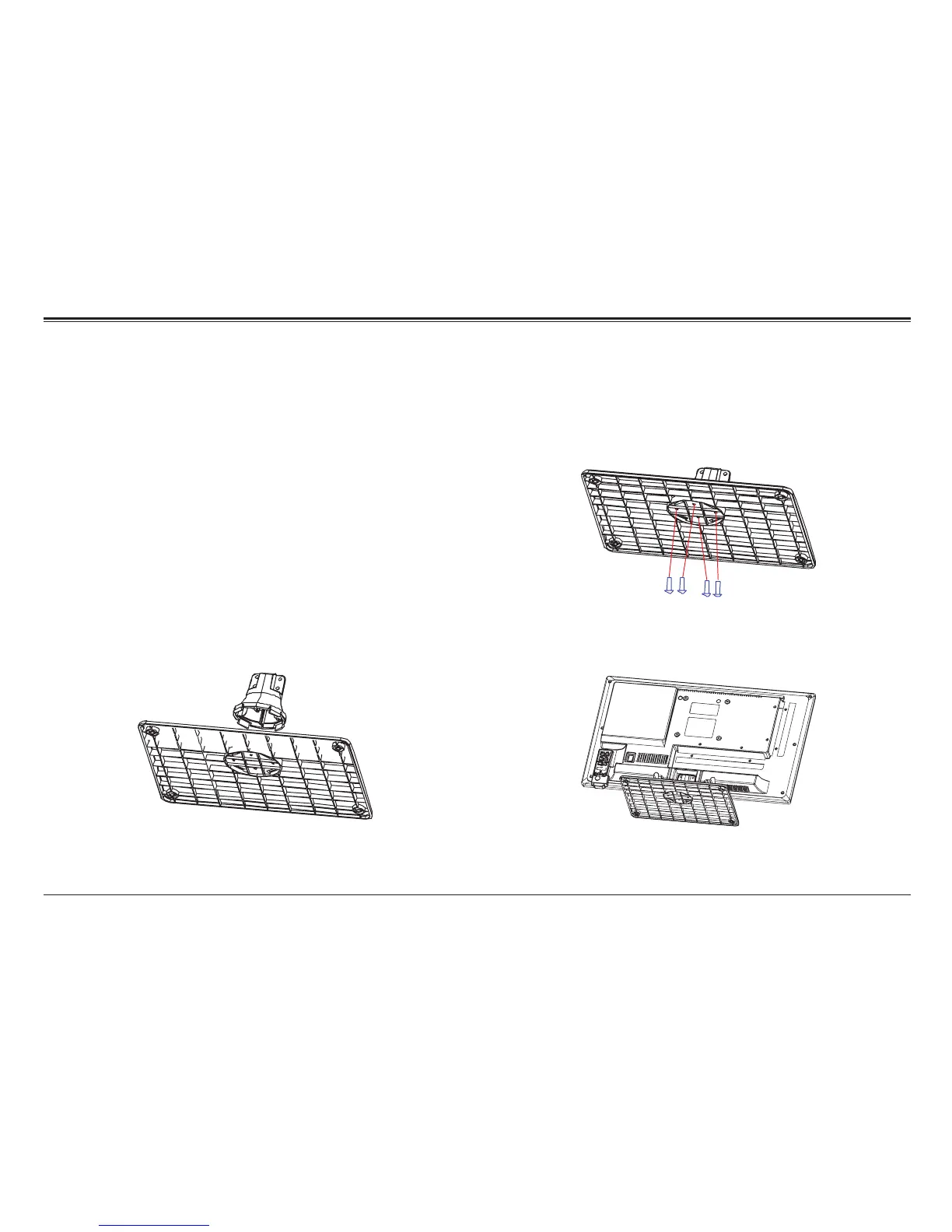
Step 1. Align the screw holes on the bottom of the stand
post with the screw holes on the stand.
Step 2. Use a cross-head screwdriver to tighten four of
the included screws in order to fasten the stand post to
the stand. Do not over-tighten.
Step 3. Align the screw holes of the stand post with the
screw holes on the back of the TV.



 To Next Page