Page 34 Naxa Electronics
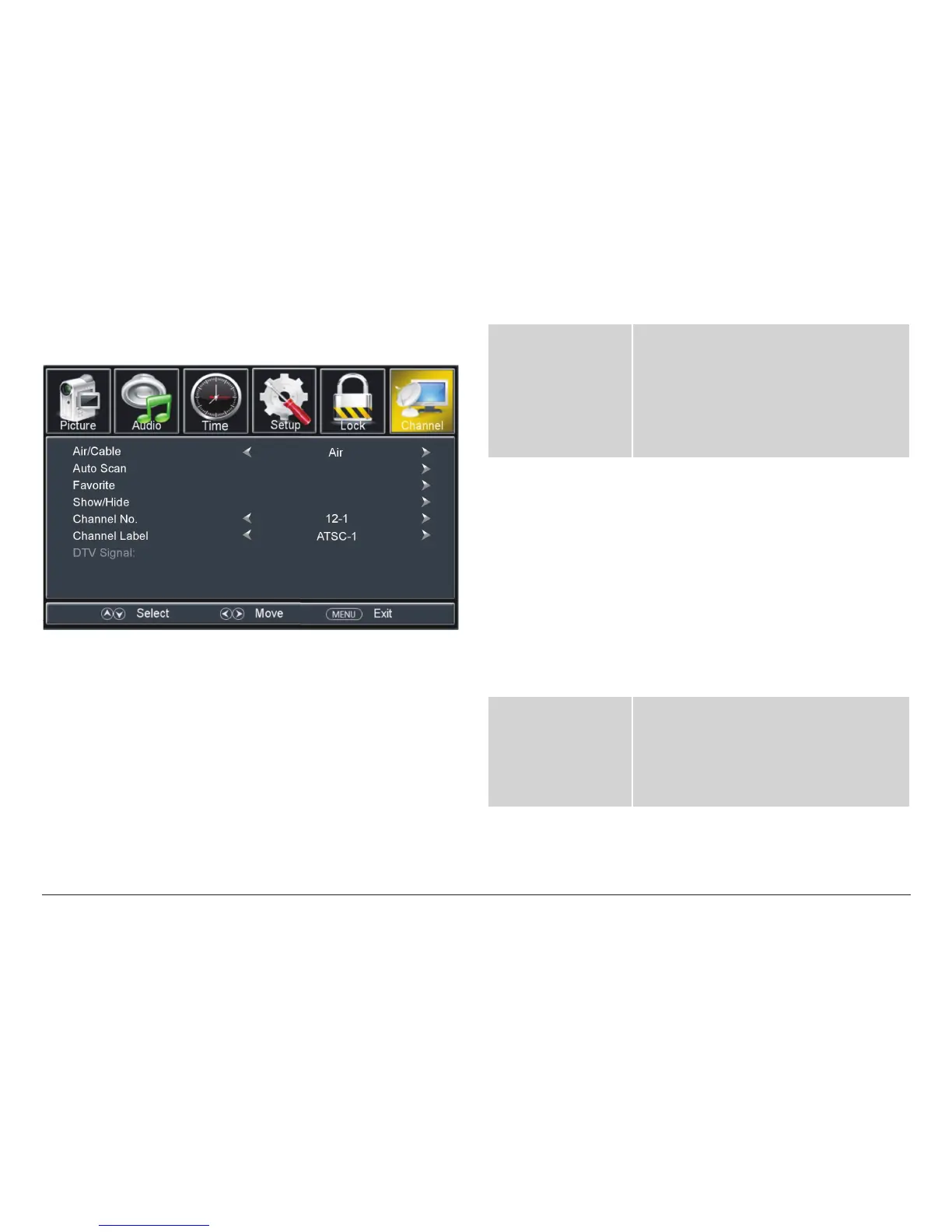
TV Channel Options
The TV Channel options are only available when the
source mode is set to TV or AV.
⚠L
The Favorite, Show/Hide, Chanel No., and
Channel label options are only available
when the TV is connected to an antenna or
cable TV signal source.
Air/Cable Set the antenna system that will be used
with the TV.
• Select Air if you are using an antenna
to receive over-the-air TV broadcasts.
• Select Cable if you are using a cable TV
system.
Auto Scan Automatically detect available channels
and save them to the Channel list.
• Cable System: If the Air/Cable option
is set to Cable, you will also be able to
set the cable system type to match
your cable provider (Auto, Std, IRC, or
HRC).
Note: Select AUTO if you are not famil-
iar with your cable system type.
• Start to Scan: Initiate the auto scan
function.
Favorite Mark a channel for inclusion in the Fa-
vorite Channels list.
Note: You can use the FAV +/– key on the
remote to add or remove channels from
the Favorite Channels list.



 To Next Page