Getting Started with MAXserver Access Servers
0038
24
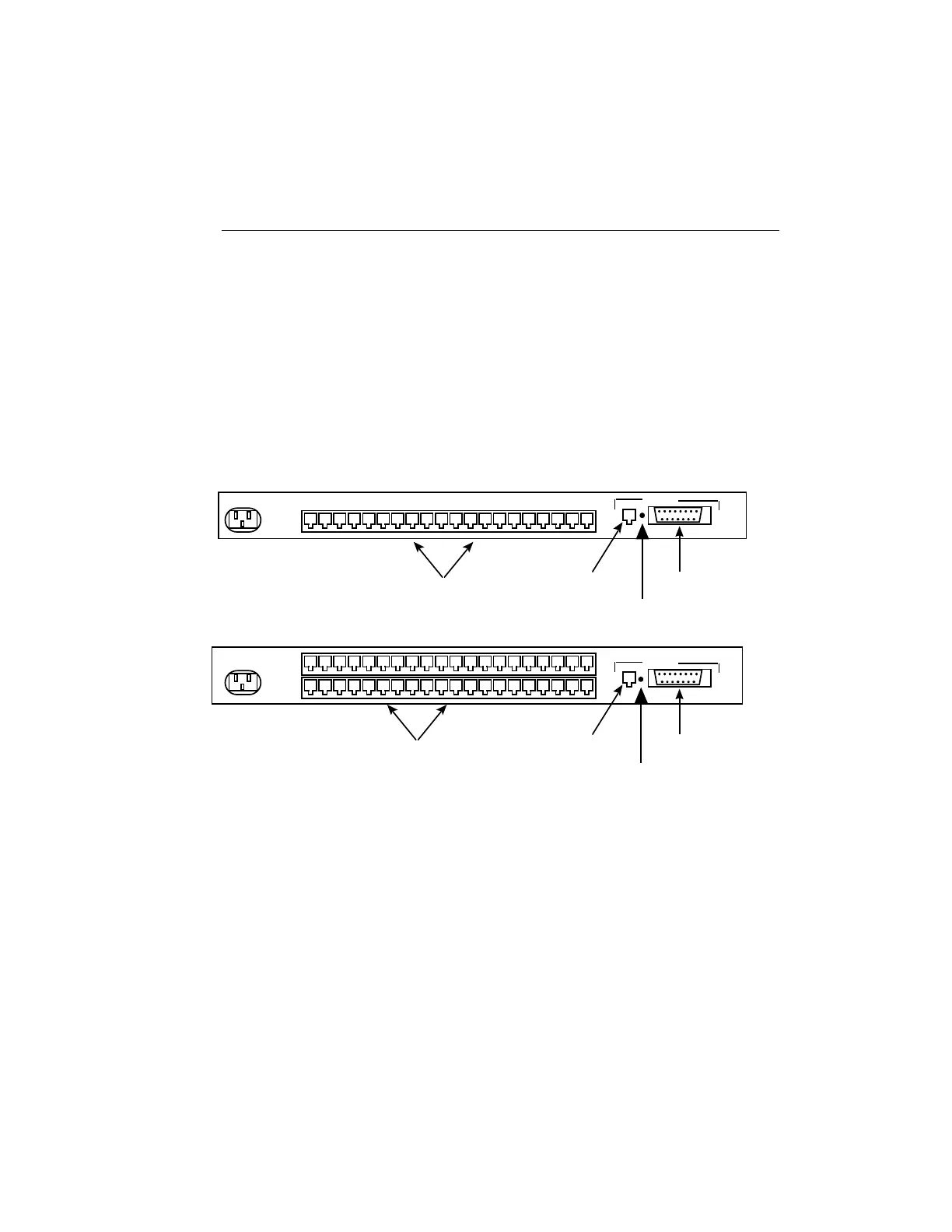
Connecting the Ethernet Interface
Connect either a 10Base-T or AUI Ethernet network cable to the appropriate
connector on the rear of the MAXserver (See Figure 4 for 20-port and 40-port
models; Figure 5 for 8-port and 4-port models.) Connect only one Ethernet
cable to the unit. When powered up, the unit selects the interface on which
it detects network activity.
110 - 240 VAC ~
1.0 - 0,5A 50 - 60 Hz
ETHERNET
10BASE-T Ethernet
RJ-45 Connector
Standard Ethernet
(AUI) Connector
12345 678910111213141516
RJ-45 Serial Port Connectors.
17 18 19 20
110 - 240 VAC ~
1.0 - 0,5A 50 - 60 Hz
ETHERNET
10BASE-T Ethernet
RJ-45 Connector
Standard Ethernet
(AUI) Connector
RJ-45 Serial Port Connectors.
Top Row: Ports 1 through 20
Bottom Row: Ports 21 through 40.
MAXserver 1620 Terminal Server
MAXserver 1640 Terminal Server
Link LED
Link LED
Figure 4 - MAXserver 1620/1640, Rear View



 To Next Page