Getting Started with MAXserver Access Servers
0038
74
·
Applications such as SLIP and PPP using low speed modems
·
Applications such as SLIP and PPP using high speed modems
Applications using CCITT V.42-compliant modems, or other devices
operating at high port speeds.
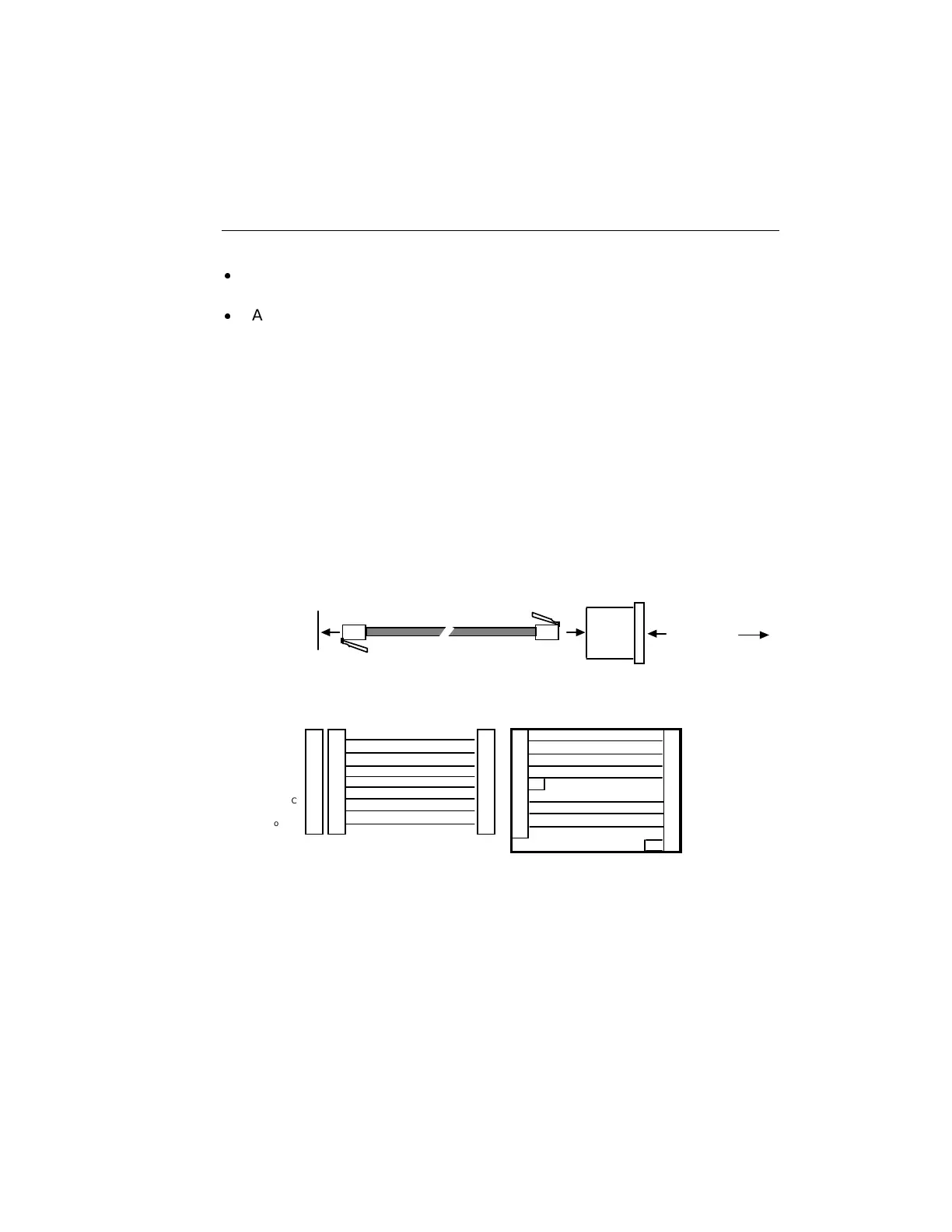
Figure 21 illustrates a wiring diagram that shows the needed cabling
to connect an access server serial port to a modem for most standard
applications (i.e., those which do not require RTS/CTS hardware flow
control). Figure 22 shows the wiring for applications which require
RTS/CTS flow control. You can purchase modular cables and
adapters shown in the figure from NBase-Xyplex, or make your own
cables based on the wiring diagram.
Communication
Server Connector
Modular Adaptor
To Modem
Straight Through Cable
Female RJ-45
Connector
Male DB-25
Connector
Male RJ-45
Connector
Male RJ-45
Connector
Straight Through Cable
RING
DTR
XMT
XMTGND
RCVGND
RCV
DCD
Not Used
Modem connector
Pin Signal
1
2
3
4
5
6
7
8
1
2
3
4
5
6
7
8
1
2
3
4
5
6
7
8
Female RJ-45
Connector
Standard Modem Connection
Adaptor Wiring - MX-350-0187
(Female RJ-45 to male DB-25)
22 RING
20 •DTR
2 XMT
7 GND
3 RCV
8 DCD
6 DSR
4 RTS
5 CTS
1
2
3
4
5
6
7
8
Figure 21 - Modular Cables for Connecting a Modem (7-Wire)



 To Next Page