Getting Started with MAXserver Access Servers
0038
25
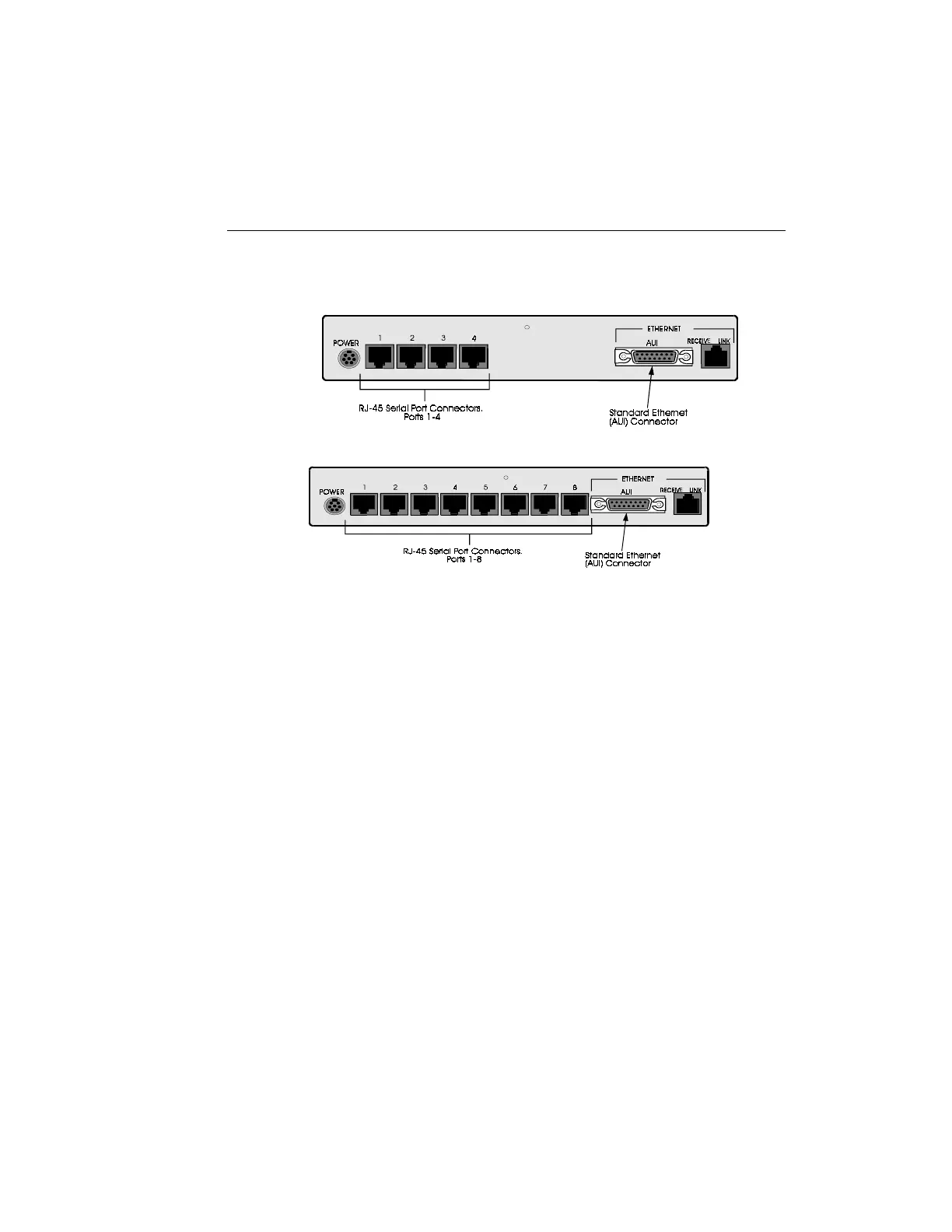
Figure 5 - MAXserver 1604/1608B, Rear View
Standard (AUI) Connection -- Plug the male cable connector into the 15-
pin female AUI socket on the rear of the unit and fasten the slide latch.
(The AUI connector signal assignments are shown in Figure 25.)
10Base-T Connection -- Install the Ethernet cable by plugging it into the
10Base-T connector on the rear of the unit. (The 10Base-T connector signal
assignments are shown in Figure 26.) If you use the 10Base-T connector, the
LINK LED will light when the unit detects that it is connected to a working
Ethernet network.



 To Next Page