45
6.2
Install Power Bar onto Mounting bars
This section is a guide to mounting the Power bar onto the Mounting bars and describes the
following in more detail:
Prepare the Mounting bars so they are level.
Position the Power bar on the Mounting bars.
Then fix the Power bar onto the Mounting bars.
Table 8: Power Bar Installation Requirements
Mounting bar securely installed
Power bar/LED Wall not connected to mains
Alignment bar
Spirit level
Screwdriver
Check the Evenness 6.2.1
Use the Alignment bar and spirit level in combination to check the evenness between Step 1)
the vertical Mounting bars.
If necessary, adjust top and bottom supports accordingly. Step 2)
Bring Power Bar into Position 6.2.2
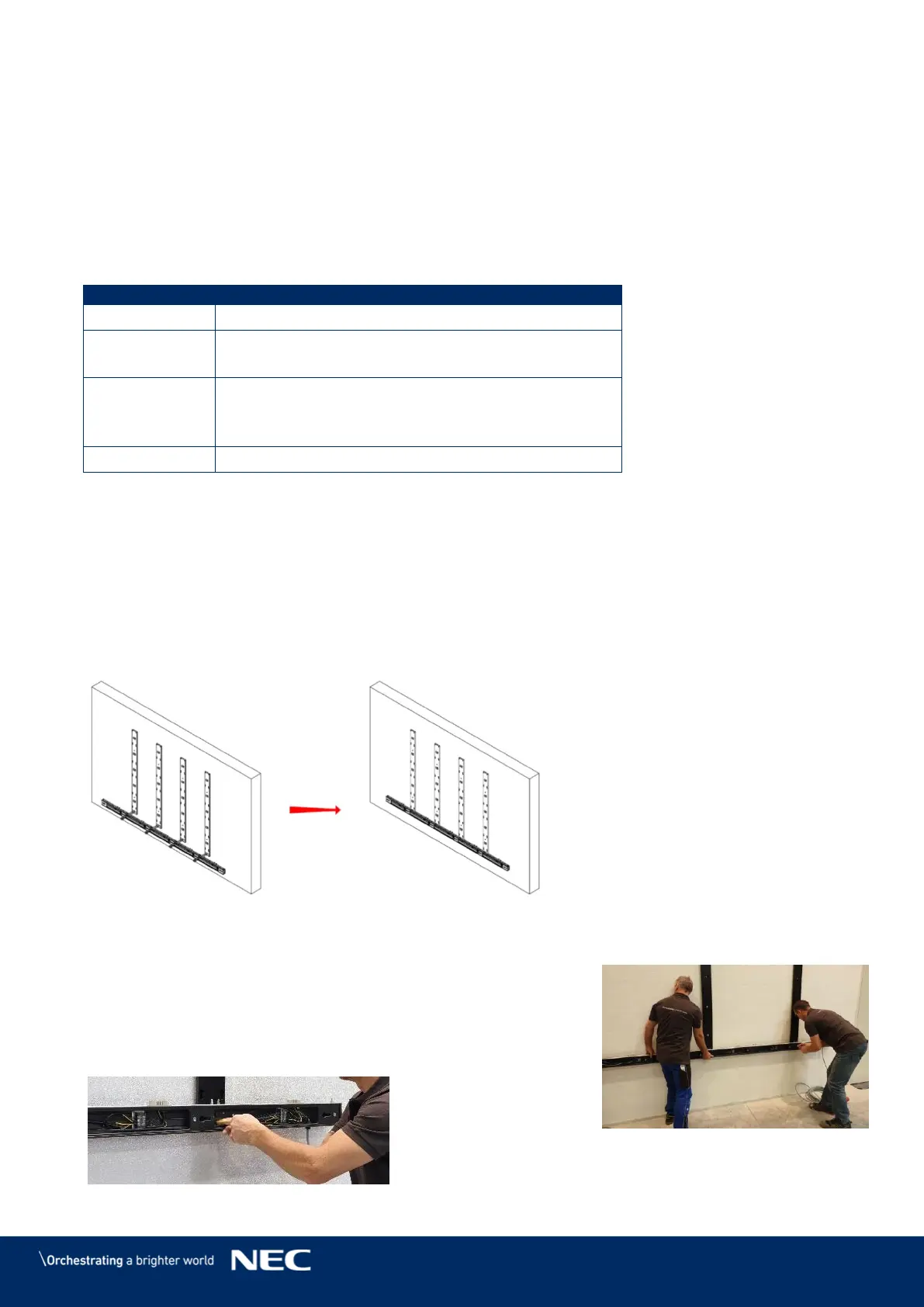
Bring the Power bar into position to align interface to anchoring point. Step 3)
Align the locating pin of the Power bar to the Mounting bar interface. Step 4)
Figure 45: Wall Mounting: Attachment of Power Bar (5×5 Frameset)
Attach Power Bar to Mounting bars 6.2.3
Use M6×12 Screws (4 per Mounting bar) to attach
Power bar onto the Mounting bars.
Check that the Power bar is level. If necessary, adjust
accordingly.
Tighten the screws.
Figure 46: Wall Mounting: Attachment of Power Bar (Detail)



 To Next Page