76
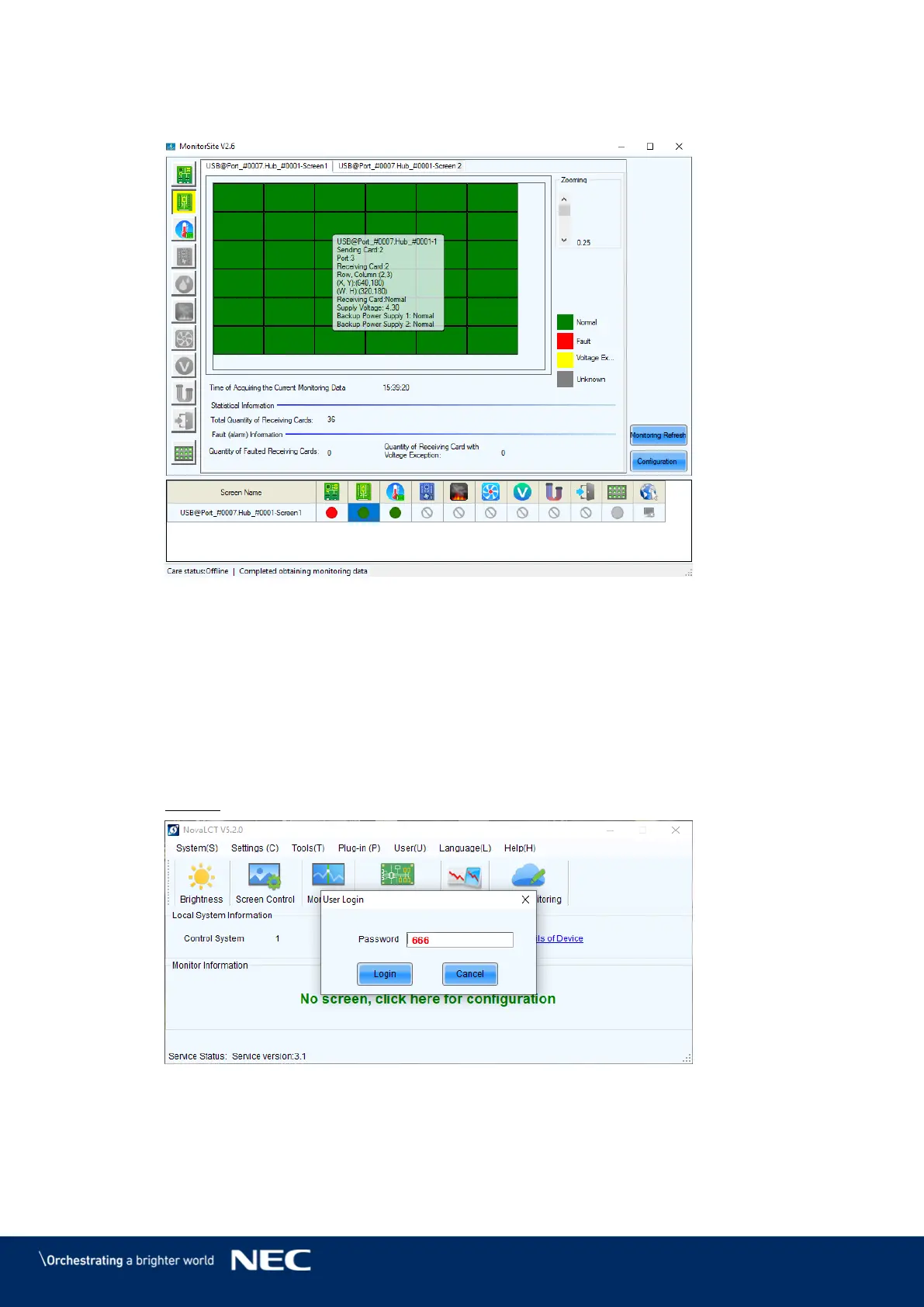
The Monitoring interface will open. By default, the Monitoring view for the Receiving Step 1)
cards is opened (see Figure 101).
Figure 101: Start Screen Monitoring
Change Monitoring Parameters 8.3.3
Asynchronous users need to log in to NovaLCT as Advanced Users to configure the Monitoring
parameters.
Start the software NovaLCT. Step 1)
Click the User(U) menu. Step 2)
Enter the password into the Password field. The default password is 666. Step 3)
Click the Login button to confirm the entry (see Figure 102). Step 4)
Result: If the Login is successful, the interface below will appear (see Figure 103).
Figure 102: Entering Password Monitoring Functions



 To Next Page